
Website Changes: Decoding Competitor Moves for Key Account Playbooks
Detecting New Product Releases and Feature Launches
New product releases often debut quietly on less conspicuous pages before any formal press release. To catch them early, regularly audit your competitors' video libraries, demo pages, and landing pages—these are prime spots for sudden announcements of new capabilities. For instance, a competitor might upload a tutorial video showcasing a feature that hasn't been officially announced yet, or update a landing page with a new tagline hinting at an upcoming launch.
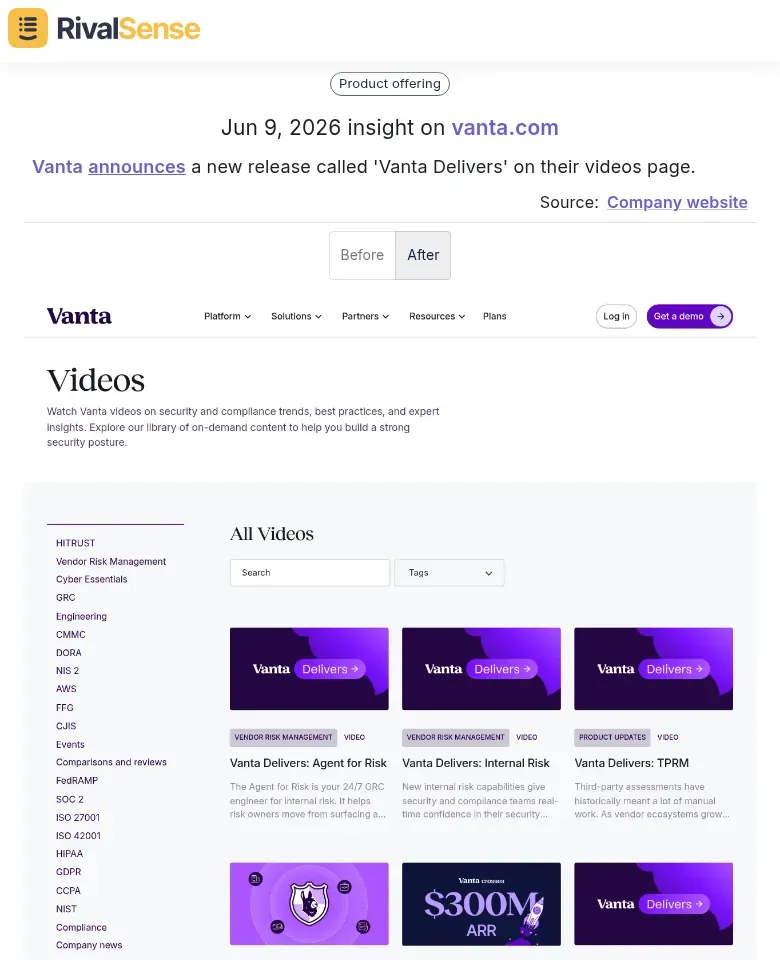
📌 Real RivalSense Insight: Vanta announced a new release called 'Vanta Delivers' directly on their videos page—no press release, no blog post, just a video update. Detecting this type of silent launch allows you to learn about new products weeks before formal announcements, giving your key account teams a decisive head start in preparing competitive responses.
Practical steps to implement:
- Set up page change alerts for key URLs using tools like RivalSense or Visualping. Focus on "/demo", "/whats-new", "/updates", and "/blog".
- Create a checklist of monitoring targets: video platforms (YouTube, Vimeo), documentation pages, changelogs, and support articles. New features often slip into existing help guides first.
- Analyze dedicated 'What's New' or release notes pages to spot feature timelines. Compare the frequency and content of updates to gauge R&D velocity.
- Look for subtle signals like updated screenshots, new case study mentions, or changed pricing pages—these frequently precede official launches.
Pro tip: If a competitor suddenly adds a new integration partner logo to their homepage, investigate further. That integration likely unlocks a feature they haven't yet announced. Early detection buys you time to prepare competitive responses and inform your product roadmap.
Tracking Product Portfolio Restructuring
To track product portfolio restructuring, start by monitoring website changelogs and archived pages (e.g., via Wayback Machine) for feature removals or deprecations. A sudden drop in promoted features often signals a strategic pivot toward new offerings. Create a checklist: (1) flag any “legacy,” “sunset,” or “end-of-life” labels; (2) compare pricing pages month-over-month for new add-ons or tiered plans—this reveals shifts in monetization strategy, such as moving from freemium to usage-based pricing. Use tools like Visualping or Distill to alert you when product sections are reorganized.
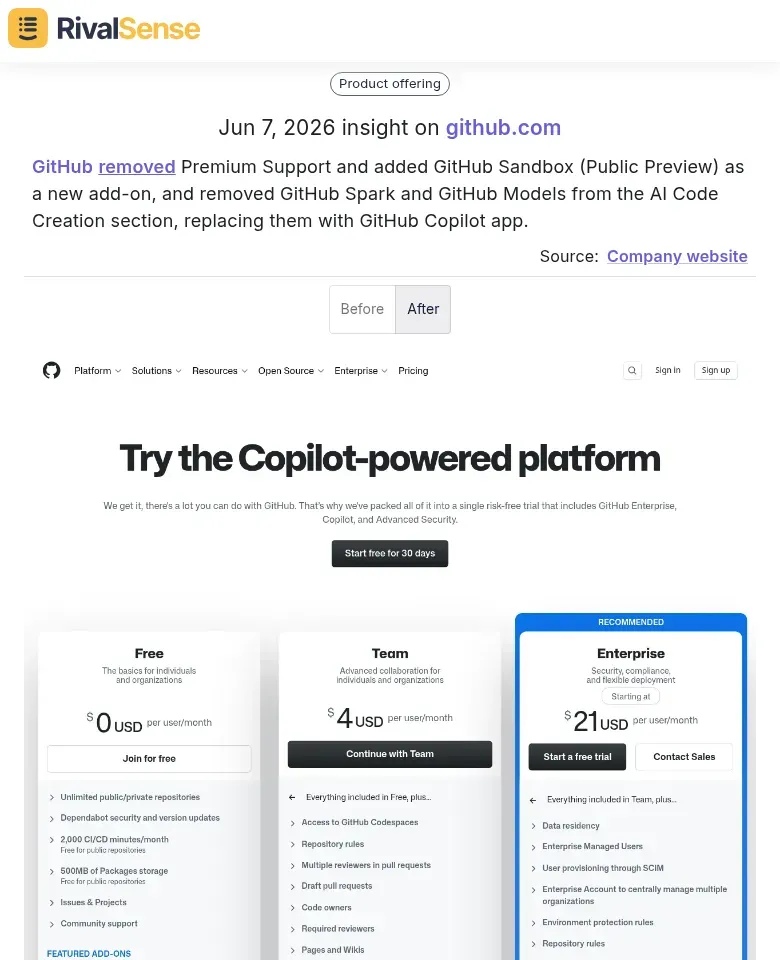
🔍 Real RivalSense Insight: GitHub revamped its support and add‑on structure—removing Premium Support, adding GitHub Sandbox (Public Preview), and replacing previous AI Code Creation items (GitHub Spark, GitHub Models) with a consolidated GitHub Copilot app. This kind of restructuring exposes a competitor's changing investment priorities and bundling strategy, directly influencing how you position your own offering.
For example, if a company merges its “Analytics” and “Reporting” tools into one dashboard, it indicates a priority on integration over standalone features. Keep a running log of these changes in a shared spreadsheet with columns: date, URL, change type (removal/addition/reorganization), and inferred strategic reason. Tip: Pair product-page changes with job listings—if a company deprecates a feature but posts roles for a new AI module, they’re doubling down on automation. Finally, review “What’s New” or “Changelog” pages monthly; even minor reorganizations hint at future roadmaps.
Monitoring Messaging and Positioning Shifts
To track shifts in messaging and positioning, systematically compare headline and subheadline changes on your competitors' key pages (homepage, product, pricing). A move from 'Enterprise-grade security' to 'AI-powered automation for teams' signals a value proposition pivot. Use a diffing tool or manual screenshots at regular intervals—weekly for high-priority competitors.
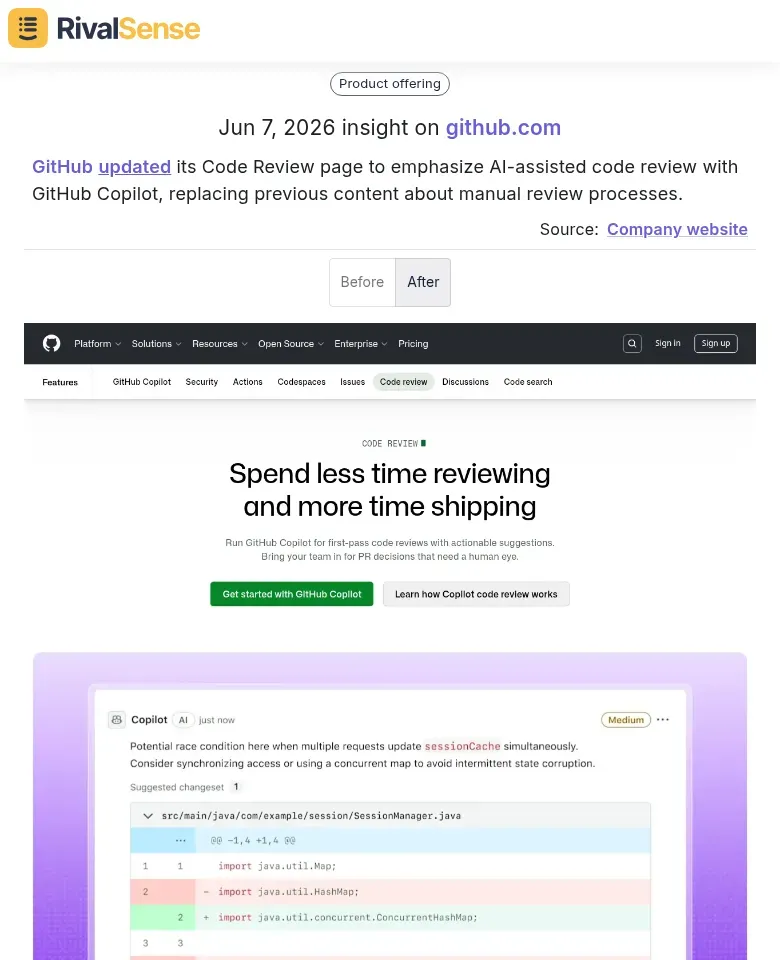
🗣️ Real RivalSense Insight: GitHub updated its Code Review page to emphasize AI-assisted code review with GitHub Copilot, completely replacing previous content about manual review processes. Such messaging shifts reveal where a competitor is steering the market narrative, allowing you to counter‑position before your sales conversations start.
Actionable checklist:
- Identify core pages: Homepage, product features, and solutions pages.
- Capture baseline: Screenshot or archive versions using tools like Wayback Machine or visual tracker.
- Track specific elements: Headlines, subheadlines, CTAs, and feature descriptions.
- Flag keywords: Watch for shifts from manual processes (e.g., 'configure', 'manage') to automation/AI terms (e.g., 'auto-generate', 'smart recommendations').
- Analyze context: If a feature page rewrites its content from 'for marketing teams' to 'for customer success', it indicates a target audience expansion.
Pro tip: Create a simple spreadsheet with columns: Date, Page, Old Copy, New Copy, Inferred Shift. After 3–4 comparisons, patterns emerge—like a competitor de-emphasizing a feature you're investing in, or pivoting to your niche. Use these insights to refine your own positioning or counter their narrative in your sales playbooks.
Identifying Strategic Priorities from Website Changes
To decode your competitors' true strategic focus, don't look at pages in isolation—cross-reference changes across multiple pages to infer broader direction. A simultaneous overhaul of the pricing page, case studies featuring enterprise clients, and the careers page (adding senior sales roles) strongly suggests a pivot upmarket.
Frequency of updates is a proxy for resource allocation. When a specific topic—say, AI features—gets updated weekly across product, blog, and landing pages, that's where they're investing heavily. Track which pages change most often; that's their priority.
Practical Steps:
- Create a change log by page category (pricing, product, about, careers, integrations).
- Tag changes by theme (AI, security, enterprise, compliance).
- Map frequency—high-change themes signal high-priority initiatives.
Combine Signals for Richer Insights:
- Job postings: Are they hiring for the roles implied by the website changes?
- Press releases: Do new partnerships or funding announcements align with updated messaging?
- Product launches: Does a new feature page coincide with a blog series and webinar announcements?
Pro tip: Use a tool like RivalSense to automate change detection and theme tagging, then weekly review the aggregated patterns. Ask: "If I were the CEO, what would these changes tell me about next quarter's bets?" This cross-signal analysis turns website noise into a strategic roadmap.
Incorporating Website Change Insights into Key Account Playbooks
Website change signals are a goldmine for keeping key account playbooks razor-sharp. Here’s how to operationalize them.
1. Update Competitive Positioning
When a competitor announces a new feature on their site, immediately map it to your key accounts. Step 1: Set up alerts for competitor product pages and changelogs. Step 2: For each new feature, update your playbook’s “competitive positioning” section with a one-paragraph response that acknowledges the competitor’s update while highlighting your differentiator (e.g., “They added X, but our solution offers Y with half the setup time”). Tip: Create a shared spreadsheet mapping competitor features to your key account stakeholders’ priorities.
2. Adapt Sales Narratives
Competitors shift messaging all the time—pricing, “AI-powered,” industry focus. Checklist:
- Compare old vs. new homepage copy quarterly.
- If they pivot to “enterprise-grade,” update your narrative to emphasize your superior security certifications.
- If they drop a pricing page, revise your ROI calculator to counter potential discounting. Hint: Record the exact phrasing you’ll use in discovery calls to proactively address the shift.
3. Flag Account Risks & Opportunities
A competitor adding a module for a specific vertical (e.g., healthcare) is a risk if one of your key accounts is in that vertical. Action: In your playbook, add a “Competitor Portfolio Change” section per account. Include:
- Risk level (high/medium/low)
- Specific changes detected
- Recommended next move (e.g., schedule a business review, share a new case study)
Pro tip: Use a shared Slack channel or CRM pipeline to notify the account team within 24 hours of a significant change.
Building a Systematic Competitor Website Monitoring Process
To build a systematic competitor website monitoring process, start by implementing automated tools like Visualping, PageProbe, or RivalSense to capture daily or weekly snapshots of key competitor pages. These tools track HTML changes and highlight diffs, saving hours of manual checking.
Next, set up targeted alerts for high-impact page categories: pricing pages (signal strategy shifts), features pages (new capabilities), case studies (customer focus changes), and careers pages (hiring patterns). Most monitoring tools allow URL tagging so you receive notifications only when these specific pages change.
Establish a regular review cadence: conduct a 15-minute weekly scan of flagged changes, a 30-minute bi-weekly deep dive into trends, and a monthly strategy session where insights feed into playbook updates. Use a shared spreadsheet or Notion database to log changes with dates and implications.
Pro tip: Create a tiered alert system—‘Major’ changes (pricing overhauls, product launches) trigger immediate Slack notifications, while ‘Minor’ changes (blog updates, team page edits) go into a weekly digest. This prevents alert fatigue while ensuring nothing critical is missed.
Turn website whispers into playbook wins. Automate competitor monitoring, catch silent launches, portfolio shifts, and messaging pivots before your competition expects you to. Try RivalSense for free and get your first detailed competitor report today—no credit card required.
📚 Read more
👉 Boost Key Account Productivity with Competitor and Compliance Tracking
👉 Spot Competitor Partnership Threats Before They Steal Your Key Accounts
👉 Mastering Competitive Positioning: A Comparative Analysis Guide for Accounting Firms
👉 SiriusXM's Video Expansion: A Competitor's Strategic Response