
Key Account Tracking Cost: How to Measure, Monitor, and Protect Margins
Last updated June 24, 2026
By the RivalSense Content Team
Key accounts are the lifeblood of any B2B business. They deliver disproportionate revenue, profits, and strategic value. But here’s the challenge: how do you track the true cost of managing these accounts? And more importantly, how do you ensure your investment is paying off?
In this post, I’ll walk you through a practical framework for key account cost tracking—covering metrics, tools, and a checklist to implement today. Along the way, I’ll show how competitive intelligence (like the kind RivalSense provides) can help you protect and grow your most valuable relationships.
📊 Why Tracking Key Account Costs Matters
If you don’t measure the cost of serving each strategic account, you’re flying blind. Common hidden costs include:
- Dedicated account management time
- Custom product or service adaptations
- Over-servicing (free consulting, extra support)
- Discounting and contract negotiations
- Opportunity cost of not pursuing other accounts
Without visibility, a “profitable” account might actually be eroding margins. Worse, you might miss early warning signs—like a competitor undercutting you—until it’s too late.
Pro tip: Start by listing all resources allocated to each key account over the past quarter. Include sales, support, product, and executive time. Then compare it to the revenue generated. This is your baseline.
✅ A 5-Step Checklist for Key Account Cost Tracking
Use this checklist to build your tracking system:
✅ Step 1: Define Your Key Accounts
Not all accounts are equal. Segment your customers:
- Strategic: High revenue, high strategic value (e.g., referral potential, market influence)
- Steady: Reliable revenue, moderate growth potential
- Occasional: Low touch, transactional
Only create detailed cost plans for Strategic accounts. Use two fields: Current Segment (where they are today) and Target Segment (where you want them to be). This immediately highlights which accounts need investment.
✅ Step 2: Identify Cost Categories
Break costs into:
- Direct labor: Sales, support, account management hours
- Service costs: Discounts, custom work, onboarding
- Marketing spend: Co-branded campaigns, events, content
- Competitive response costs: Price matches, added features to fend off rivals
👀 RivalSense tip: Tracking competitor pricing updates and product launches helps you anticipate when a key account might be poached. You can then decide if matching the offer is worth the cost—or if you should let the account go.
✅ Step 3: Set Up Tracking in Your CRM
Most companies use Salesforce. You can create a custom “Key Account Cost Plan” object linked to each account. Key fields:
- Total Cost Budget for the period
- Actual Cost Incurred (roll up from activities, time tracking, expenses)
- Revenue Target and Actual Revenue
- Account Profitability = Revenue – Cost
Automate roll-ups from opportunities, cases, and time entries. This gives you real-time profitability per account.
✅ Step 4: Monitor External Threats
Internal tracking is half the battle. Your key accounts are constantly being courted by competitors. To protect your margins, you need to know what rivals are doing.
Questions to ask weekly:
- Did a competitor launch a new feature that your key account needs?
- Did a competitor drop their price?
- Is there a new partnership that could threaten your relationship?
RivalSense automatically monitors 80+ sources for these signals—competitor websites, social media, news, regulatory filings—and delivers a weekly email digest. No more manual scouring.
🔍 Real-World Competitive Moves That Could Impact Your Key Accounts
Here are three recent examples—pulled from RivalSense—that demonstrate why monitoring competitors is essential for protecting key account profitability:
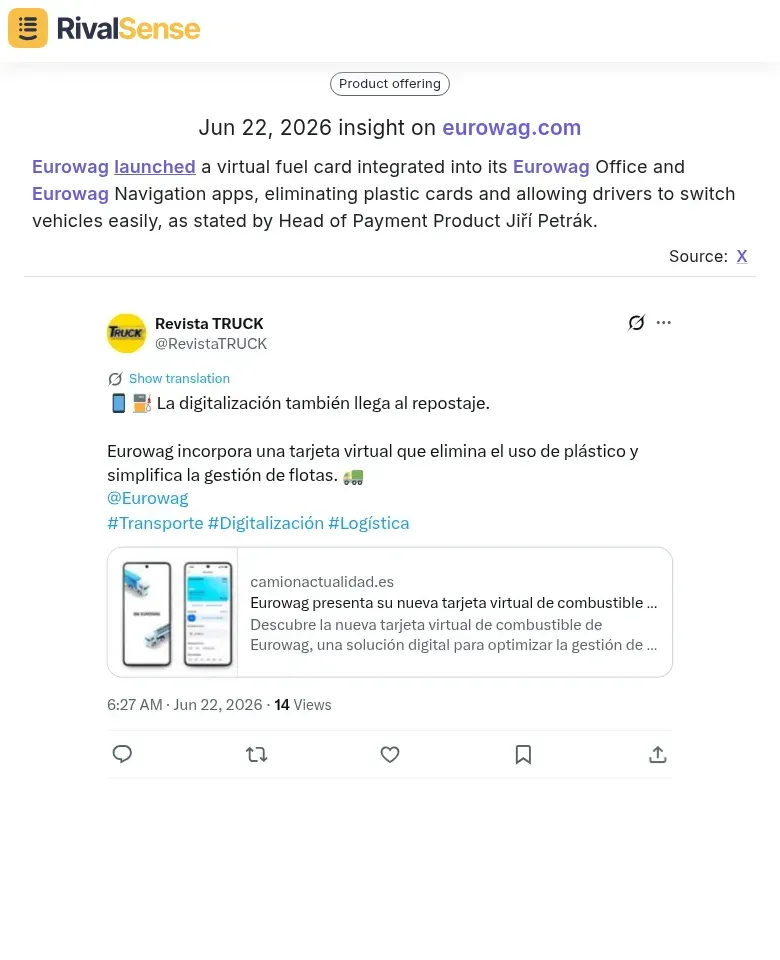
🚛 Eurowag launches virtual fuel card
Eurowag introduced a virtual fuel card integrated into its Eurowag Office and Navigation apps, eliminating plastic cards and simplifying fleet management. For companies serving logistics or transportation accounts, this type of product launch signals a shift in competitor capability. If one of your strategic accounts could benefit from a similar innovation, you may need to respond quickly—either by matching the feature or reinforcing your own differentiators. Ignoring it could allow a competitor to woo your account away.
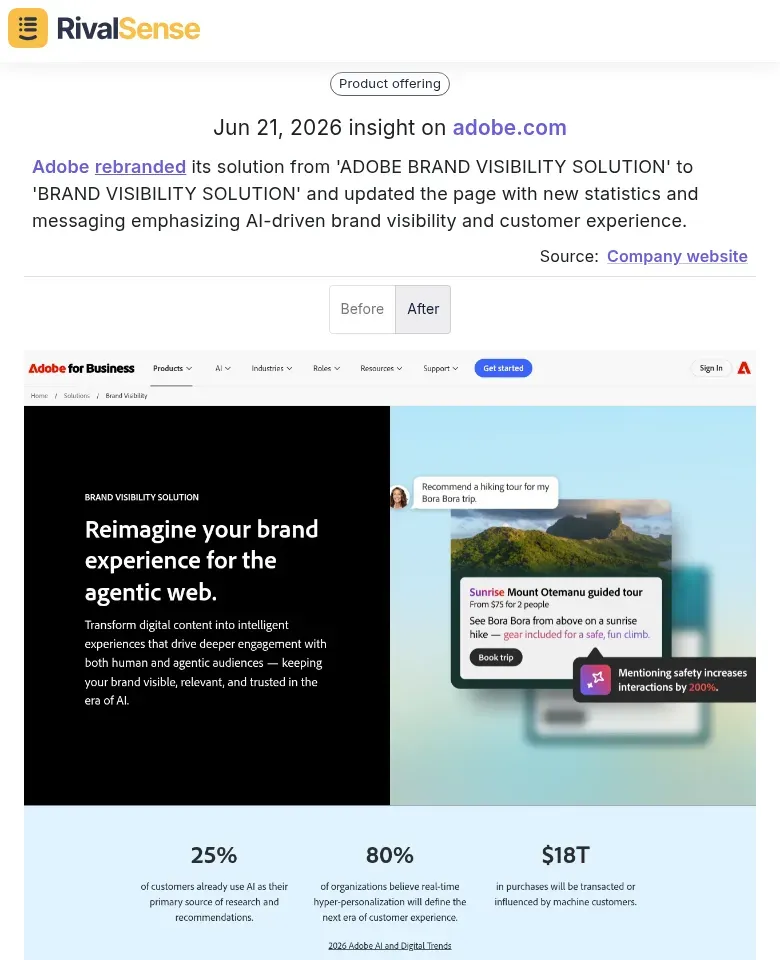
🎨 Adobe rebrands and doubles down on AI
Adobe rebranded its 'Brand Visibility Solution' and updated the product page with stronger AI messaging. For B2B firms whose key accounts rely on marketing technology, a rebrand like this signals a strategic pivot. It could mean your customer’s priorities are about to shift—affecting how they value your product or service. Tracking such changes early gives you time to adjust your account plan and messaging before you’re caught off guard.
💪 Reverse Health targets women with calisthenics
Reverse Health launched a calisthenics routine for women via its app. If you’re in the health & wellness space and manage key accounts like gym chains or corporate wellness programs, a competitor capturing that niche could erode your account’s engagement. Spotting a feature launch like this helps you evaluate whether you need to counter-offer or double down on your unique value to keep the account loyal.

These three insights—product launches, rebranding, and audience-specific features—are exactly the kind of signals that let you calculate the potential cost of inaction and decide how to allocate your key account preservation budget.
✅ Step 5: Review and Adjust Monthly
Set a monthly review with your account team. Look at:
- Cost vs. budget
- Revenue vs. target
- Competitive threats (from your RivalSense report)
- Action plan for the next 30 days
If an account is over-cost and under-threat, you may need to reallocate resources or adjust pricing.
📊 Example: Key Fields for a Cost Tracking Dashboard
You can build a simple dashboard in Salesforce or your CRM with these components:
- Account Profitability Gauge – shows which accounts are above/below target margin
- Cost Trend Line – monthly total cost per account
- Competitive Alert Count – relevant competitor moves flagged by RivalSense
This quick-view dashboard reveals accounts that need immediate attention—both on cost and competitive fronts.
⚠️ Common Pitfall: Not Linking Cost to Strategy
The biggest mistake is treating cost tracking as a standalone exercise. It must tie back to your account plan. Every dollar spent should have a clear objective (e.g., “Invest $5k in joint webinar to upsell Product X”).
If you have a Salesforce-native account planning tool, you can link cost plans directly to objectives and KPIs. That way, you see the ROI of every action.
📅 Bringing It All Together: A Weekly Cadence
Here’s a sample weekly routine:
| Day | Task |
|---|---|
| Monday | Review RivalSense report for competitor moves affecting key accounts |
| Tuesday | Update cost actuals in CRM |
| Wednesday | Account owner reviews profitability vs. threats |
| Thursday | Adjust action plan; escalate if needed |
| Friday | Send summary to executive team |
Hack: Use Chatter (or Slack) to share key competitor alerts immediately. Faster response means better account retention.
💡 The Bottom Line
Key account cost tracking isn’t about penny-pinching—it’s about making smarter investment decisions. Pair internal cost data with external competitive intelligence, and you’ll know exactly where to double down and where to cut bait.
Ready to automate competitor tracking for your key accounts? Try RivalSense for free at RivalSense and get your first weekly report today.
This post was adapted from original content by Gary Smith, CEO of GSP, with permission.
📚 Read more
👉 Trend Analysis: Competitor Matrix Benefits in Pharma Logistics
👉 Struggling to Win Key Accounts? Twitter Reveals Competitor Intel
👉 Real-World Examples: How to Identify Key Accounts in Tech
👉 Trend Analysis: Pricing Insights from Competitor Journey Mapping