
How to Track Key Account Team Members for Competitive Intelligence
When a competitor posts a job listing for an "Associate National Account Manager" focused on a specific retailer like 7-Eleven, it’s more than just a hiring signal—it’s a roadmap to their strategic priorities. That role’s responsibilities—managing day-to-day account ops, coordinating cross-functional teams, tracking key initiatives—reveal exactly where they’re investing resources to win. For B2B leaders, tracking such hires is a goldmine of competitive intelligence. Here’s how to do it systematically.
Why Track Key Account Team Members?
Key account managers are the linchpins of customer retention and revenue growth. When a competitor adds or changes this role, it signals where they are placing big bets. Understanding these moves lets you calibrate your own account strategies before the battle heats up.
- Account Prioritization: Which customers are getting dedicated resources (e.g., 7-Eleven).
- Expansion Plans: New products, geographies, or verticals.
- Operational Gaps: Areas they need to strengthen (analytics, field execution).
Without tracking these moves, you risk being blindsided by a competitor’s improved account penetration.
Step-by-Step Guide to Tracking Key Account Team Members
1. Identify Target Roles and Keywords
To spot key account team changes early, you need a precise list of titles and search terms. Dig into job boards and career pages with a focused lens, looking for roles that directly manage strategic relationships.
Monitor job titles like:
- National Account Manager, Key Account Manager, Strategic Account Manager
- Associate/Assistant roles that indicate growth (e.g., "Associate National Account Manager")
- Industry-specific variations (e.g., "CPG Account Manager")
Search on LinkedIn, company career pages, and aggregators like Indeed or Glassdoor.
2. Analyze Job Descriptions for Strategic Clues
Each section of a job description tells a story about the competitor’s sales motion and account plans. By dissecting responsibilities, qualifications, and even travel requirements, you can reverse-engineer their go-to-market approach.
| Section | What to Look For | Strategic Insight |
|---|---|---|
| Key Responsibilities | Specific accounts named (e.g., 7-Eleven) | Top customer targets |
| "Cross-functional coordination" or "field team support" | Organizational structure shifts | |
| "Track key initiatives" or "surfacing insights" | Data-driven culture building | |
| Qualifications | Years of experience, industry background | Talent gaps they’re filling |
| Travel % | High travel % (>50%) signals field-heavy strategy | On-ground execution focus |
| Salary | Range and bonuses | Investment level in account mgmt |
Example: A role with 50% travel and a focus on "in-field training" and "store-level execution" suggests a hands-on, retailer-centric growth strategy—likely targeting major chains like 7-Eleven.
3. Track Changes Over Time
A single job posting is a snapshot; patterns over months reveal direction. Maintaining a simple tracker helps you see whether a competitor is steadily building an army of account managers or just backfilling churn.
Create a spreadsheet to log:
- Date of job posting
- Role title, location, salary
- Named customers or verticals
- Key responsibilities and qualifications
- Hiring manager (if known)
Update monthly to spot trends (e.g., multiple hires for the same account).
4. Cross-Reference with Broader Competitor Signals
Job listings alone don’t complete the picture. Effective key account intelligence merges hiring data with real-time moves across your rivals’ product, marketing, and public content. These broader signals often confirm which accounts or industries are being prioritized.
Beyond LinkedIn profile changes and trade show presence, pay close attention to these high-value clues—many of which can be detected automatically with a tool like RivalSense:
-
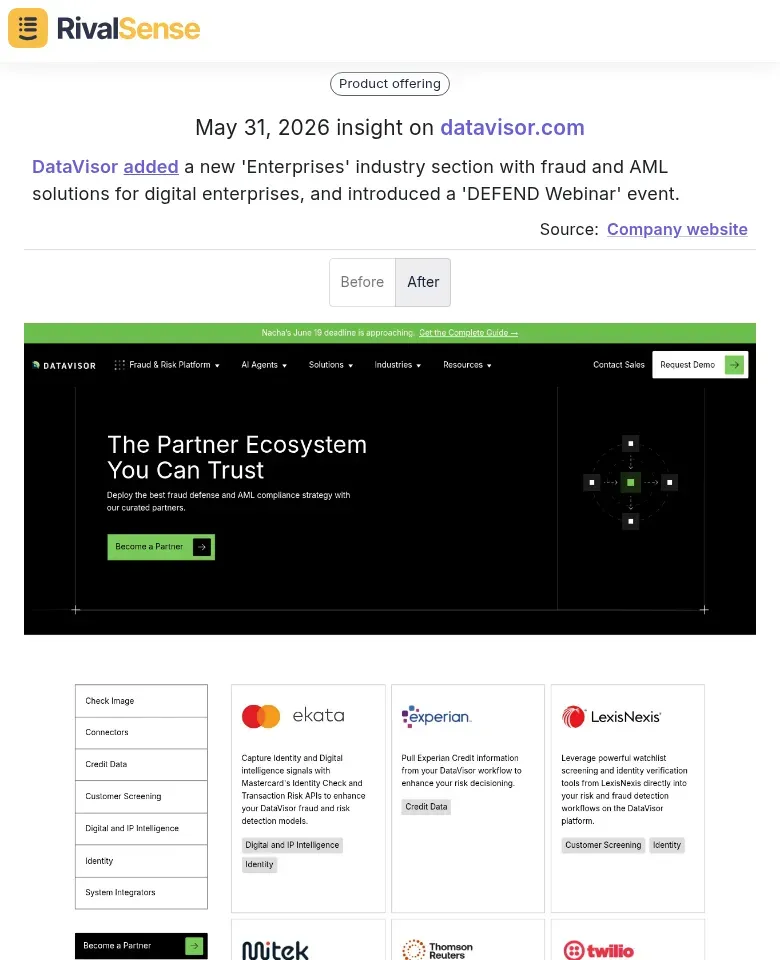
Website & Product Updates: When a competitor adds a new industry section or launches a vertical-specific solution, it often signals account focus. For instance, RivalSense recently surfaced that DataVisor added a new 'Enterprises' industry section with fraud and AML solutions for digital enterprises, alongside a 'DEFEND Webinar' event. This move strongly implies a sales push toward enterprise-sized accounts.
-
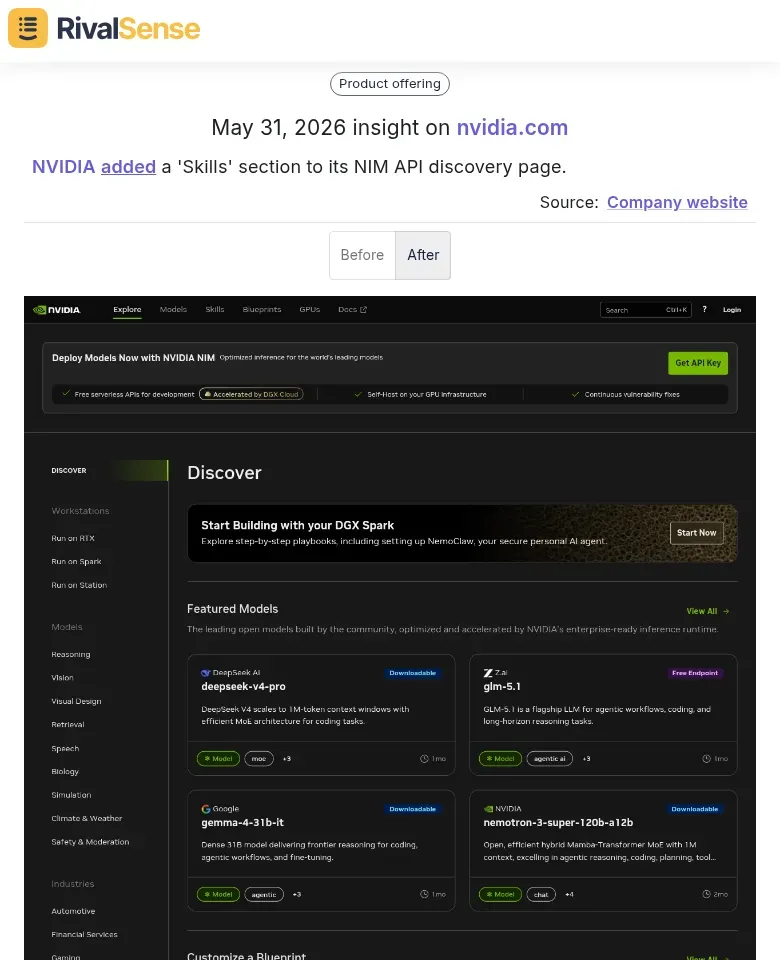
Developer & Partner Ecosystem Changes: Additions to API portals, learning hubs, or partner programs can point to strategic account investments. RivalSense detected that NVIDIA added a 'Skills' section to its NIM API discovery page, likely aimed at upskilling developers at key enterprise accounts. Such a change suggests a competitor is deepening the technical engagement needed to win larger, more complex deals.
-
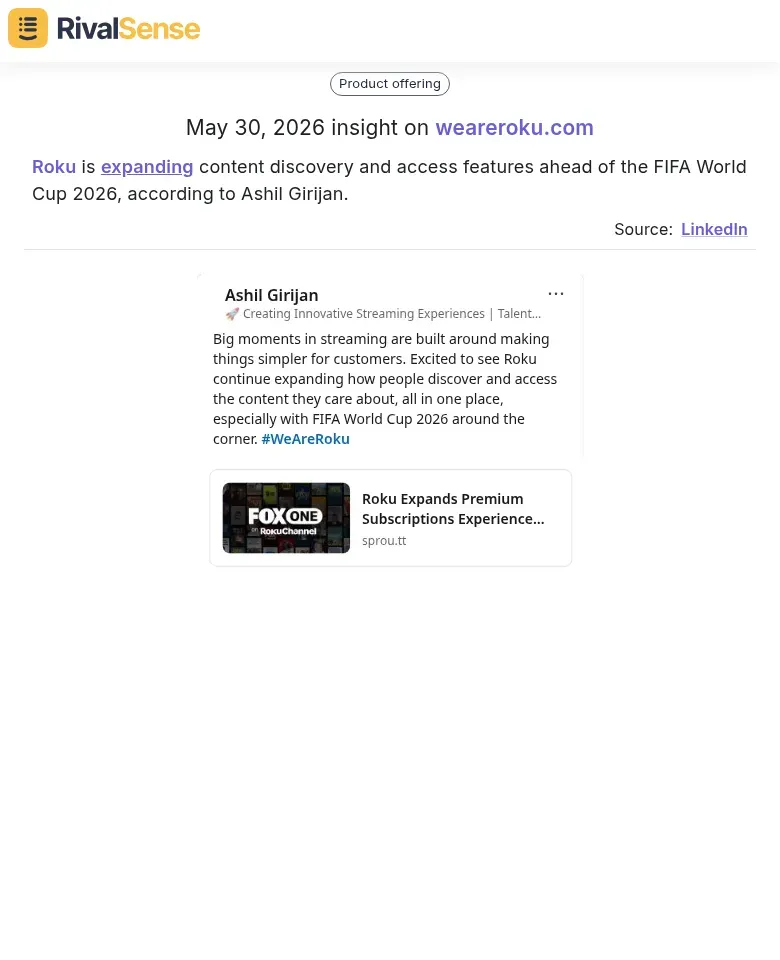
Content & Media Moves: When a company rapidly builds out content discovery features tied to major events, it’s targeting specific audiences—and the partners serving them. According to Ashil Girijan, Roku is expanding content discovery and access features ahead of the FIFA World Cup 2026. This expansion points to platform accounts and media partnerships that could be key revenue channels. RivalSense picked this up from a media mention, helping you see the broader account landscape your competitor is courting.
5. Automate Alerts and Aggregation
Manual tracking across job boards, LinkedIn, social media, and websites is a time sink. To stay ahead without draining resources, layer automation into your intelligence workflow. Set Google Alerts for “hiring National Account Manager” + competitor name, and use LinkedIn Sales Navigator to catch profile changes. For a comprehensive view, RivalSense monitors 80+ sources (career pages, company sites, social media, registries) and delivers a weekly email report on competitor changes—including new hires, promotions, and role shifts. You’ll never miss a key account team move again.
Practical Checklist for Weekly Tracking
- [ ] Review job boards for new postings from top 5 competitors.
- [ ] Note any named accounts in descriptions.
- [ ] Check LinkedIn for profile changes of known account managers.
- [ ] Update your tracking spreadsheet with new data.
- [ ] Discuss findings in weekly strategy meeting.
Pro Tips
- Look for “repeat” accounts: If multiple competitors hire for the same retailer, that account is up for grabs.
- Watch for role creation vs. replacement: A new “Associate” role signals expansion; a replacement signals turnover (potential weakness).
- Compare salary ranges: Higher salaries indicate a competitor is investing heavily in top talent—and in those accounts.
Turn Key Account Insights Into Action with RivalSense
Tracking key account team members manually is tedious and easy to miss. RivalSense automates the heavy lifting by monitoring competitor career pages, website changes, social media, and regulatory filings—all delivered in a single weekly email. The same platform that surfaced the DataVisor, NVIDIA, and Roku insights above can keep you informed about hiring patterns, product pivots, and partnership signals that shape account strategies.
Ready to get your first competitor report today? Try RivalSense for free at https://rivalsense.co/ and start seeing exactly where your rivals are doubling down on key accounts.
📚 Read more
👉 How to Track Key Account Team Members on Influencer Platforms [Checklist]
👉 How to Spot Competitor Sourcing Pivots (Hint: Bvlgari's Raffia Secret)
👉 How Website Changes Uncover Competitor Financial Insights
👉 The Ultimate Competitor Content Tracking Template
👉 Decoding Competitor Product Moves: A Practical Guide to Key Account Tracking