
How to Map Your Competitors’ Product Moves Before They Happen: Real-World Strategies
Competitive landscape mapping isn’t just about tracking feature releases—it’s the strategic compass that prevents product-led organizations from being blindsided. A single pricing page tweak or a new FAQ entry can signal an impending pivot, a target market shift, or an upcoming feature launch. Systematic monitoring transforms these subtle signals into actionable intelligence.
Why systematic tracking wins over ad‑hoc checks:
- Early warnings: A competitor’s job posting for a new role (e.g., “Integration Engineer”) hints at platform expansion weeks before any announcement.
- Pattern recognition: Small wording changes in documentation (e.g., adding “enterprise‑grade” to security pages) often precede a tiered pricing rollout.
- Strategic alignment: Regular mapping forces your team to ask, “What are we doing differently—and why?”
Practical checklist for your weekly scan:
- Review the changelog or “What’s New” pages of your top 3 competitors.
- Compare pricing page text vs. last month’s version (use Wayback Machine if needed).
- Check new case studies or testimonials for language about pain points.
- Note any new integrations or partnerships—they reveal ecosystem priorities.
Pro tip: Create a simple spreadsheet with columns: Competitor, Change Detected, Potential Implication, Action Required. Assign one team member to update it every Friday. Within 4 weeks, patterns will emerge that no ad‑hoc review could surface.
Spotting Strategic Pivots Through Website and Navigation Changes
When a competitor reorganizes their website navigation, it’s often the first public signal of a strategic pivot. These changes are deliberate investments in how they want customers to perceive their value. Here’s how to decode them:
- Monitor category shifts: If a competitor moves a product from a “Features” dropdown to a standalone “Platform” section, they’re signaling increased investment. Conversely, demoting a category to a subpage may indicate deprioritization.
- Watch for new market language: A change from “Enterprise Solutions” to “AI‑Powered Workflows” suggests a repositioning toward automation. Retiring old terminology (e.g., “Legacy Tools”) often accompanies product phase‑outs.
- Sitemap sleuthing: Schedule weekly snapshots of their sitemap.xml. A new URL pattern like
/ai-assistant/or/pricing-v2/can reveal upcoming launches. Tools like Sitemap Inspector can automate this. - Navigation diffing: Use browser extensions (e.g., Page Monitor) to track header/footer changes. A new “Integrations” tab might foreshadow an API‑first strategy.
🔍 Real‑World Example: DataVisor’s Navigation Overhaul
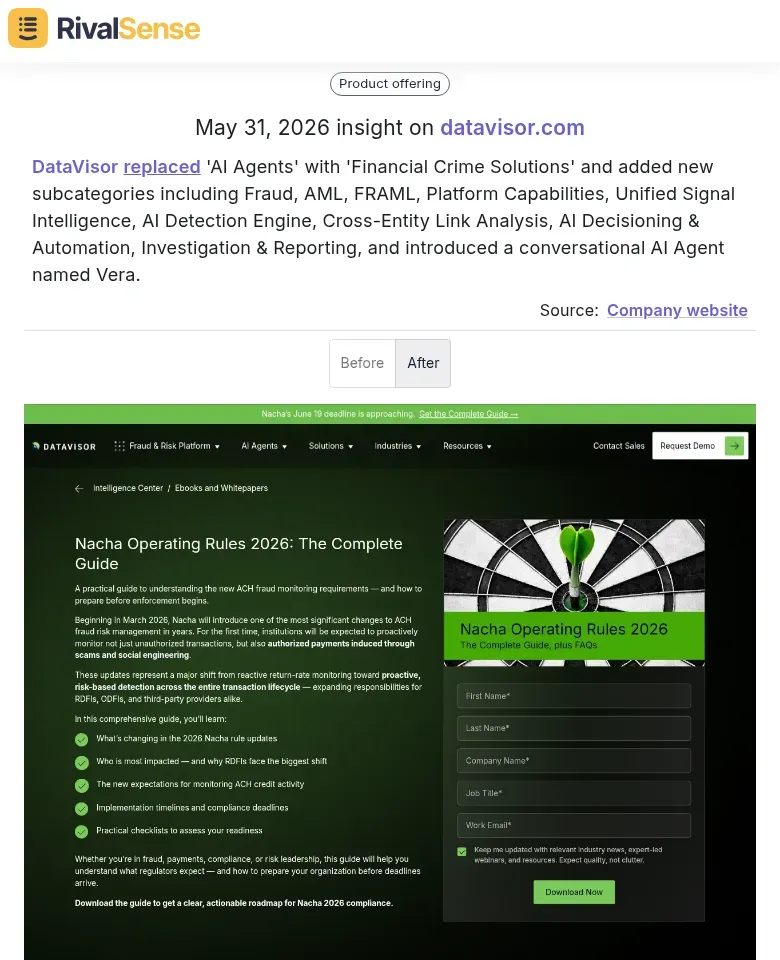
Source: RivalSense insight – DataVisor replaced ‘AI Agents’ with ‘Financial Crime Solutions’ and introduced new subcategories including Fraud, AML, FRAML, an AI Detection Engine, and a conversational AI Agent named Vera.
This type of restructuring is a goldmine for intelligence. When a competitor abruptly shifts its entire navigation and terminology, it signals a deliberate repositioning—here, away from a generic AI narrative and toward a specialized financial‑crime platform. Monitoring such changes allows you to:
- Anticipate the verticals they’re now targeting (banks, fintechs),
- Identify the new capabilities they’re packaging (e.g., unified signal intelligence, cross‑entity link analysis), and
- Adjust your own positioning or identify partnership gaps before they own the narrative.
Practical checklist:
- Archive competitor sitemaps weekly.
- Note any renamed or reordered nav items.
- Cross‑reference with job postings (e.g., new “Head of AI” role that matches the nav changes).
- Set alerts for 404 pages—broken links from renamed sections hint at migrations.
By treating navigation as a product roadmap leak, you can anticipate pivots months before official announcements.
Mining Public‑Facing Documentation for Product Signals
Public‑facing documentation—FAQs, help centers, and release notes—is an underutilized goldmine for early product intelligence. Unlike press releases or carefully crafted marketing pages, these assets are updated frequently by technical teams and often reveal unpolished signals about strategic shifts.
What to mine:
- Release notes: Track feature launches, deprecations, and API changes. A new integration or removed functionality can reveal a platform’s direction before it’s formally announced.
- Help center articles: New troubleshooting guides often precede full feature launches. If a competitor publishes a guide titled “How to set up X for enterprise teams,” they’re likely targeting a new segment.
- FAQ changes: Updated FAQs hint at emerging customer pain points or compliance requirements the competitor is addressing.
🌍 Geographic rollout tracking: the Waymo example
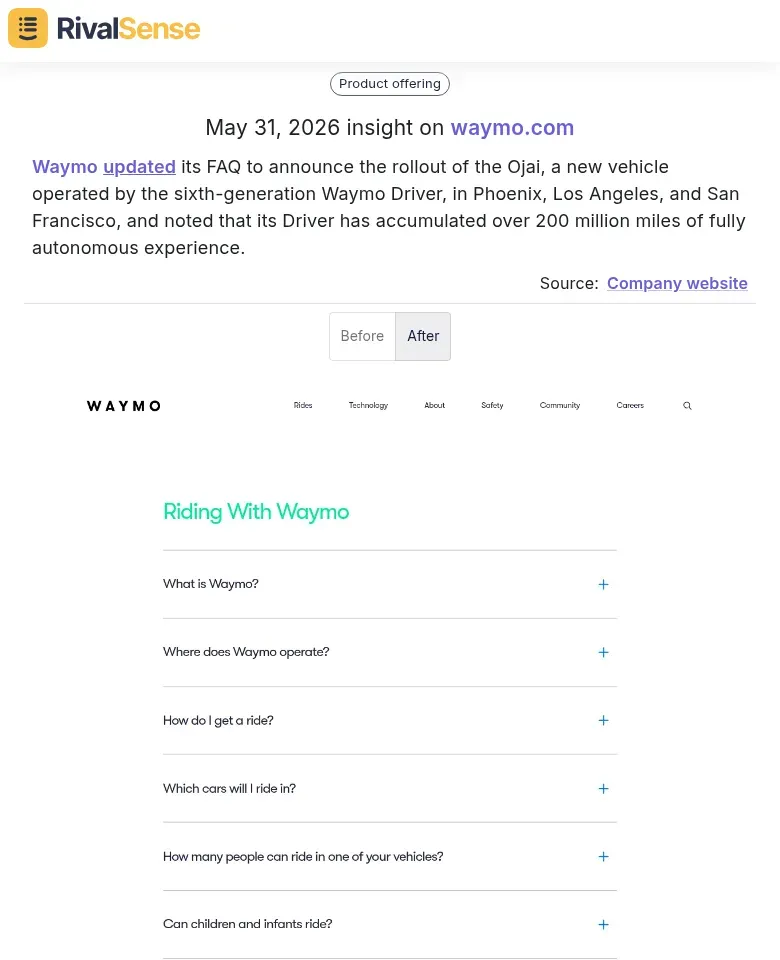
Source: RivalSense insight – Waymo updated its FAQ to announce the Ojai, a new vehicle operated by its sixth‑generation Driver, rolling out in Phoenix, Los Angeles, and San Francisco. The FAQ also disclosed that its Driver has accumulated over 200 million miles of fully autonomous experience.
An FAQ update like this is not just customer support—it’s a press release in disguise. It tells you:
- Geographic expansion priorities: The specific city list reveals their current scaling markets and where they feel operationally ready (i.e., regulatory alignment, fleet capacity).
- Technology maturity: 200 million autonomous miles is a powerful benchmark. It signals operational scale, safety data, and the confidence to deploy a next‑generation vehicle. For a competitor or partner, this indicates readiness for enterprise deals, insurance partnerships, or even a public offering.
Cross‑reference these insights with:
- Job postings for local operations or safety drivers in the newly listed cities.
- Press about regulatory approvals in those regions.
- Patent filings for new sensor or routing technology.
Identifying new use cases:
Compare old vs. new documentation versions (use Wayback Machine). Look for new customer personas mentioned (e.g., shifting from “mid‑market” to “enterprise IT managers”) or use‑case examples that target different verticals.
Practical checklist:
- Set up alerts for competitor help center and release note pages.
- Weekly: review new FAQ topics and deprecated features.
- Monthly: do a diff of documentation structure changes.
- Quarterly: map all new use cases against your own product roadmap.
Decoding Feature Updates to Understand Positioning Shifts
Feature descriptions are strategic signals. When a competitor shifts language from “analyze past performance” to “real‑time insights,” they’re not just updating a bullet point—they’re repositioning their value proposition toward operational agility. To stay ahead, you need to treat every feature announcement as a clue about who they’re becoming, not just what they’re shipping.
How to decode shifts:
- Spot target audience pivots: A CRM adding “for enterprise compliance teams” signals a move upmarket. Cross‑reference with hiring data (compliance officers hired recently?) to confirm.
- Track temporal emphasis: Real‑time capabilities often indicate a move from retrospective analysis to proactive decision‑making. Action step: Create a feature timeline. Note when each competitor emphasized “real‑time,” “live,” or “instant” vs. “historical,” “reports,” or “analysis.”
- Link to market trends: If multiple competitors suddenly add real‑time collaboration, it may reflect a broader shift to remote team workflows or competitive pressure from a new entrant like Notion.
🎯 Example: Fireflies’ Pivot to Live Suggestions
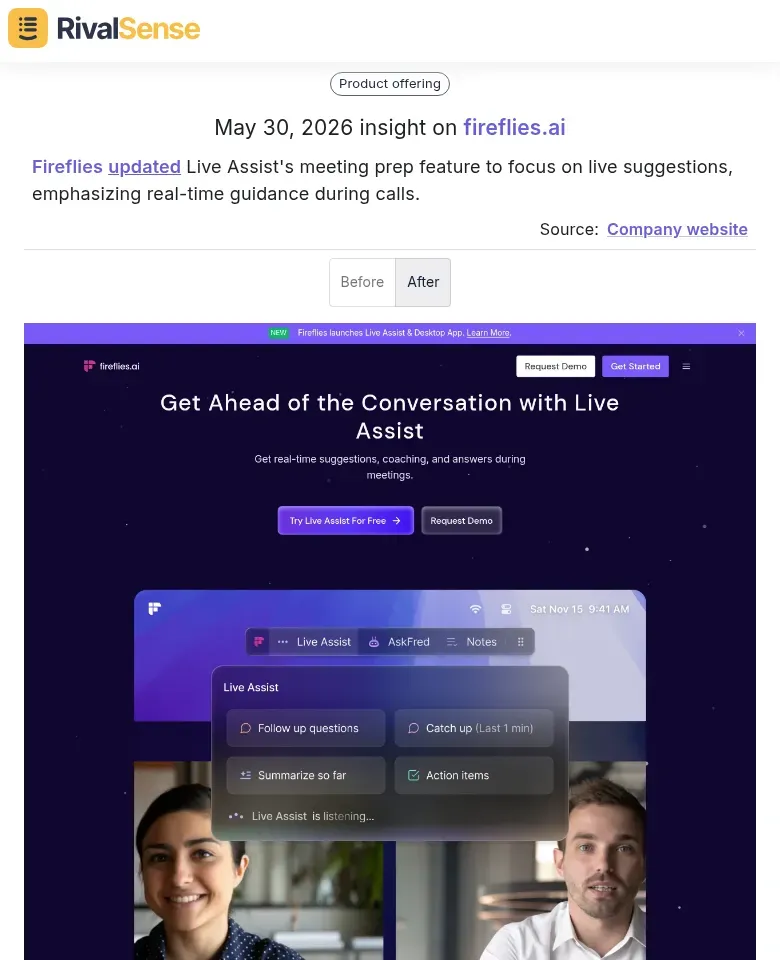
Source: RivalSense insight – Fireflies updated its Live Assist meeting prep feature to focus on live suggestions, emphasizing real‑time guidance during calls.
This is a classic positioning shift. By moving from post‑meeting summaries to in‑call suggestions, Fireflies signals a focus on operational assistance—competing more directly with live coaching tools like Gong or exec‑level real‑time guidance. For a B2B founder, this is a warning: if your product only provides after‑the‑fact analytics, you may be losing ground to tools that influence the moment of decision.
Actionable takeaway: Monitor feature update language for temporal words (“live,” “now,” “during”). Create a simple matrix: Feature → Old Wording → New Wording → Inferred Shift. Within a quarter, you’ll see patterns that reveal a competitor’s strategic arc before their marketing campaigns make it obvious.
Practical checklist for monthly monitoring:
- Collect changelogs and release notes.
- Highlight any new adjectives (e.g., “AI‑powered,” “automated,” “real‑time”).
- Map each update to a target audience segment.
- Ask: Does this feature fill a gap in their previous offering? If so, which competitor are they chasing?
Tip: Use a simple spreadsheet with columns for Date, Feature, Old Wording, New Wording, and Inferred Positioning Shift. Over a quarter, patterns will emerge that reveal competitive strategy adjustments before they become obvious.
Leveraging Performance Metrics as Competitive Benchmarks
Public metrics like mileage driven, transactions processed, or daily active users offer raw material for benchmarking competitor maturity. For a B2B leader, these numbers are not vanity—they are proxies for operational capacity, product‑market fit, and readiness to enter new segments.
Key Step: Collect metrics from press releases, investor updates, or customer case studies. Track them over time to spot growth velocity.
How milestones indicate readiness: A fintech processing $500M in transactions may be ready for enterprise partnerships or new geographies. A SaaS reaching 10,000 paid users suggests product‑market fit sufficient for upmarket expansion. The Waymo example earlier—200 million autonomous miles—serves as a tangible readiness benchmark for fleet deployment and technology maturity.
Validate credibility: Combine multiple signals. If a competitor claims “100,000 users” but shows low engagement or limited revenue, their readiness is suspect. Cross‑check with employee count, funding rounds, and customer reviews.
Practical checklist:
- ☐ Collect 3+ metrics per competitor (usage, revenue, scale).
- ☐ Track quarterly changes (e.g., 20% MoM growth vs. plateau).
- ☐ Cross‑reference milestones with team size (are they hiring for expansion?).
- ☐ Monitor industry benchmarks (e.g., average transactions per user).
Pro tip: Use a simple scoring matrix: Assign 1–5 for each metric, then average for a “maturity score.” Competitors scoring above 4 are likely ready for market moves you should watch closely.
Building a Sustainable Competitive Intelligence Practice
To build a sustainable competitive intelligence (CI) practice, start by defining your signal sources and monitoring cadence. Create a repeatable workflow: capture (set up automated alerts for competitor websites, changelogs, and press releases), analyze (tag and prioritize signals by relevance and urgency), and distribute (share insights via a weekly CI digest or Slack channel). Use tools like RivalSense for automated website tracking, Feedly for RSS feeds, and Diffbot for changelog monitoring. For docs and announcements, leverage platforms such as Google Alerts, Crayon, or Klue.
Practical steps:
- Week 1: Identify top 3–5 competitors and list their key signal sources (blogs, product pages, SEC filings).
- Week 2: Set up monitoring tools (e.g., RivalSense for web changes, Sourceful for documentation diffs).
- Week 3: Create an internal taxonomy (e.g., pricing, feature launch, partnership) to tag signals.
- Week 4: Establish a weekly review meeting and a decision log to track actions taken.
Tip: Avoid data overload. Focus on signals that directly impact your product roadmap or positioning. When translating intelligence, ask: “How does this change our competitive advantage?” and “What one action can our product team take this sprint?” Actionable recommendations should be concrete—e.g., “Prioritize SSO integration because Competitor X just shipped it and is winning enterprise deals.”
Stay One Step Ahead with RivalSense
The examples above—Waymo’s FAQ‑based expansion, DataVisor’s navigation pivot, and Fireflies’ real‑time feature shift—were all surfaced through systematic competitive tracking. RivalSense monitors competitor websites, social media, registries, and more, delivering every meaningful change in a concise weekly email report. You get the early signals, the context, and the actionable intelligence without manual legwork.
👉 Try RivalSense for free at https://rivalsense.co/ and get your first competitor report today.
📚 Read more
👉 How to Track Key Account Team Members for Competitive Intelligence
👉 How to Track Key Account Team Members on Influencer Platforms [Checklist]
👉 How to Spot Competitor Sourcing Pivots (Hint: Bvlgari's Raffia Secret)