
Uncover Competitor Pricing Secrets Hidden in App Reviews
When a competitor changes their pricing, you usually hear about it through a press release, a blog post, or a sales email—but by then, you’re already behind. The real early warning system is hiding in plain sight: app reviews. Because competitors often roll out pricing updates to existing users before announcing them publicly, reviews become a real-time feed of unsolicited feedback straight from the customer’s mouth.
Why does this matter? First, reviews reveal not just what changed, but how customers feel about it. A price hike might trigger reviews like 'Love the product, but the new tier is too expensive for my team' or 'Finally, a cheaper plan—this opens up access for small businesses.' These sentiments are gold for understanding perceived value.
Second, reviews are unfiltered. Unlike a polished press release, a frustrated (or delighted) user will tell you exactly what they think of the new pricing structure. You get insights like feature-gating backlash, confusion over billing models, or applause for added flexibility.
Your quick-start checklist:
- Set up alerts for your top 3 competitors on major app stores (Apple App Store, Google Play, G2, Capterra).
- Filter reviews by 'most recent' and scan for keywords: price, cost, subscription, plan, tier, expensive, worth it, value, free, upgrade.
- Categorize reactions as positive, negative, or mixed—then compare with your own pricing.
Treat app reviews as your competitor's secret changelog. The feedback loop is fast, authentic, and actionable. Start reading before your competition does.
Spotting Pricing Language and Positioning Shifts
Pricing pages are rarely static. When a competitor renames a plan, it's not just a label swap—it signals a strategic shift targeting new customer segments or reshaping perceived value. App store reviews often become the first public record of these changes, reflecting real-time customer confusion or clarity around the new terminology.
Monitoring such language shifts helps you understand whether a competitor is pivoting toward occasional users, consolidating tiers, or simplifying their offer. These cues can inform your own messaging and positioning before the shift becomes industry-wide.
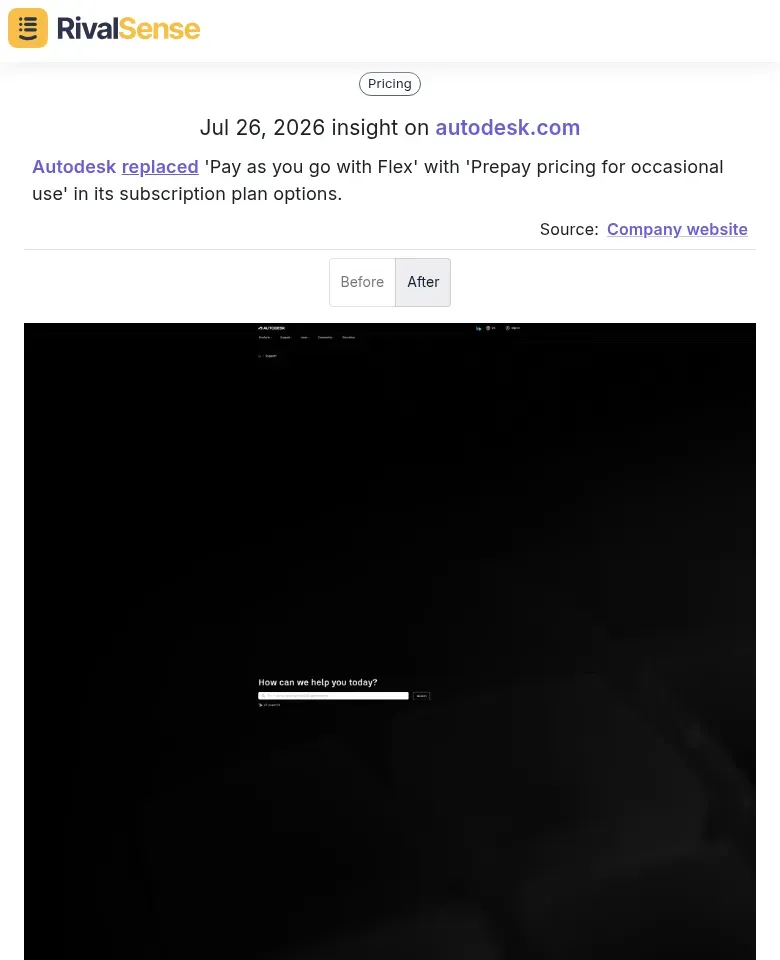
Consider this real example captured by RivalSense: Autodesk replaced 'Pay as you go with Flex' with 'Prepay pricing for occasional use.' This type of insight reveals a deliberate move to attract infrequent, budget-conscious customers who might have shied away from perpetual plans.
How to detect and analyze pricing language shifts:
- Monitor review timelines. Compare mentions of old vs. new pricing names. Tools like RivalSense can alert you the moment fresh language appears in reviews.
- Categorize sentiment. Does the new naming reduce confusion? Look for reviews saying 'finally understand the plans' vs. 'what does this even mean?'
- Connect to strategy. A shift from 'Enterprise' to 'Teams' suggests a downsell targeting SMBs. Check if reviews validate this—are small teams praising the fit?
Quick checklist for each shift:
- [ ] Did the rename coincide with a price change?
- [ ] Do reviews mention the new term positively?
- [ ] Are users still asking about old plan names?
💡 Pro tip: Search review snippets for words like 'confusing,' 'pricing,' or 'plan names' to surface friction. If a new name isn't sticking, your competitor may revert—or you can capitalize on their misstep.
Identifying Structural Pricing Model Changes
When a competitor shifts from usage-based pricing (e.g., charging per campaign) to optional models (e.g., flat fee with optional add-ons), customer incentives change dramatically. Usage-based models create friction—users hesitate to run extra campaigns due to cost. Optional pricing removes that barrier, spurring experimentation and adoption, while creating new revenue from power users. Tracking such a pivot through app reviews gives you an unfiltered view of whether the bet is paying off.
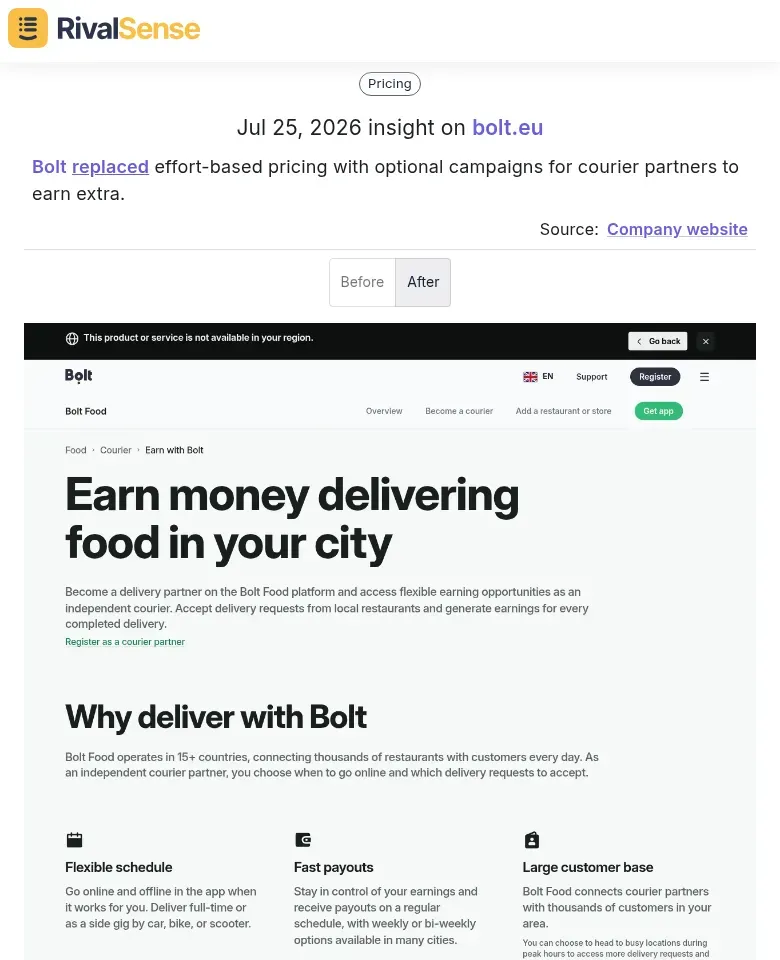
A recent RivalSense insight on Bolt illustrates this perfectly: Bolt replaced effort-based pricing with optional campaigns for courier partners to earn extra. This structural change may attract more partners by offering flexibility while monetizing through premium features. Monitoring how riders react in reviews helps you assess whether the model increases satisfaction or introduces new complaints.
How to detect structural pricing changes in app reviews:
-
Search for pricing keywords: Look for terms like "now includes," "upgraded to," "switched from pay-per-use to" in recent reviews. Filter by date to catch early signals.
-
Analyze sentiment shifts: After a pricing change, check if reviews mention "finally I can try X" (positive) or "used to be cheaper for light usage" (negative).
-
Quantify adoption: Count reviews praising the new flexibility vs. those complaining about removed low-cost options. A surge in positive mentions signals successful model change.
-
Spot revenue hints: Users may say "worth the upgrade" or "add-on costs add up," revealing willingness to pay for optional features.
💡 Pro tip: Track review volume over time—a spike often correlates with pricing announcements. Using a competitor monitoring tool like RivalSense, you can get alerted when new reviews mention pricing keywords, so you never miss a model shift.
Uncovering Fee and Delivery Term Adjustments
Competitors often tweak delivery terms, threshold-based fees, and special item surcharges—and the first place these changes surface is almost never a press release. App reviews become a frontline indicator of how those operational adjustments land with real customers. By systematically analyzing complaints and praise, you can reverse-engineer the updated fee logic and benchmark it against your own offers.
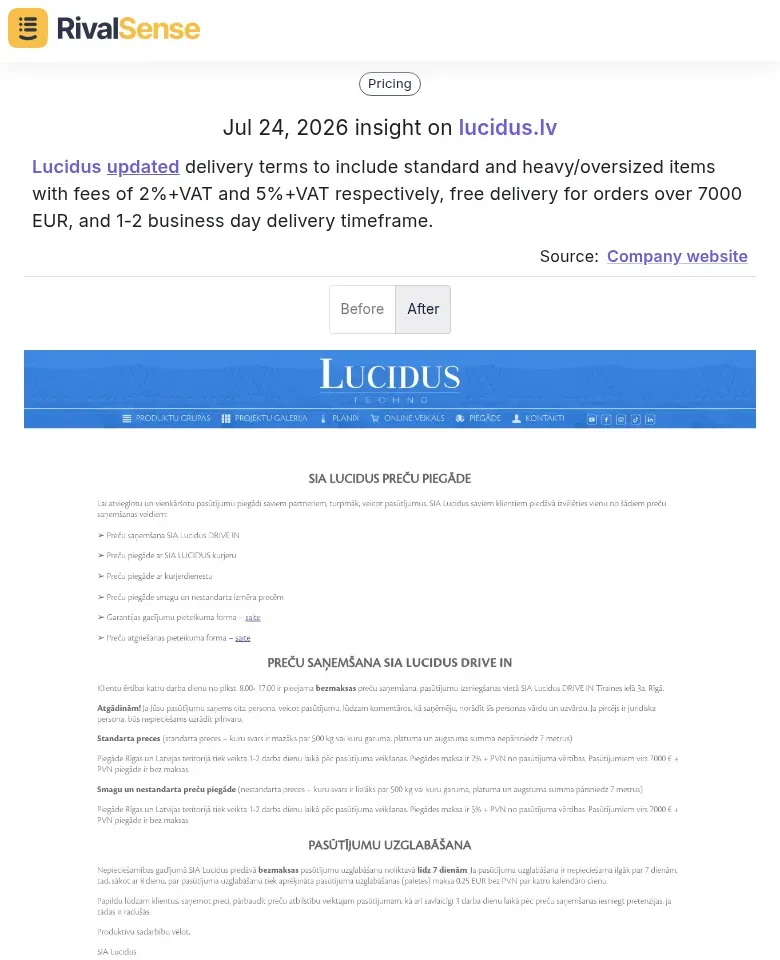
For example, RivalSense detected that Lucidus updated its delivery terms to differentiate between standard and heavy/oversized items, introduced a 2%+VAT and 5%+VAT fee structure, and set a free delivery threshold at 7000 EUR with a 1–2 business day timeframe. Such granular insight into fee adjustments reveals a strategy to protect margins on bulky shipments while incentivizing larger orders.
Here's how to mine reviews for similar fee and delivery intel:
1. Identify Tiered Fees
Scan reviews for mentions of "oversized," "premium," or "standard" fees. A spike in complaints about higher charges for bulky items signals a new tiered pricing model. Tip: Use sentiment analysis tools to cluster mentions of fee changes by service level.
2. Track Free Delivery Thresholds
Look for reviews like "Free shipping only over $50 now?" or "Used to be free, now I pay." These indicate threshold adjustments. Action: Compare current thresholds across competitors monthly—a decrease suggests aggressive acquisition, an increase tests profit margins.
3. Monitor Timeframe Commitments
Reviews citing "arrived 2 days late" or "3-day guarantee was a lie" flag delivery term changes. Checklist: Note the promised vs. actual delivery times mentioned. If delays spike after a policy update, the competitor may be overextending.
4. Gauge Price Sensitivity
Angry reviews about new fees reveal willingness to pay. Look for "I'll switch to [competitor]"—this names your opportunity. Pro tip: Categorize reactions: angry (low tolerance), accepting (high loyalty), or negotiable (price-sensitive).
5. Build a Monitoring Routine
Set weekly alerts for keywords like "fee," "delivery charge," "shipping cost," and "arrived." Track changes against your own pricing to stay competitive.
Analyzing Customer Sentiment Around Pricing Changes
Pricing changes can make or break customer relationships. Competitor app reviews offer a real-time sentiment barometer to measure impact. Positive reviews often validate pricing adjustments, signaling that customers see value. Negative reviews pinpoint friction points—whether it's perceived unfairness, feature gaps, or poor communication.
Having a systematic approach to sentiment tracking lets you quantify the fallout of a competitor's pricing move and use that data to calibrate your own experiments.
Practical Steps to Analyze Sentiment Over Time:
-
Collect Reviews with Timestamps – Use review scraping tools or platforms like App Store Connect, Google Play Console, or third-party aggregators. Focus on a window of 2–3 months before and after the pricing change.
-
Tag Reviews by Theme – Create categories like "value for money," "price increase," "feature trade-offs." Use keyword filters (e.g., "expensive," "worth it," "pricing") to speed up tagging.
-
Score Sentiment Quantitatively – Assign a simple scale: +1 (positive), 0 (neutral), -1 (negative). Calculate average sentiment before and after the change. A drop of more than 0.3 points signals trouble.
-
Run a Time-Series Comparison – Plot sentiment weekly. Look for patterns: Did negativity spike immediately but recover? Or did it plateau? A sustained dip suggests loss of loyalty.
Checklist for Your Analysis:
- [ ] Identify pricing change announcement date
- [ ] Pull reviews 8 weeks pre- and post-change
- [ ] Tag at least 50 reviews per period
- [ ] Compare average sentiment scores
- [ ] Extract direct quotes describing friction
💡 Pro Tip: Read the lowest-rated reviews first. They reveal the most actionable pain points—like missing features that justified the old price. Use these insights to refine your own pricing strategy or improve value communication.
Turning Competitor Pricing Insights into Your Strategy
Once you've unearthed pricing insights from competitor app reviews, it's time to turn them into action. Start by using competitor pricing moves as benchmarks for your own experiments. For example, if a rival's price increase triggered complaints about lost features, test a feature-lite, lower-priced tier to capture price-sensitive users. Create a simple A/B test: roll out the new tier to a segment and monitor conversion rates over two weeks.
Next, combine review insights with your own customer feedback to identify whitespace opportunities. Map competitor complaints (e.g., "too expensive for small teams") against your support tickets. If both mention a missing mid-tier plan, that's your sweet spot. Use a matrix: list common praise and pain points from reviews, then check which gaps you can fill.
Your ongoing monitoring plan:
- Weekly: Scan top 3 competitors' app store reviews for pricing keywords (e.g., "price increase," "worth it").
- Monthly: Log new pricing models or features mentioned.
- Quarterly: Review your pricing strategy against the compiled insights.
Staying ahead of these shifts manually can be overwhelming, but the examples above—like Autodesk’s plan renaming, Bolt’s structural model switch, or Lucidus’s delivery fee overhaul—demonstrate how critical early detection is. That’s where RivalSense becomes your silent intelligence partner, tracking competitor pricing updates, product changes, and operational shifts across websites, social media, app stores, and registries, then delivering everything in a concise weekly email.
👉 Try RivalSense for free to get your first competitor monitoring report today and never miss a pricing move that could reshape your market.
📚 Read more
👉 Unlock Growth: Key Account Productivity for Medical Equipment Distributors
👉 How Nextiva's Shift to Workforce Management Sparked a Competitive Response
👉 A Beginner’s Guide to LinkedIn Competitor Insights for Key Account Managers
👉 Why Competitor Analysis Matters: A Checklist for Social Media Teams
👉 Competitor Innovation Insights: A Beginner's Guide to Media Mentions