
Productivity Techniques to Uncover Competitor Advertising Strategies via Website Changes
Your competitors’ websites are the most direct, real-time window into their strategic shifts and advertising focus. Every change—no matter how small—can signal a pivot in targeting, messaging, or positioning.
Why this matters: A single wording update on a homepage headline often reflects a major repositioning effort. For example, switching from “Enterprise-Grade Security” to “Simple Security for Startups” screams a new target audience.
High-signal pages to monitor:
- Pricing pages: New tiers, discounts, or packaging reveal competitive moves.
- Product pages: Feature additions or deprecations indicate R&D focus.
- Policy pages: Updated terms or privacy policies often precede ad campaign changes.
Practical tip: Set up daily or weekly scans of these pages using change-detection tools (e.g., Visualping, Wachete). Prioritize changes that alter value propositions, calls-to-action, or audience language.
Checklist for your next scan:
- Compare current vs. archived homepage headline.
- Check pricing page for new plans or discounts.
- Review product page for changed feature descriptions.
- Scan policy pages for dates and wording shifts.
By treating website changes as early warning signals, you can anticipate competitor ad campaigns before they launch—and adjust your own strategy accordingly.
Decoding Pricing Page Changes for Advertising Insights
Pricing pages are a goldmine for advertising insights. When competitors tweak terminology or plans, they’re often testing messaging that will soon appear in ads. Here’s how to decode these changes systematically.
Step 1: Track Terminology Shifts
Changes like “Pay as you go” to “Prepay” signal a pivot in value proposition—from flexibility to commitment or savings. Use a diff tool (e.g., Visualping) to monitor pricing pages weekly and log term changes in a spreadsheet.
Step 2: Identify Plan Experiments
A new “Pro” tier or removed “Starter” plan indicates packaging experiments. Competitors often A/B test plan structures before launching ad campaigns around specific features or price points. Note the timing of plan changes and correlate with ad launches (via Meta Ad Library or Similarweb).
Step 3: Compare Language Across Versions
Stack old and new pricing pages side-by-side. Highlight phrases that emphasize new benefits—e.g., “unlimited” vs. “scalable.” That core benefit is likely the hook in upcoming ads.
Quick Checklist
- [ ] Archive pricing pages weekly
- [ ] Log all term/plan changes
- [ ] Search for ads using new language within 2 weeks
Why this matters in real time – For example, a RivalSense tracking alert spotted that Autodesk replaced “Pay as you go with Flex” with “Prepay pricing for occasional use” in its subscription options. Pricing page changes like this often foreshadow a new ad angle—perhaps emphasizing cost predictability over flexibility. Catching the terminology shift early means you can test similar messaging before they own the narrative.
This process turns website monitoring into a predictive advertising intelligence engine.
Leveraging Product and Feature Announcements
When competitors announce new products or features, treat these as strategic signals revealing their ad focus. Start by monitoring their blog, press releases, and changelogs using tools like RSS feeds or RivalSense.
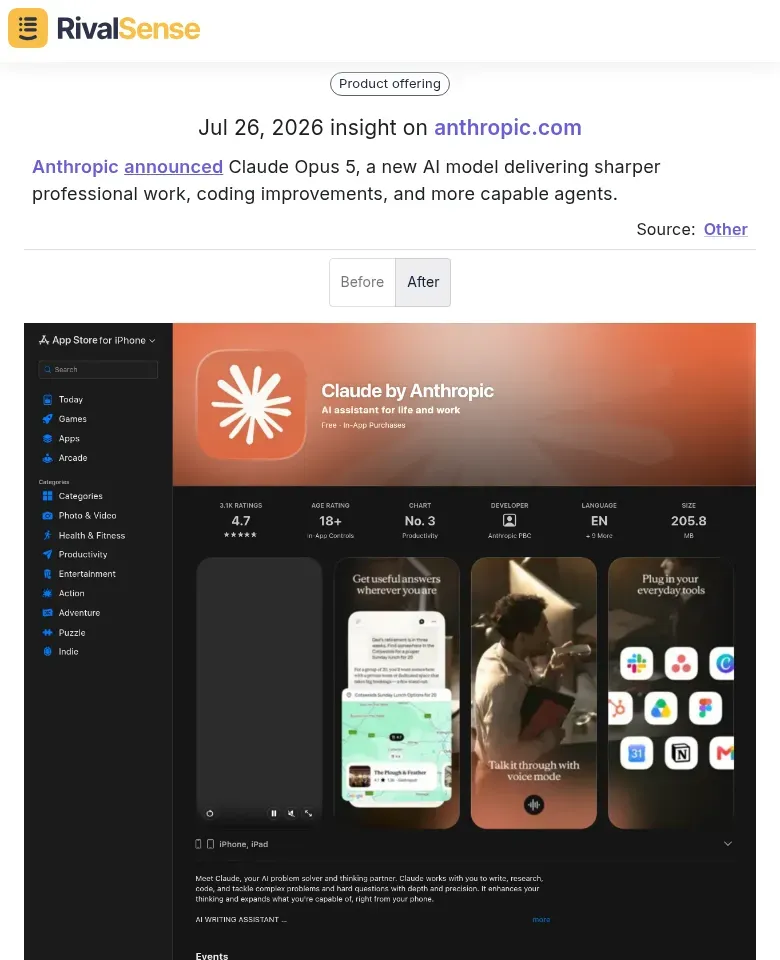
Look at this concrete insight: Anthropic announced Claude Opus 5, a new AI model delivering sharper professional work, coding improvements, and more capable agents. Product launches of this caliber telegraph the exact capabilities they’ll lead with in ads, allowing you to anticipate their core messaging and decide whether to counter-position or differentiate.
Once a launch occurs:
-
Map the value propositions: Extract the top 3–5 selling points from the announcement. These will likely become ad copy pillars. Example: If a project management tool launches “AI deadline prediction,” expect ads highlighting “never miss a deadline again.”
-
Analyze feature descriptions for target audience cues. Phrases like “for remote teams” or “ideal for agencies” signal which segments they’ll target in ads. Document the language (e.g., “streamline,” “automate,” “collaborate”)—that’s the phrasing they’ll test in campaigns.
-
Correlate timing with ad spend. Use tools like Meta Ad Library retrospectively. If they launched a feature on June 1 and ad volume spiked June 15–30, you’ve identified their campaign window.
Pro tip: Create a “Launch-to-Ad” template. For each announcement, log: date, feature name, positioning angle, target persona, and expected ad launch window (usually 2–4 weeks post-announcement). Review bi-weekly for patterns.
Checklist for quick audits:
- [ ] Set Google Alerts for competitor product names + “launch”
- [ ] Track announcement dates in a shared calendar
- [ ] After launch, set a 30-day reminder to check their ad galleries
- [ ] A/B test their feature language in your own ads to benchmark performance
Analyzing Policy and Legal Updates for Data-Driven Ad Signals
When competitors update privacy policies, they often reveal new data collection methods that fuel ad personalization. For instance, RivalSense recently alerted that Meta updated Instagram’s privacy policy on July 23, 2026 to include details about agentic AI capabilities and personalization of AI experiences. This type of legal language strongly signals upcoming ad features powered by AI-driven targeting—giving you a head start on understanding more precise (and potentially intrusive) competitor retargeting.
Practical steps:
- Set alerts for key pages:
/privacy,/terms,/legal. - Look for new data categories (e.g., “conversational data”, “browsing session recordings”).
- Check terms of service for new marketing technologies—if they mention “programmatic contextual targeting” or “AI-driven audience segmentation”, expect ad retargeting shifts.
Compliance language often precedes ad feature rollouts. When a competitor updates their cookie consent to include “cross-device tracking” or “data sharing with advertising partners”, prepare for more precise ad targeting.
Checklist to track signals:
- Capture policy date stamps.
- Highlight additions vs. deletions.
- Cross-reference with industry regulations (GDPR, CCPA) to spot proactive compliance.
- Create a signal scorecard: link policy changes to observed ad types (e.g., dynamic product ads, lookalike audiences).
Data-driven advertising strategies leave paper trails—dig into legal updates to stay ahead.
Setting Up Efficient Monitoring Systems
Manually checking competitor sites is a time sink. Instead, deploy automated website change detection tools like Visualping, Wachete, or Distill.io. These tools alert you the moment a page changes, eliminating the need for constant manual refreshes. Pro tip: Start with a free tier to test coverage, then upgrade to handle multiple URLs.
Organize your monitoring by page type to focus on high-impact areas. Create separate tracking groups for: pricing pages, product/feature pages, landing pages, legal/privacy pages, and careers pages. Pricing changes often signal new strategies, while legal pages reveal partnership or compliance shifts. Checklist: Prioritize tracking—(1) pricing, (2) product pages, (3) landing pages, (4) careers, (5) legal.
Establish a regular review cadence to avoid information overload. Dedicate 30 minutes daily or 2 hours weekly to review change alerts. Use a simple categorization system: tag changes as “advertising” (new landing pages, ad copy), “pricing” (discounts, plans), “product” (features, positioning), or “legal” (terms updates). This prevents paralysis by noise. Hint: Create a shared spreadsheet with columns: Competitor, Page, Change Type, Date Detected, Action Needed. This turns raw alerts into an actionable intelligence database.
Turning Insights into Actionable Advertising Strategies
To turn competitor website changes into actionable ad strategies, start by mapping their shifts against your own ad positioning. Create a matrix tracking competitor value propositions, new features, or pricing changes alongside your current ad angles. Identify gaps—areas where they’ve moved away that you can occupy—and opportunities where you can counter-position. For example, if they emphasize enterprise features, double down on simplicity in your ads.
Next, track sentiment and language shifts. Use a simple log to capture tone, keywords, and emotional triggers in their headlines, CTAs, and testimonials. If they adopt urgent language like “limited time,” test similar urgency in your copy. If they shift to community-focused messaging, explore belonging as a theme in your creative.
Finally, use historical patterns to predict moves. Review their past website changes—do they ramp up promotional content before product launches? Do they add competitor comparisons after funding? Build a timeline to anticipate similar behaviors. Proactively adjust your campaigns: preemptively test counter-messaging or reserve budget for the same period. This turns reactive monitoring into strategic offense.
Make competitor monitoring effortless
RivalSense automatically tracks competitor pricing tweaks, product launches, policy updates, and much more across websites, social media, and registries. Every change that matters lands in a concise weekly email report, so you can spot advertising signals without manual scanning.
Ready to simplify your intelligence gathering? Try RivalSense for free and get your first competitor report today.
📚 Read more
👉 Key Account Management Workflow for Travel Startups
👉 Uncover Competitor Pricing Secrets Hidden in App Reviews
👉 Unlock Growth: Key Account Productivity for Medical Equipment Distributors
👉 How Nextiva's Shift to Workforce Management Sparked a Competitive Response
👉 A Beginner’s Guide to LinkedIn Competitor Insights for Key Account Managers