
Predict Competitor Moves Using Website Change Alerts
Competitors often telegraph their strategic shifts on their websites before any official press release or public announcement. A new pricing page, updated product specs, or a changed feature status can signal pricing changes, market repositioning, or product launches weeks in advance. For competitive intelligence, website changes are a goldmine of real-time, unfiltered data.
What to monitor:
- Product specs & features: A spec bump (e.g., increased storage or speed) may indicate a refresh or new version. A newly listed integration hints at partnership strategy.
- Pricing changes: Even subtle tweaks (e.g., adding a 'waiting list' button) can foreshadow price hikes or a new tier.
- Status updates: 'Coming soon', 'beta', or 'discontinued' labels reveal product lifecycle moves.
- Case studies & testimonials: New customer stories (especially from a specific industry) signal a vertical focus shift.
- Careers page: A sudden surge in job listings for a certain role (e.g., AI engineers) points to R&D priorities.
How to operationalise this:
- Set up daily change alerts using tools like RivalSense or Visualping. Don’t just monitor—categorise changes.
- Create a change log with date, type, and potential impact. Share it in a weekly competitive briefing.
- Decode signals: A price cut might mean they’re losing market share; a new feature could be a response to your product. Always ask 'why now?'
- Act fast: When you spot a change, adjust your messaging, update your comparison page, or plan a counter-move.
Pro tip: The most valuable changes are often the smallest ones—a single word change in a headline can reveal a shift in positioning. Train your team to treat every website update as a potential strategic signal.
Decoding Product Specification Updates
When a competitor updates a product specification—like bumping throughput from 10 Gbps to 25 Gbps—it’s rarely random. Such changes signal deliberate investment in performance for specific high-growth workloads (e.g., AI inference or real-time analytics). By catching these spec bumps early, you can align your own roadmap with market expectations or find a differentiation angle.
How to decode these updates:
- Track spec changelogs for speed, capacity, or latency improvements. Tools like RivalSense can alert you to these changes automatically.
- Map changes to use cases. A throughput increase may target data-intensive workloads you hadn’t prioritized. Compare against your own roadmap to spot gaps.
- Assess market demand. If competitors all upgrade a spec, it’s a strong signal that customers expect it. Weigh whether to follow or differentiate.
- Look for pivots. A spec change toward lower power consumption, for example, might indicate a push into edge computing or green IT.
For instance, RivalSense recently alerted users that NetApp AFX increased its throughput specification from 2TB/s to 3TB/s, specifically targeting AI-intensive workloads.
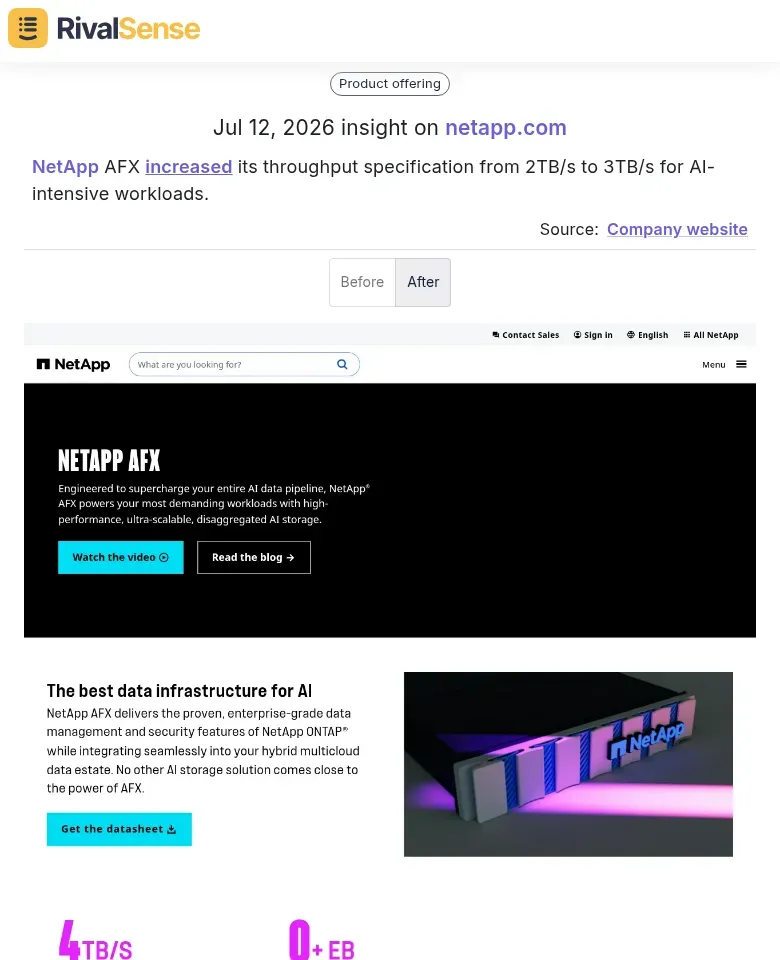
This spec bump isn’t just a number—it signals a deliberate investment in high-performance AI infrastructure. By catching this early via a website change alert, you can assess whether your own solution's throughput aligns with market demands or if you need to prioritize a similar upgrade. Spec-change alerts like this translate directly into roadmap priorities and competitive positioning.
Quick checklist:
- [ ] Spec change vs. previous version? (Upgrade or downgrade?)
- [ ] What specific workload does the spec improvement enable?
- [ ] Is your product competitive in that workload?
- [ ] Do you need to prioritize a similar upgrade or reposition your offering?
By systematically decoding spec updates, you can preempt market shifts and adjust your strategy before the competition gains an edge.
Interpreting New Product or Feature Launches
When a competitor launches a new product or feature, don't just note the headline—decode its strategy. Every price point, feature choice, and release timing tells a story about market intent. Here’s how to extract actionable insights:
1. Analyze Pricing & Feature Combinations
Compare pricing tiers and included features against their existing lineup. A premium-priced offering with advanced capabilities signals a move upmarket; a stripped-down, low-cost option targets price-sensitive segments. Tip: Map features to customer personas to infer target demographics.
2. Identify Technology Trends
New features often reveal where competitors see differentiation. Example: A competitor adding satellite services suggests they’re betting on IoT or remote connectivity. Ask: What unmet need does this address? What technology stack did they adopt? This flags market shifts you may need to follow or counter.
3. Decode Launch Timing
Did the launch coincide with a major conference, regulatory change, or competitor event? Early launches indicate urgency to capture mindshare; delayed launches might signal execution challenges. Step: Create a timeline of market events and overlay competitor launches to spot patterns of reactive vs. proactive strategy.
A real-world example: RivalSense detected the launch of the iPhone 17e, priced at $599 and featuring Roadside Assistance via satellite, Messages via satellite, and USB-C.
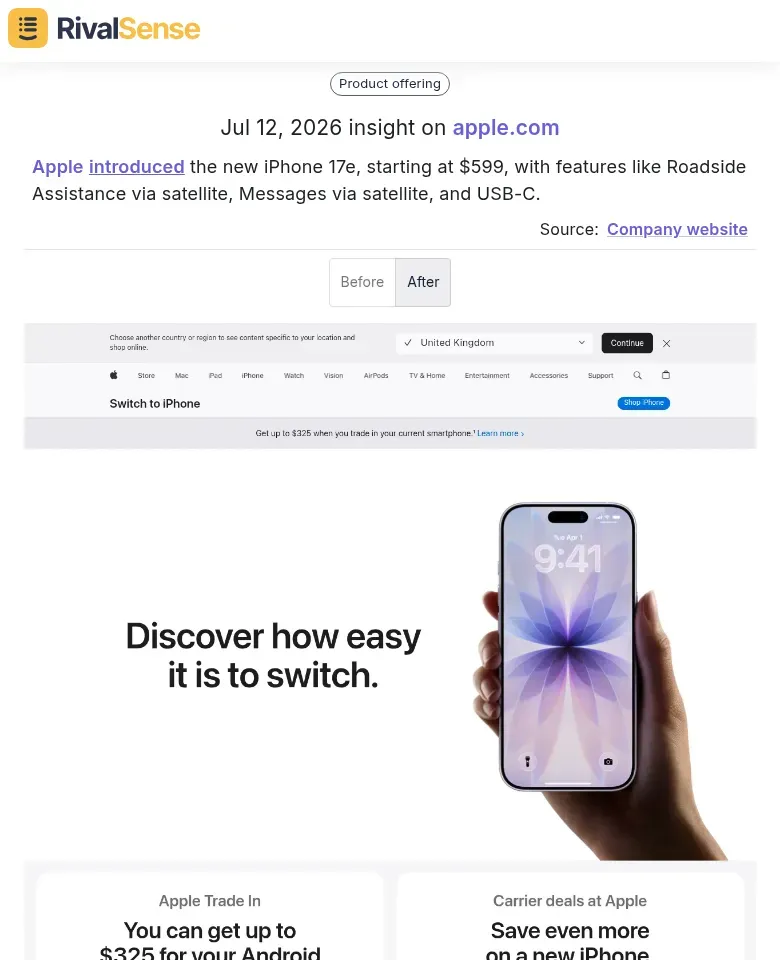
Beyond the headline, this launch reveals Apple’s strategic focus on satellite connectivity for everyday safety and messaging, and a shift toward USB-C standardization. By analyzing the feature combination and price point, you can deduce that Apple is targeting a broad, price-sensitive audience while fortifying its ecosystem lock-in via satellite services. For a B2B founder, this kind of alert helps identify emerging technology trends that could shape industry expectations or inspire your own feature roadmap.
Quick Checklist:
- What pricing structure was used (freemium, usage-based, tiered)?
- Which features are highlighted vs. downplayed?
- What customer problem does the launch solve?
- How does it compare to your roadmap?
Use these clues to refine your own positioning, anticipate competitor moves, and identify gaps in the market.
Reading Feature Maturity Signals
Competitors often test new features under a 'beta' label before fully committing. When you spot a status change from 'beta' to General Availability (GA), it signals confidence in the feature's readiness and stability. Similarly, removal of disclaimers like 'In Beta' or 'Experimental' suggests the feature is being promoted for mainstream adoption. Monitoring these subtle signals gives you a lead time advantage.
Why this matters: These maturity signals often precede pricing updates, marketing pushes, or expanded support. Catching them early gives you time to analyze the feature, assess its competitive impact, and prepare counter-strategies.
Actionable steps:
- Create a feature tracker – List competitor features you're monitoring and their current status (beta, GA, deprecated).
- Set up website change alerts – Use tools like RivalSense to get notified when beta labels or disclaimers disappear from product pages.
- Identify trigger events – When a feature goes GA, check for simultaneous pricing page updates or blog posts announcing the launch.
- Document the timeline – Note the date of the status change, so you can correlate it with future competitor moves.
For example, RivalSense alerted users when Rev removed the 'In Beta' label from its side-by-side foreign language translation feature on its pricing page, signaling general availability.
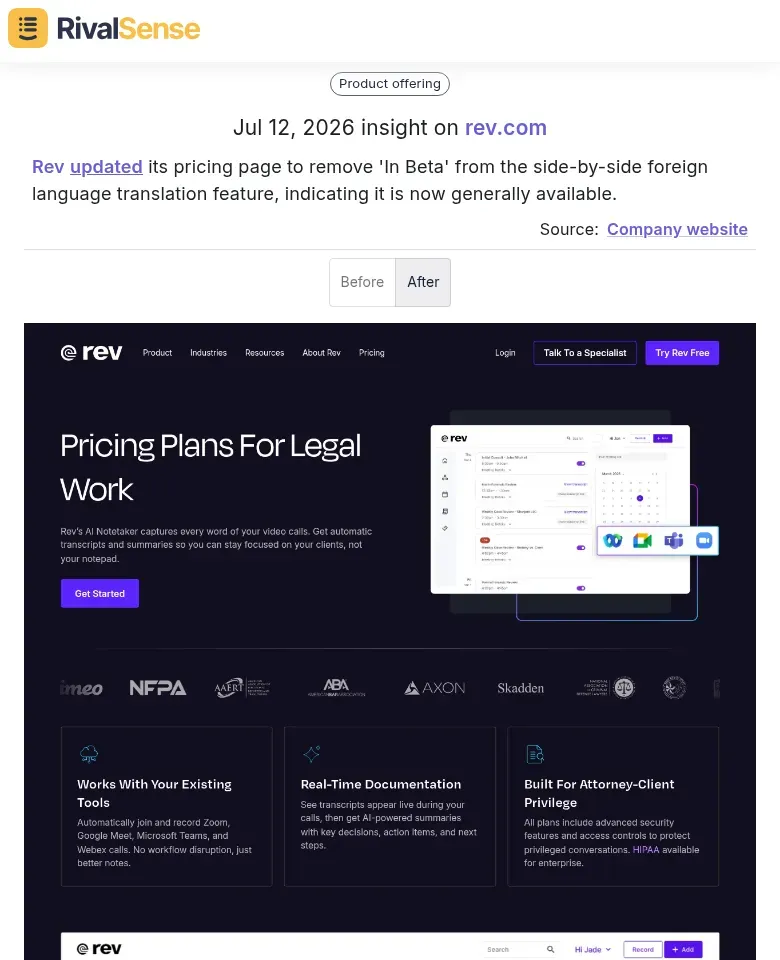
Catching this maturity signal early matters: it indicates that Rev is confident in the feature's stability and ready to market it aggressively. For you, this is a cue to evaluate whether your own multilingual features are meeting market expectations or if you need to accelerate development. Maturity signals often precede pricing adjustments or expanded support, giving you a window to prepare counter-messaging or product updates.
Pro tip: Don’t just watch your direct competitors. Monitor adjacent players who may introduce complementary features that shift market expectations.
Setting Up Effective Change Monitoring
To stay ahead, set up automated monitoring for high-signal pages like pricing, feature lists, and specifications. Tools such as RivalSense or Visualping allow you to track these pages in real time and filter out the noise.
1. Choose Your Pages Wisely
- Pricing pages: Detect discount shifts or new tiers.
- Feature lists: Spot new capabilities or deprecations.
- Product specs: Track performance metrics or compliance updates.
2. Configure Smart Alerts
- Keyword alerts: Monitor for specific terms (e.g., new product names, key features, or partner mentions).
- Structural alerts: Get notified when new sections appear (e.g., a “Careers” page signals scaling).
3. Establish a Review Cadence
- Daily: Scan for urgent changes (pricing, new landing pages).
- Weekly: Review a curated digest of all updates.
- Monthly: Conduct a deeper analysis of trends and patterns.
Pro Tip: Create a shared dashboard with team members to tag changes as “actionable,” “noise,” or “watchlist.” This prevents alert fatigue and ensures everyone focuses on strategic shifts. Combine change data with CRM notes for a 360° competitor view.
Turning Insights into Strategic Action
Raw alerts are just noise until you validate them. Here’s how to turn website changes into decisive action:
1. Validate Hypotheses
- Cross-check alerts with customer feedback (e.g., “Did our customers mention this feature?”).
- Conduct quick market surveys or interview churned prospects to confirm impact.
- Use tools like Hotjar or UserTesting to gauge real user reactions to competitor changes.
2. Adjust Your Offering
- Product Roadmap: Prioritize features that counter the competitor’s move. Map competitor changes to your backlog with a “competitive response” label.
- Pricing: If a competitor drops price, offer a value-added bundle instead of racing to the bottom. Test with a small segment first.
- Messaging: Update landing pages and sales decks to highlight your differentiators (e.g., “Unlike [competitor], we offer…”).
3. Align Your Teams
- Sales: Brief them weekly on changes and supply battle cards. Example: “If prospect mentions [competitor’s new feature], respond with [your advantage].”
- Product: Create a shared dashboard (e.g., in Notion or Coda) tracking competitor changes and internal response status.
- Leadership: Present a monthly competitive brief with one recommended pivot (e.g., shift marketing spend to counter a new rival).
Checklist for Action:
- [ ] Every alert assigned to a team owner
- [ ] Response drafted within 48 hours
- [ ] Metrics set to measure impact (e.g., win rate, feature adoption)
By systemizing validation, adjustment, and communication, you turn alerts into a competitive edge.
To make capturing these website change alerts effortless, try RivalSense for free and get your first competitor monitoring report today: Try RivalSense for free.
📚 Read more
👉 A Beginner’s Guide to Tracking Key Account Goals in Tech
👉 3 Real-World Examples of Tracking Key Account Spend with Competitor Insights
👉 Decoding Competitor Signals: What Veriff’s 52.7% Accuracy Breakthrough Teaches Us
👉 How to Mine Competitor Customer Testimonials for Content Gold: A Step-by-Step Guide
👉 Data-Driven Insights: Competitor Trade Show Strategies in Semiconductor Support