
LinkedIn Competitor Insights Cheat Sheet: Protect Your Key Accounts from Silent Poaching
Competitor intelligence doesn’t have to mean expensive tools or insider leaks. LinkedIn is a publicly accessible goldmine of real-time signals about your competitors’ strategies and priorities. Every post, hire, client shout-out, or content pivot is a data point that can reveal risks to your key accounts long before they surface in a churn email.
Why LinkedIn works for competitive intel:
- Real-time visibility – Competitors announce product launches, partnerships, and case studies the moment they happen.
- Unfiltered signals – Sales reps congratulate each other on landing new logos; executives hint at focus areas; company pages showcase recent wins.
- Direct account risk indicators – When a competitor comments on or follows your key client’s post, engages with their content, or features them in a success story, it’s a red flag.
How to interpret these signals (a quick checklist):
- [ ] Monitor your top 5 accounts’ LinkedIn activity for competitor interactions.
- [ ] Track competitor posts that mention similar pain points or industries as your key accounts.
- [ ] Watch for sudden hiring sprees in sales or customer success roles—this often signals expansion into your territory.
By learning to read these public signals, you can preempt churn, strengthen your value proposition, and proactively reach out to at-risk accounts. This cheat sheet walks you through exactly what to look for—and how to act on it.
📅 Spotting Event Participation and Sponsorship Signals
Your competitors’ event footprint on LinkedIn tells you exactly where they are hunting for new business. Conferences, trade shows, and webinars aren’t just brand opportunities—they’re battlegrounds for account attention.
What to track: Competitors’ LinkedIn posts, profile updates, and event hashtags reveal which gatherings they attend or sponsor. An exhibit at Insurtech Insights suggests a push into insurance; a booth at a GRC summit signals a regulatory tech play.
Real insight that mattered:
RivalSense recently surfaced that Unitary will exhibit at Insurtech Insights in New York on June 3-4, showcasing back-office automation at booth 1006.
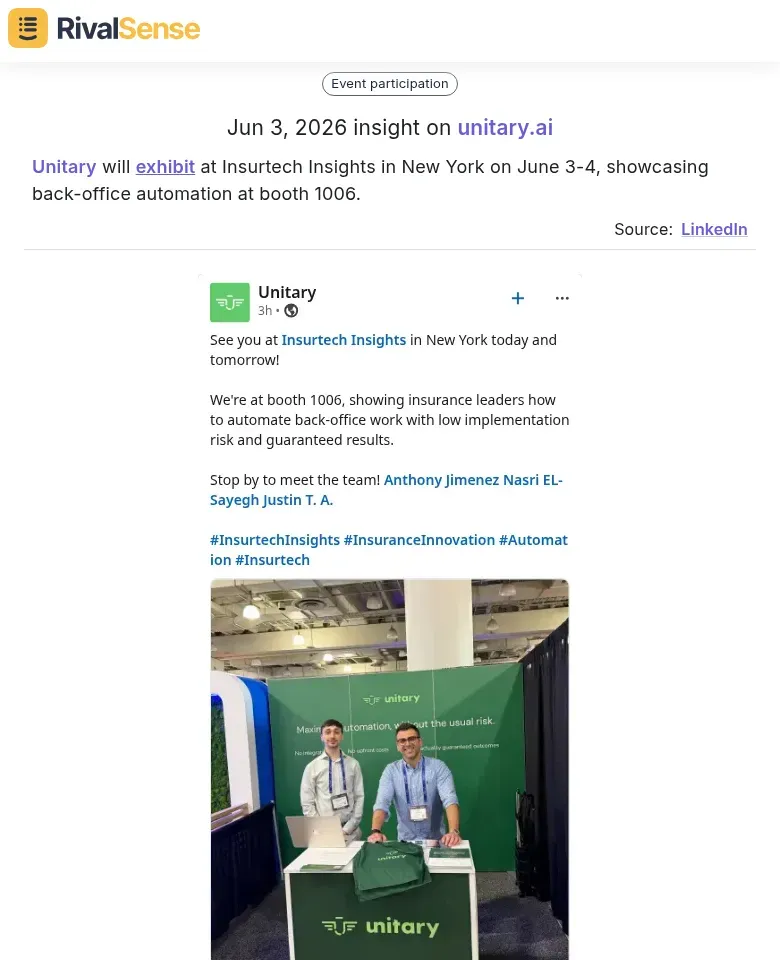
Why it’s valuable: Event intelligence like this pinpoints exactly which verticals and accounts a competitor is targeting. If your key insurance clients are attending the same event, the risk of a relationship undercut goes up overnight.
Practical Steps:
- Set up LinkedIn alerts for competitor pages and follow their employees. Watch for event banners, check-in posts, or “Attending” badges.
- Search event hashtags (#SaaStr #MWC) to see which competitors are speakers, sponsors, or exhibitors.
- Analyze event themes – a competitor sponsoring a fintech summit suggests they’re targeting finance accounts; a cybersecurity expo signals a push into security.
- Cross-reference with your accounts – if a competitor attends an event where your key client is also present or speaking, that’s a high-risk signal.
Weekly Scan Checklist:
- [ ] Review competitor LinkedIn events in the “Upcoming events” section.
- [ ] Check employee profiles for “Speaker” or “Attendee” tags.
- [ ] Note any new event-related hashtags used by the competitor’s company page.
🍸 Decoding Exclusive Roundtables and VIP Invites
Exclusive roundtables and VIP invites are gold mines for competitive intelligence. When a competitor invites your key account’s CTO to a private dinner or closed-door workshop, they are signaling a deep relationship-building effort aimed at influencing buying decisions.
Another signal you can’t ignore:
RivalSense flagged that Decision Focus is hosting an executive roundtable for GRC leaders on June 16 in Copenhagen.
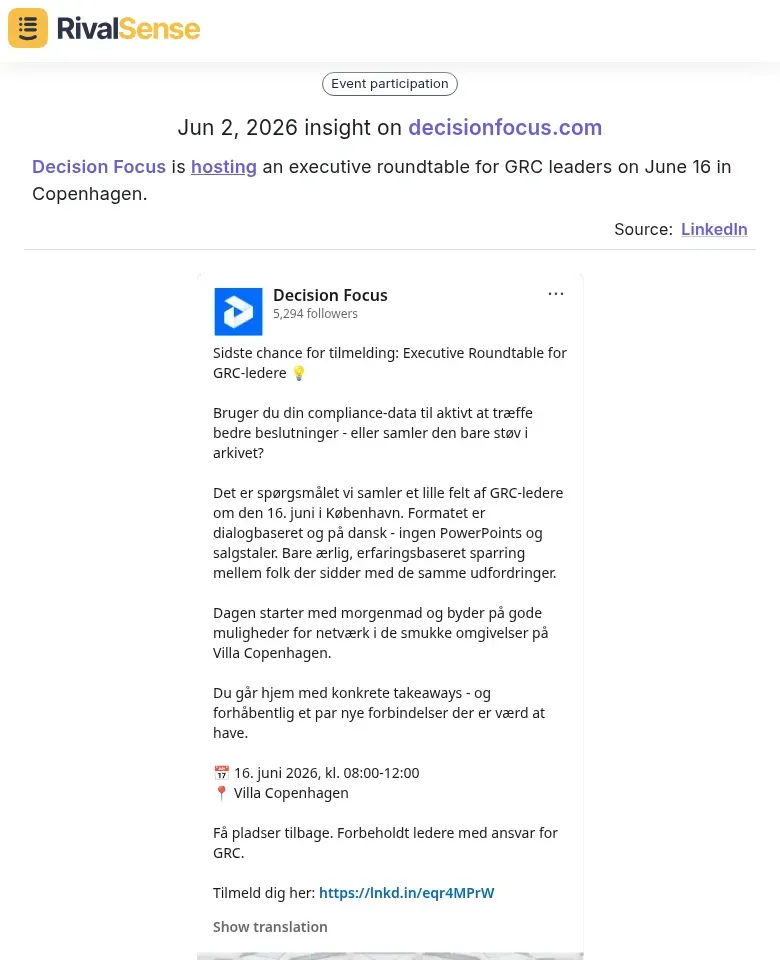
Why it’s valuable: A private, curated event like this gives a competitor privileged access to decision-makers in a high-value niche. If one of your top accounts appears on the attendee list, they are being actively cultivated—often below your radar.
How to decode these signals:
- Monitor event registrations – Use LinkedIn Sales Navigator to track when your accounts’ leadership RSVPs to industry roundtables. Look for recurring attendees or exclusive events.
- Map invited personas – If the competitor invites heads of product but not procurement, they are targeting technical decision-makers. This reveals their account prioritization and buyer focus.
- Check post-event activity – After the event, look for new mutual connections, shared articles, or mentions between the competitor and your account contact. This indicates follow-up engagement.
Risk: Competitors gaining privileged access to your key accounts’ leadership can quietly steer strategic discussions, erode your relationship, and fast-track their own solutions. To mitigate, proactively host your own executive briefings for the same personas, or schedule a strategic check-in immediately after a competitor event to reaffirm your value.
Quick tip: Set up Google Alerts for your top 5 accounts combined with keywords like “roundtable,” “VIP invite,” or “executive dinner.” This passive signal can surface invites you would otherwise miss.
💻 Uncovering Product-Focused Educational Series
Competitors often run LinkedIn masterclasses and workshops to drive product adoption and upsell existing users. These sessions aren’t just training—they reveal feature priorities and roadmap bets, and they can shift loyalty if your accounts become invested in a rival’s workflow.
Here’s a concrete example:
RivalSense picked up that Metaview is hosting Masterclasses in London, LA, and San Francisco, featuring product updates and workflow tips, led by Elyse Bogdan.
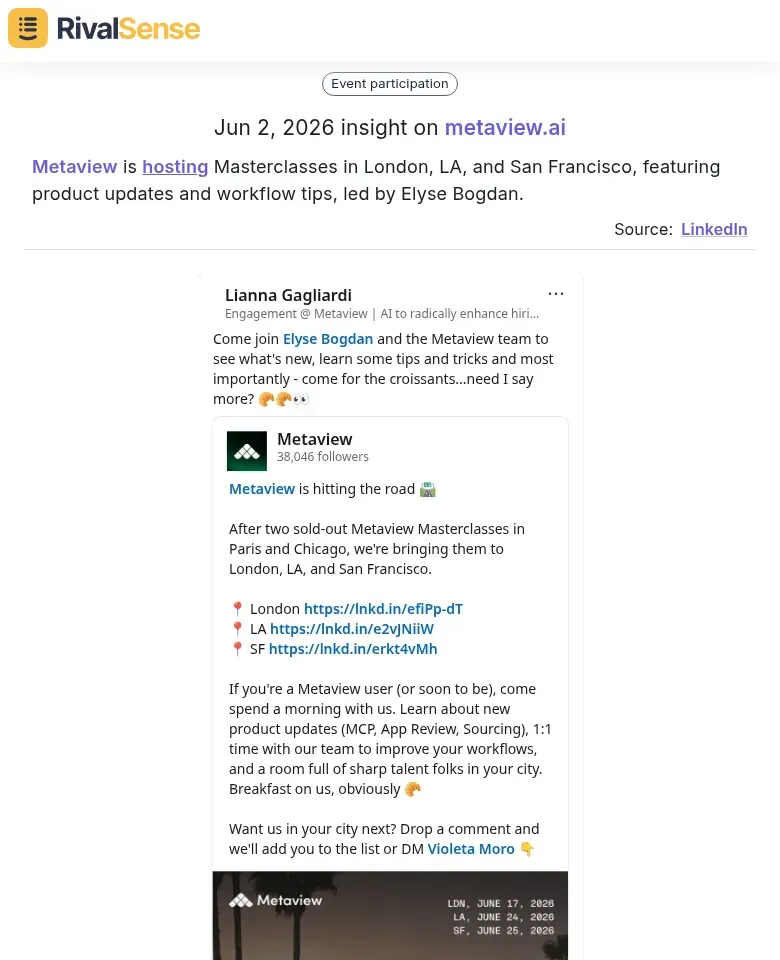
Why it’s valuable: Educational series like this reduce the perceived switching cost for attendees. If someone from your key account attends, they’re learning a rival’s product inside out—and building a personal connection with its team.
What to look for:
- Recurring series (e.g., “Weekly Deep Dive Webinars”) signal sustained feature push.
- Polls and comments on these posts show which pain points your accounts resonate with.
- Guest speakers from your accounts indicate they’re being cultivated as champions.
Action steps:
- Set up LinkedIn alerts for your top 20 accounts’ employees. Flag any engagement with competitors’ educational content.
- Track session titles and descriptions over 90 days—map them to your competitors’ product changelogs.
- Identify if a competitor is running a “certification” program. Certified users have higher switching costs—but only for that competitor, not you.
The risk: When your accounts attend competitor masterclasses, they learn workflows tied to that product. Address this by creating your own educational series that solves a specific pain point your competitor ignores.
Pro tip: Use a dedicated monitor to auto-tag competitor educational content and surface accounts that interact. Prioritize outreach to those accounts within 48 hours.
🧩 Cross-Referencing Signals with Your Account Portfolio
Mapping competitor LinkedIn activity to your key accounts reveals which relationships are under threat. Here’s a practical process that turns scattered data into a clear risk map.
Step 1: Build a Signal-to-Account Matrix
Create a spreadsheet with your top accounts as rows and common competitor signals as columns: new hires, follower spikes, content engagement, job postings, event attendance. Mark each account where you’ve detected a signal from a competitor.
Step 2: Look for Triangulation Patterns
Accounts with 3+ signals from the same competitor are at highest risk. For example:
- Competitor A hires a VP of Sales who previously worked at your account
- Competitor A’s sales team follows 5+ people from that account
- Competitor A posts a case study in their industry
This triangulation strongly suggests a targeted competitive play.
Step 3: Prioritize by Signal Intensity
Score each account: 1 point per signal, 2 extra points if signals come from the same competitor. Rank accounts by score—those in the top quartile need immediate attention.
Action Checklist:
- [ ] Set up weekly LinkedIn monitoring for your top 20 accounts
- [ ] Flag accounts with 2+ signals for account planning
- [ ] Escalate accounts with 3+ signals to executive sponsorship
- [ ] Prepare account-specific competitive talking points
Pro Tip: Use boolean searches on LinkedIn (e.g., “Company X” AND “[competitor name]”) to automate signal detection. Combine this with a competitor tracking tool that surfaces real-time alerts—RivalSense automatically captures events, roundtables, and educational series from your rivals, cross-referencing them with your watchlist.
🔁 Building a Competitive Intelligence Workflow from LinkedIn
Step 1: Set Up LinkedIn Monitoring
- Follow competitors’ company pages and key executives. Use LinkedIn’s native alert (bell icon) for posts and events.
- Deploy a tracking tool to monitor competitor mentions, job posts, and employee updates automatically.
- Tip: Create a shared Slack channel where alerts are piped, so everyone sees signals in real time.
Step 2: Involve Sales & Customer Success
- Ask CSMs to flag when a competitor is mentioned by a client (e.g., “We’re also evaluating [Competitor]”) and log it in your CRM.
- Have sales reps note competitor battle cards or discount offers they encounter in deals.
- Checklist for weekly CI sync:
- Any competitor product launches or feature announcements?
- Any key hires or departures?
- Any new customer logos or case studies?
Step 3: Turn Insights into Account Plans
- For accounts at risk, build a counter-messaging play (e.g., “You mentioned Competitor X’s new feature – here’s why our integration is more seamless”).
- Offer exclusive, time-limited perks to accounts where competitors are actively pitching.
- Quick win: Create a shared document of competitor talking points that your team can reference before each key account meeting.
By making CI a daily habit, you’ll spot risks early and protect your revenue.
🚀 Ready to See Your Competitors’ Next Move?
Manually stitching together LinkedIn signals, events, and roundtables is a grind—and the risk of missing a critical piece of intel is high. RivalSense automatically tracks competitor product launches, pricing updates, event participation, partnerships, management changes, and more, delivering it all in a concise weekly report.
👉 Get your first competitor report today and start spotting account risks before they turn into churn. No heavy lifting, no missed signals.
📚 Read more
👉 5 Key Account Management Mistakes IoT Firms Must Avoid
👉 How to Map Your Competitors’ Product Moves Before They Happen: Real-World Strategies
👉 How to Track Key Account Team Members for Competitive Intelligence
👉 How to Track Key Account Team Members on Influencer Platforms [Checklist]