
Key Account Performance Dashboard: Real Examples for Heavy Equipment Repair
In heavy equipment repair, a small number of key accounts often generate 60–80% of total revenue. Losing even one can cripple cash flow, yet many shops treat all customers equally. That’s a recipe for disaster. A Key Account Performance Dashboard solves this by giving you real-time visibility into the metrics that matter: service revenue per account, response time trends, parts profitability, and contract renewal likelihood.
Why It Matters:
- Proactive Resource Allocation: Spot declining engagement early. If a key account’s service requests drop 20% month-over-month, assign a dedicated account manager immediately.
- Improved Retention: Track Net Promoter Score (NPS) per account. A score below 30 triggers an automated escalation.
- Operational Efficiency: Monitor technician utilization by account. If one account consumes excessive unscheduled repair hours, review the equipment health and suggest preventive maintenance.
Practical Steps to Build Your Dashboard:
- Identify your top 20 accounts by revenue.
- Define KPIs: revenue trend, average response time, parts margin, repeat repair rate.
- Set alerts for negatives: >5% revenue drop, >2 days response time.
- Review dashboard weekly; assign owners for red-flagged accounts.
💡 Pro Tip: Include a 'health score' combining financial, operational, and satisfaction metrics. Update it weekly so no account slips through the cracks.
Defining the Right KPIs for Heavy Equipment Repair Accounts
Tracking the right KPIs ensures your key accounts stay profitable and satisfied. Here’s a practical breakdown.
Financial KPIs
- Revenue per Account: Monitor monthly to spot trends. Tip: Segment by equipment type (e.g., excavators vs. loaders) for sharper insights.
- Parts Margin: Calculate (parts revenue – cost) / parts revenue. Aim for >40%. Checklist: Review pricing quarterly and negotiate bulk discounts with suppliers.
- Service Contract Value: Track total contract value (TCV) vs. actual spend. Hint: Use a dashboard to flag accounts where actual service exceeds contract scope.
Operational KPIs
- Repair Turnaround Time: Measure from service request to completion. Benchmark under 48 hours for critical repairs. Step: Map your workflow and eliminate bottlenecks.
- First-Time Fix Rate: Track % of repairs completed on first visit. Target >85%. Tip: invest in technician training and parts inventory accuracy.
- Technician Utilization: Billable hours / total available hours. Aim for 70-80%. Checklist: Schedule proactively and reduce non-billable admin tasks.
Customer Health KPIs
- Net Promoter Score (NPS): Survey quarterly. Hint: Ask follow-up questions to understand detractors’ pain points.
- Repeat Service Rate: % of accounts returning within 90 days. Low rates signal satisfaction; high rates may indicate recurring issues.
- SLA Adherence: % of service calls meeting contractual response times. Step: Set automated alerts for SLA breaches and escalate immediately.
💡 Pro tip: Start with 5–7 KPIs, review monthly, and adjust as your accounts evolve. Use a dashboard tool to visualize trends at a glance.
Building the Dashboard: Data Sources and Visualization
To build a comprehensive Key Account Performance Dashboard for heavy equipment repair, start by integrating three critical data sources: ERP (financials, parts inventory, work orders), CRM (contracts, service history, account contacts), and telematics (equipment usage, location, diagnostics). This fusion provides a 360° view of each account’s health and profitability.
Step 1: Map data fields – Link ERP work order IDs to CRM account records and telematics device IDs. Use an ETL tool (e.g., Fivetran, Stitch) to sync daily.
Step 2: Design drill-down charts – Start with high-level KPI tiles (e.g., total revenue, fleet utilization). Below, add bar charts for revenue by region and equipment type. Allow clicking a bar to drill into individual account details, then to specific repair tickets or telemetry alerts.
Step 3: Implement interactive filters – Include dropdowns for account tier, region, equipment model, and date range. Use these to segment data dynamically.
💡 Pro tip: Set data refreshes every 15–30 minutes using scheduled queries or real-time APIs. Most BI tools (Power BI, Tableau) support incremental refresh to keep near real-time accuracy without full reloads.
Checklist:
- [ ] Cross-reference account IDs across systems
- [ ] Validate telematics unit assignments
- [ ] Add row-level security to restrict account managers’ view to their accounts
- [ ] Test drill-down paths with sample data
Real Example 1: Revenue and Service Efficiency Dashboard
A Caterpillar dealer uses a Key Account Performance Dashboard to track monthly revenue vs. targets for each key account. By visualizing service backlog and average repair time alongside revenue trends, they can quickly spot underperformers. For example, if a mining account shows declining revenue despite high backlog, the issue may be slow repairs. The dealer then prioritizes spare parts allocation to that account, reducing downtime and boosting satisfaction.
Practical steps:
- Set revenue targets per account and compare monthly.
- Plot repair backlog (in hours) and average repair time (turnaround) on the same timeline.
- Flag accounts where revenue lags while backlog grows.
- Reallocate spare parts inventory to those accounts to speed repairs.
💡 Tip: Use color-coded alerts (red for underperformers) to trigger immediate action.
Checklist:
- [ ] Revenue vs. target table
- [ ] Backlog gauge
- [ ] Repair time trend line
- [ ] Inventory reallocation log
Real Example 2: Customer Retention and Fleet Utilization Dashboard
Scenario: A Komatsu fleet manager monitors equipment uptime and preventive maintenance (PM) compliance across major accounts.
Dashboard in Action:
- Uptime Tracking: Widgets display real-time equipment uptime percentages. Accounts below 90% uptime trigger a yellow flag.
- PM Compliance Gauge: Shows % of machines that received scheduled maintenance on time. <80% compliance triggers a red alert.
Retention Strategy:
- Contract Renewal Score: Calculate based on (1) service history (frequency of repairs), (2) usage patterns (hours logged vs. projected), and (3) payment timeliness. Score ranges 0–100; accounts below 60 receive priority attention.
- Utilization Decline Alert: Set a rule: if utilization drops >15% quarter-over-quarter, flag account for retention outreach.
Actionable Steps:
- Define thresholds: Establish uptime (92%), PM compliance (85%), and utilization decline triggers (10% drop) specific to your fleet size.
- Build renewal model: Weight factors – e.g., service history 40%, usage pattern 30%, payment behavior 30%.
- Automate alerts: Use dashboard notifications for sales team when an account hits any trigger.
- Run monthly review: Cross-reference flagged accounts with contract end dates; launch retention campaigns (discounts, free training, upgrade offers).
💡 Pro Tip: Combine utilization data with seasonal trends – a winter dip may be normal, but a spring decline demands immediate action.
🕵️ Complement Your Dashboard with Competitor Intelligence
While internal account metrics are vital, external moves by competitors and industry partners can directly impact your key accounts. Monitoring expansions, contracts, and strategic investments gives you advance warning of shifts in demand, new service expectations, or emerging risks that your dashboard alone won’t catch. Here are three real examples of the type of insights that can give you an edge, each captured by RivalSense’s automated competitor tracking.
1. Partnership Intelligence – Spot Adjacent Service Threats
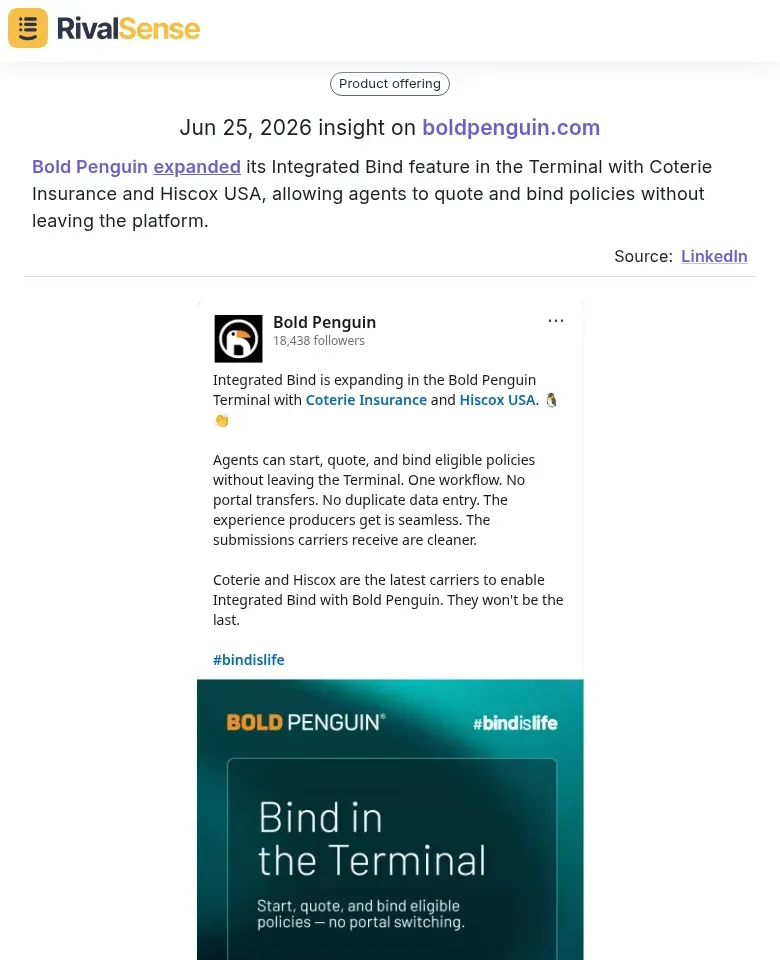
When a competitor or industry partner expands a feature, it can ripple into how your clients manage their equipment. For instance, Bold Penguin expanded its Integrated Bind feature with Coterie Insurance and Hiscox USA, allowing agents to quote and bind policies without leaving the platform.
Why this matters for your key accounts: If a client insures their fleet through a platform that suddenly offers streamlined binding, they may expect your service contracts to be equally frictionless. Tracking partnership and product launches like this helps you anticipate changing customer expectations and adjust your account experience before they churn.
2. Major Contract Wins – Reveal Regional Demand Signals
Large-scale projects don’t just affect the company that wins them; they create a surge in equipment usage, maintenance needs, and service contracts in the region. Legends Global serving as Owner’s Rep for the Beaver Stadium Revitalization—the largest college football stadium renovation ever—with over 770K hours worked, 6,700 tons of steel, and 3,300 cubic yards of concrete is a perfect example.

Why this matters for your key accounts: Knowing about such projects early allows you to proactively offer preventive maintenance and fleet expansion packages to accounts operating nearby. This type of insight turns your account management into a proactive growth engine, not a reactive firefighting system.
3. Strategic Investments – Foreshadow Industry Transformation
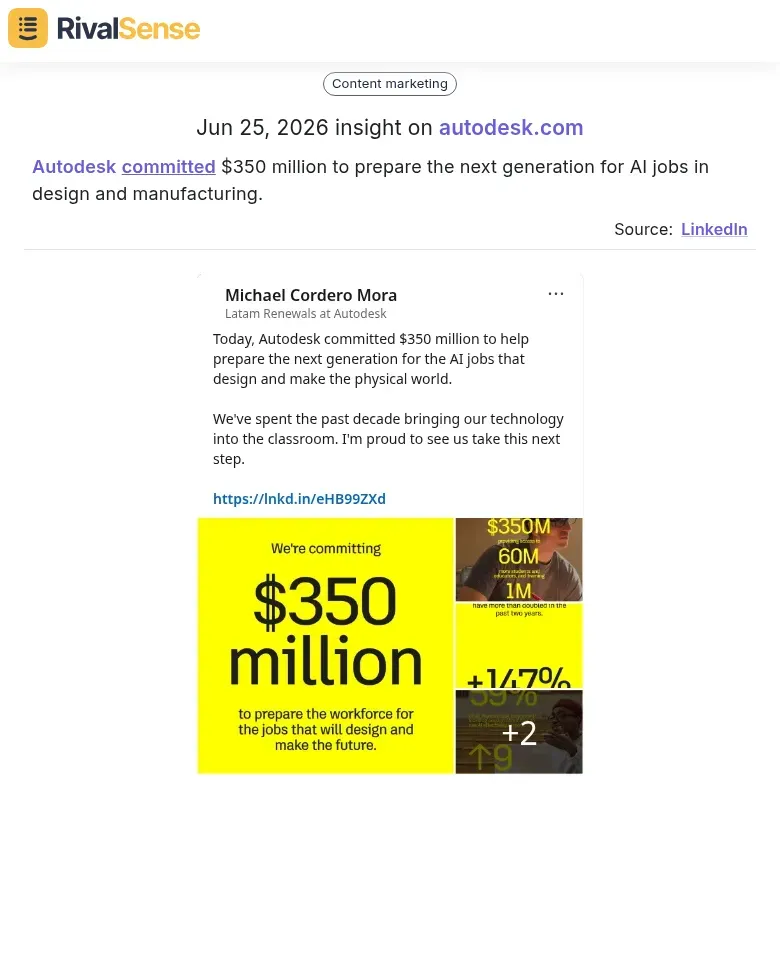
When a technology giant like Autodesk commits $350 million to prepare the next generation for AI jobs in design and manufacturing, it signals a long-term shift toward automation and predictive intelligence.
Why this matters for your key accounts: AI-driven diagnostic tools and predictive maintenance platforms will soon become table stakes. By tracking these investments, you can plan your service evolution—upskilling your technicians, adding AI‑based monitoring to your dashboard, and presenting these capabilities as a key differentiator to your accounts.
Key Takeaways and Implementation Tips
1. Start with 3–5 Critical KPIs
Resist the urge to track everything. Select 3–5 KPIs directly tied to your core business goals—e.g., equipment uptime, first-time fix rate, average repair turnaround, customer satisfaction score, and recurring revenue per account. Each KPI should have a clear definition, data source, and target threshold. For example, define “first-time fix rate” as the percentage of repairs completed on the first visit, sourced from your field service data.
2. Iterate Based on Feedback and Data Quality
Your first dashboard version won’t be perfect. Schedule monthly reviews with stakeholders to discuss relevance, accuracy, and usability. Ask: “Is this KPI still driving decisions? Is the data reliable?” Use their input to refine metrics, adjust visualization types (e.g., bar charts for comparisons, line charts for trends), and improve data cleansing processes. Start with a prototype using sample data before pulling live data.
3. Assign Dashboard Ownership
A dashboard without an owner quickly becomes outdated. Designate a person (e.g., account manager or operations lead) responsible for weekly review, data validation, and initiating action items. Set a recurring calendar reminder (e.g., every Monday) for the owner to present key highlights and insights to the team. This ensures the dashboard remains a living tool for decision-making, not a static report.
4. Layer in External Intelligence
Combine your internal dashboards with competitor and market insights. Monitoring product updates, contract wins, and strategic investments from rivals and industry adjacent players helps you anticipate shifts that could affect your key accounts’ needs. Tools like RivalSense deliver these signals weekly, so your team never misses a beat.
Implementation Checklist:
- [ ] Define 3–5 KPIs aligned to business objectives
- [ ] Establish data sources and update frequency
- [ ] Create a prototype and gather feedback
- [ ] Assign dashboard owner and schedule review cadence
- [ ] Document data definitions and assumptions
- [ ] Set up a competitive monitoring feed (e.g., RivalSense) to augment dashboard insights
🔍 Ready to see what your competitors are up to? Try RivalSense for free at https://rivalsense.co/ and get your first competitor report today – it’s the ideal companion to your key account dashboard.
📚 Read more
👉 How DoYouSpain’s SIXT Addition Revealed a Lucrative Gap—and How We Exploited It
👉 Productivity Techniques: Uncover Competitor Sales via Website Changes
👉 Genomics Competitor Research: 5 Methods to Stay Ahead
👉 How Competitor Branding Insights Shape Market Entry Trends
👉 How to Turn a Competitor’s Feature Tease into Your Next Win