
6 AI Productivity Techniques for Key Account Frameworks
To prioritize accounts effectively, leverage machine learning to analyze historical data—purchase patterns, contract renewals, and support tickets—and identify traits common to high-value clients. Start by training a model on past account performance (e.g., lifetime value, churn risk) to generate a baseline score for each account.
Dynamic Scoring in Practice:
- Integrate real-time signals: engagement with emails/product usage/website visits, spend velocity, and competitor activity (e.g., a rival's price drop).
- Update scores weekly using a weighted formula: (30% engagement, 40% spend trend, 30% market signals).
- Flag accounts crossing a threshold (e.g., score > 80) for immediate attention.
AI-Driven Segmentation:
- Create tiers (e.g., Platinum, Gold, Silver) by clustering accounts based on predicted value and growth potential.
- For inspiration, analyze competitors' pricing pages: if a competitor upgrades specs (e.g., adds AI features to their premium tier), mirror that logic by bumping similar accounts to a higher tier and tailoring outreach with upgrade offers.
💡 Real-world intelligence: RivalSense recently captured an important update: NVIDIA updated Jetson Orin NX series specs to up to 157 TOPS and Jetson Orin Nano series to up to 67 TOPS, and added pricing for Jetson Orin Nano starting at 199 USD.
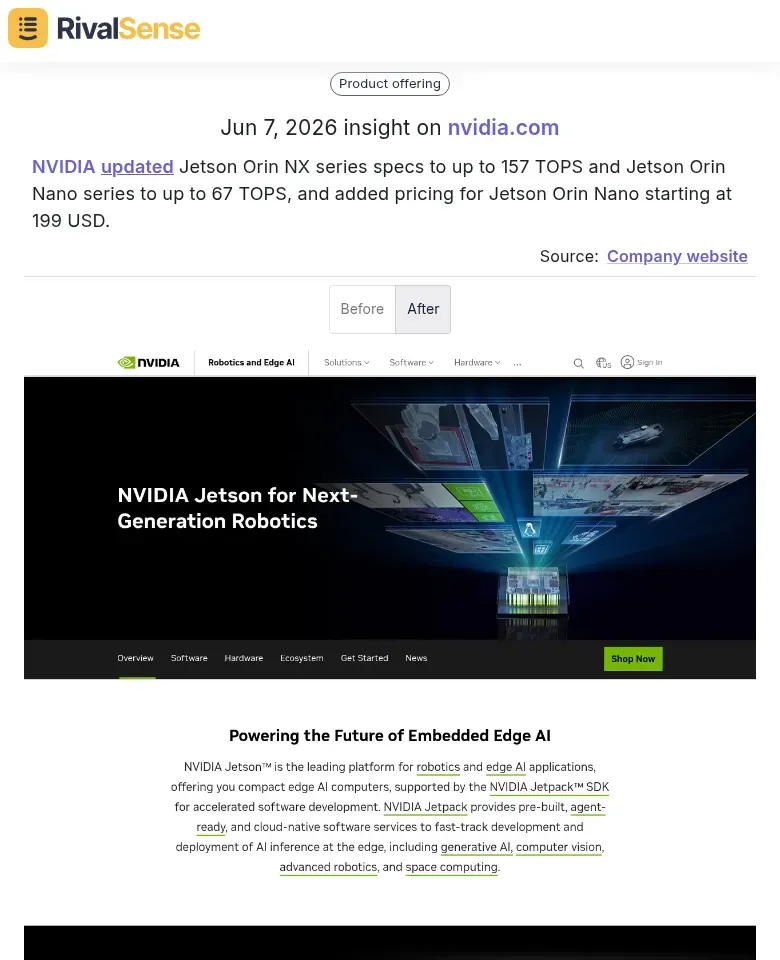
Tracking competitor hardware spec upgrades and pricing announcements like this allows you to spot shifts in market positioning, adjust your own pricing or bundling strategies, and proactively engage accounts considering upgrades, giving you a competitive edge. For instance, if your accounts currently use previous-gen Jetson modules, you can immediately reach out with a targeted upgrade package before they turn to NVIDIA.
Quick Checklist:
- Collect 12+ months of account data.
- Choose an ML tool (e.g., Python sklearn, Google AutoML).
- Set up a dashboard to monitor score changes.
- Review tier assignments quarterly, adjusting for competitor moves.
Automated Competitor Monitoring
Manual competitor tracking is a thing of the past. Here's how to automate it using AI agents:
Step 1: Configure AI Agents
Use tools like Zapier + GPT or specialized competitive intelligence platforms. Set agents to monitor:
- Competitor blogs and press rooms
- Product Hunt, Hacker News, and tech news sites
- LinkedIn posts from competitor executives
Step 2: Define Signal Categories
Create watchlists for:
- Product announcements and launches
- Hardware spec changes (for physical products)
- Pricing updates
- Partnership news
Step 3: Extract and Map Insights
AI agents can automatically extract key details (e.g., new feature, target vertical, launch date) and map them to your key accounts:
- New competitor feature → Risk of account churn if it addresses a pain point you haven't solved
- Competitor price drop → Opportunity to offer bundled discounts
- Hardware launch → Opportunity to upsell complementary services
Pro Tip: Use a scoring system to prioritize alerts. Critical signals (e.g., direct feature overlap with your top 20 accounts) should trigger immediate notifications, while minor updates can be weekly digests.
Step 4: Pattern Recognition
Train AI to spot trends over time:
- If a competitor releases three privacy-focused features in a quarter, flag that market shift across all accounts
- Track feature enhancement velocity to predict where they'll invest next
Checklist for Implementation:
- [ ] List competitor sources
- [ ] Define 5-10 signal categories
- [ ] Set up AI agent with custom prompts
- [ ] Create an alert scoring system
- [ ] Review pattern reports weekly
By automating competitor monitoring, you free up hours while gaining real-time intelligence to protect and grow your key accounts.
Predictive Account Health Scoring
Predictive Account Health Scoring uses machine learning to assess account vitality by training models on historical data—churn indicators (e.g., reduced login frequency, support ticket spikes) and growth drivers (e.g., feature adoption, NPS scores). This generates early warnings for at-risk accounts, enabling proactive intervention before revenue loss.
Practical Steps:
- Data aggregation: Collect behavioral, transactional, and engagement data from your CRM and product analytics.
- Feature engineering: Identify leading indicators (e.g., drop in daily active users) vs. lagging ones (e.g., contract non-renewal).
- Model training: Use classification algorithms (random forest, XGBoost) on labeled historical accounts.
- Threshold setting: Define a health score range (0–100) and assign risk levels (e.g., green >70, yellow 40–70, red <40).
Tip: Leverage AI research investments, such as those in Physical AI (e.g., reinforcement learning for dynamic adjustments), to continuously refine prediction accuracy. Establish a weekly review cadence for flagged accounts and automate outreach sequences for ‘red’ accounts. This technique turns reactive account management into a strategic, data-driven process.
Personalized Content Generation
Personalized content is the cornerstone of effective key account management, but tailoring proposals, emails, and updates for each account at scale can be overwhelming. Enter generative AI. Think of it as a recent NVIDIA DLSS 4.5 Ray Reconstruction for your content: just as the new DLSS 4.5 uses AI to upscale and reconstruct ray-traced images with breathtaking clarity (and was introduced alongside NVIDIA RTX Spark PCs), generative AI transforms your base template into a crisp, account-specific message—saving time while enhancing quality. 🚀
Example from RivalSense: NVIDIA announced DLSS 4.5 Ray Reconstruction and introduced NVIDIA RTX Spark PCs at COMPUTEX 2026.
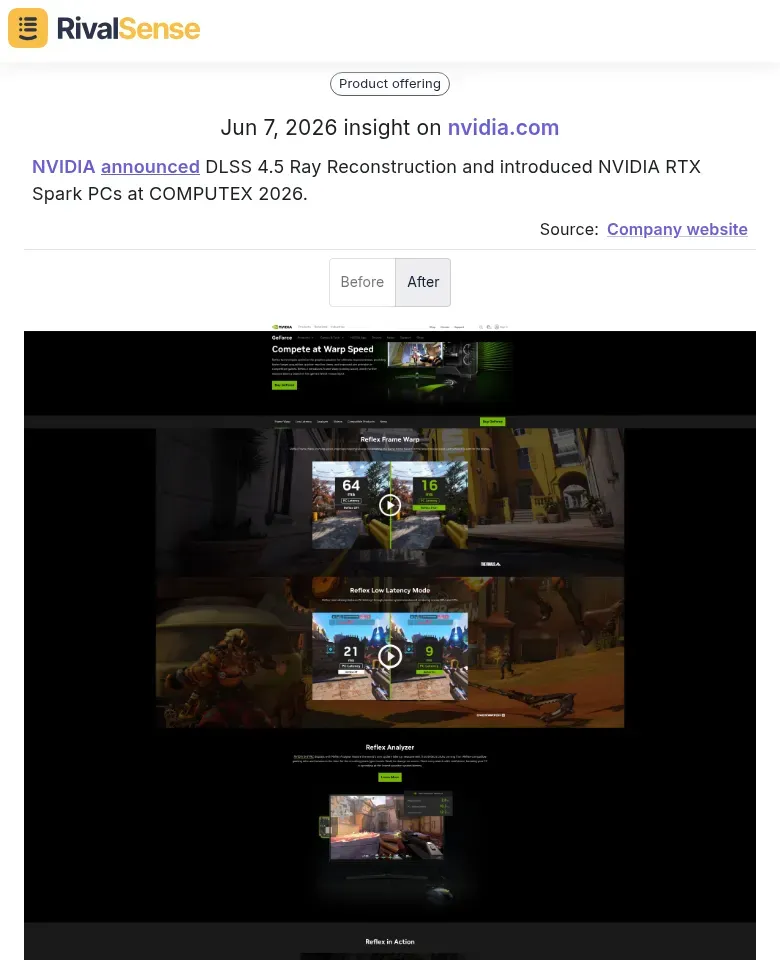
Monitoring product announcements at major tech events reveals emerging trends that your key accounts may adopt. You can use this intelligence not only for inspiring analogies but also to anticipate what capabilities your customers will ask for next, refining your value proposition accordingly.
Practical Steps for AI-Powered Personalization:
- Create a Master Template: Draft a core proposal or email outlining your value proposition, key metrics, and standard calls-to-action. Keep brand guidelines (tone, key phrases, logo placement) hardcoded.
- Feed Account Insights: For each account, input their industry, recent challenges, engagement history, and specific goals into the AI prompt.
- Generate & Refine: Use tools like ChatGPT or Jasper to generate a first draft. Example prompt: "Rewrite this proposal for [Account Name], highlighting our work with [Similar Client] and addressing their recent [Challenge]. Maintain a consultative tone."
- Quality Check: Review for brand consistency—ensure logos, taglines, and voice align. Adjust any AI-generated phrasing that feels off-brand.
Tips for Best Results:
- Keep a brand lexicon: Maintain a list of approved terms, phrases, and tone examples in a shared document. Reference it in your prompts.
- Iterate on examples: Provide the AI with one strong, past personalized piece as a reference. It learns style and structure faster.
- Use placeholders for dynamic data: Create templates with [[Account Name]], [[Last Touchpoint]], etc., and let AI fill them in naturally.
By treating AI as your content co-pilot, you maintain brand integrity while delivering the individualized attention that key accounts expect.
Intelligent Resource Optimization
Optimizing team bandwidth is critical for key account success. AI-driven scheduling and task allocation ensure your best talent focuses on highest-priority accounts.
Practical Steps:
- Audit Current Allocation: Use AI tools to analyze time spent per account vs. revenue impact.
- Set Priority Tiers: Label accounts as A (high-value), B (growth potential), C (maintenance).
- Automate Scheduling: Leverage AI assistants (e.g., Clara, x.ai) to reschedule lower-priority meetings, freeing blocks for A-tier work.
- Dynamic Task Assignment: Implement tools like Asana or Monday.com with AI plugins that auto-assign tasks based on availability and skill alignment.
Pro Tip: Borrow from hardware efficiency—think of your team like an RTX Spark PC: allocate power dynamically. Use focus-mode apps (e.g., RescueTime) that block distractions during deep work for key accounts.
Quick Checklist:
- [ ] Deploy AI scheduling tool for priority-based calendar management
- [ ] Set up automated task redistribution weekly
- [ ] Track high-impact activities with a scorecard
- [ ] Review allocation quarterly against account ROI
By treating resource optimization as a dynamic, AI-driven process, you ensure maximum impact without burning out your team.
Strategic Foresight from Competitor R&D
To gain strategic foresight, AI can scan competitor job postings and research publications to predict future product directions. For key account frameworks, this long-term intelligence helps you align your solutions with emerging market needs.
Practical Steps:
-
Set up AI alerts for job title keywords (e.g., "SONiC director," "AI researcher") on LinkedIn and company career pages.
💡 Real RivalSense capture: The company recently detected that NVIDIA is hiring a Director, Software Engineering - SONiC in Israel, focusing on advancing Physical AI through world reconstruction and generation research.
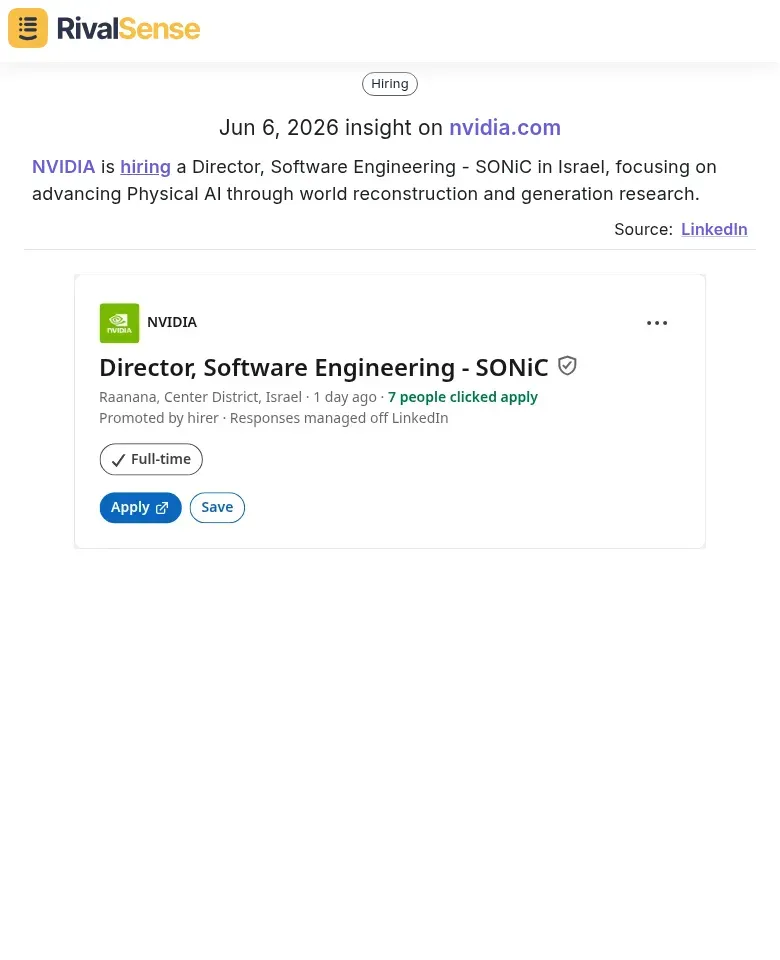
Job postings are powerful leading indicators of a competitor’s strategic focus. Capturing this hiring signal for a SONiC director role (open networking/Physical AI) helps you anticipate future product categories and prepare your accounts for infrastructure shifts 12–18 months out. You can proactively propose complementary offerings or migration paths before the competitor launches.
-
Train an LLM to extract R&D focus areas from arxiv preprints and patent filings. Look for repeated terms like "RDMA," "DPU," or "cloud-native."
-
Map hiring surges to product categories: a spike in SONiC-related hires signals a shift toward open networking, which may affect your account's infrastructure decisions.
-
Create a timeline of predicted releases vs. actual launches to refine your AI model.
Pro Tip: Combine job postings with conference talk titles (e.g., OFA, KubeCon) for a richer signal. When a competitor hires 3+ roles for a niche skill (e.g., P4 programmable switches), expect a new hardware play within 12–18 months. Share these insights with your account team to proactively propose complementary offerings or migration paths before the competitor's launch.
Ready to turn competitor moves into actionable intelligence for your key accounts? With RivalSense, you can automatically track product launches, pricing changes, job postings, and more—delivered in a concise weekly email. Start tracking your competitors today for free and get your first report at rivalsense.co.
📚 Read more
👉 Optimize Key Account Tracking with Competitor Hiring Insights
👉 The Strategic Benefits of Mystery Shopping Your Competitors: A Guide for B2B Leaders
👉 Master Competitor Target Audience Analysis: Optimize Your Repair Business Strategy
👉 CFO Appointment Signals Funding Round: How to Pounce Before Your Rival