
5 Twitter Tactics for Key Account Intelligence
When it comes to competitive intelligence, Twitter is an underrated goldmine. Unlike polished press releases or quarterly reports, Twitter offers real-time, unfiltered access to your competitors’ strategic moves—announcements, partnerships, event participation, and even offhand comments that reveal priorities.
Why Twitter matters for CI:
- Real-time signals: Spot booth appearances at niche expos or sudden product launches before they hit formal channels.
- Positioning shifts: A change in bio, pinned tweet, or hashtag usage can signal a pivot in audience targeting or product focus.
- Partner clues: Follow who competitors follow and engage with—new integrations or channel partnerships often surface here first.
Practical tips:
- Create a private Twitter list of competitors, key executives, and industry analysts. Check it daily (5 minutes).
- Set up alerts for competitor names + keywords like “partner,” “launch,” or “expo.”
- Track pinned tweets—they reveal current priorities.
- Analyze engagement patterns: A sudden spike in replies to a specific industry account may indicate a new collaboration.
- Use Twitter’s advanced search to filter by date and location (e.g., “booth at [event]”).
Remember: The goal isn’t to stalk—it’s to systematically capture strategic signals that inform your own roadmap.
Tactic 1: Monitor Event Participation and Live Activations
Competitors frequently tweet about trade shows, expos, and live events, signaling where they invest in brand awareness. By tracking these posts, you can uncover their go-to-market strategies and target demographics. For instance, when Netflix showcased a Devil May Cry booth at LVL UP EXPO on April 25, 2026, it wasn’t just a fun activation—it signaled a deliberate push into the anime/gaming subculture. Understanding such moves helps you anticipate where your competitor is allocating resources and which audience segments they’re courting.

Why this type of insight is valuable: Event participation reveals investment priorities and partnership strategies. A booth at a niche expo suggests a targeted demographic play—if your competitor is chasing that audience, you can decide to compete or differentiate. Plus, live activations like podcasts with influencers (e.g., Miss Gina Darling) indicate content marketing tactics you can learn from.
What to look for:
- Booths at niche expos
- Live podcasts or influencer appearances
- Event hashtags and attendee engagement
Practical steps:
- Set up Twitter lists for key competitors and event hashtags (e.g., #CES2026, #SaaStrAnnual).
- Use social listening tools to track mentions of event-related keywords ("booth," "expo," "live at").
- Analyze engagement: High retweets on event posts indicate successful activations worth emulating.
- Create a competitive event calendar to anticipate their next moves.
Pro tip: Don’t just watch—engage. Follow their event hashtags and monitor attendee reactions to gauge sentiment and identify gaps you can exploit.
Tactic 2: Detect New Partnerships and Integrations
Twitter is often the first place companies announce integrations and partnerships—sometimes before press releases or blog posts. For example, when Stripe partnered with Transak to enable debit/credit card purchases of DigiCoin on DigiSwap, the news broke on Twitter first. Monitoring these announcements can reveal shifts in your competitor’s strategy, such as entry into new verticals (e.g., crypto, DeFi) or expansion of payment rails.
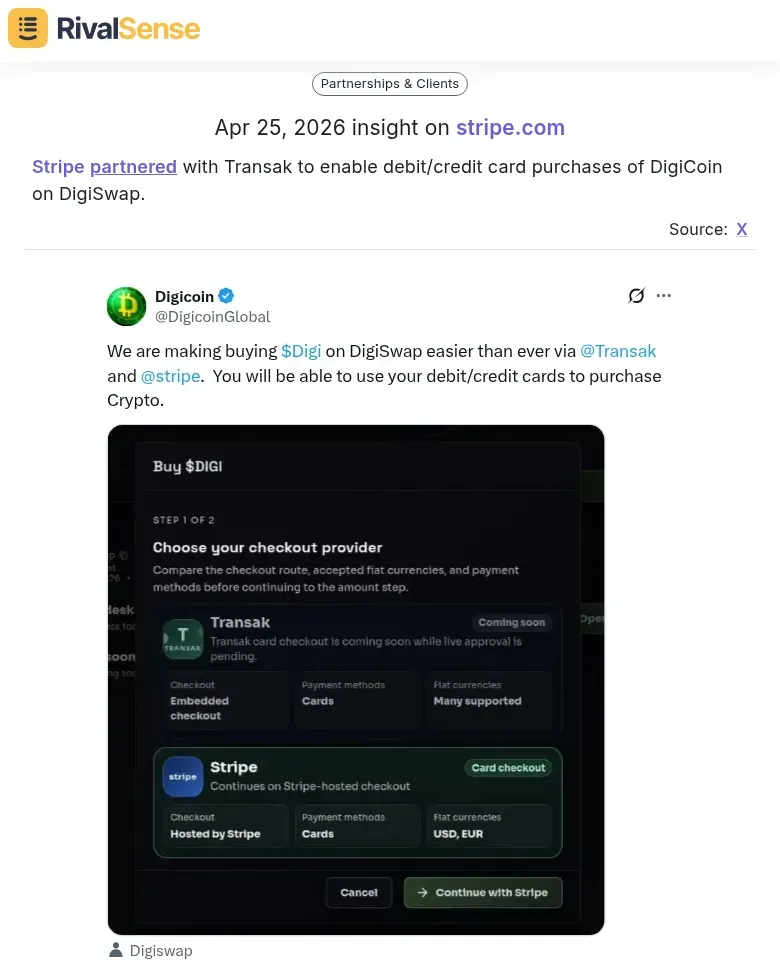
Why this type of insight is valuable: Partnership tweets hint at strategic moves before press releases. If a competitor integrates with a platform you rely on, it may threaten your own partnerships. Catching this early allows you to assess the impact and adjust your strategy—perhaps by strengthening your own integrations or reaching out to the partner first.
Practical steps:
- Set up Twitter lists for key competitors and their top partners. Monitor for mentions of "partner," "integration," "announcing," or "now available."
- Analyze partner accounts to understand the ecosystem your competitor is building. Look for co-marketing tweets, retweets, or replies that signal deeper collaboration.
- Track hashtags like #partnership, #integration, or industry-specific tags (e.g., #DeFi, #fintech).
- Create a checklist for each detected partnership: What value does it bring? Does it overlap with your integrations? Could it lock you out of a key channel?
Pro tip: Use a social listening tool to get alerts when competitors tweet about partnerships. This gives you time to assess the impact and adjust your strategy before the news spreads widely.
Tactic 3: Uncover Pricing Changes and Fee Structures
Pricing pages are often sanitized, but Twitter reveals the real story. Customers don’t stay quiet about unexpected fees—they tweet complaints, and competitors pounce with comparative pricing threads. For instance, Stripe’s payment processing fees can increase from 2.9% to over 5.4% on international transactions—a fact surfaced via customer rants and competitor commentary. You can capture the same intelligence to strengthen your own pricing strategy.
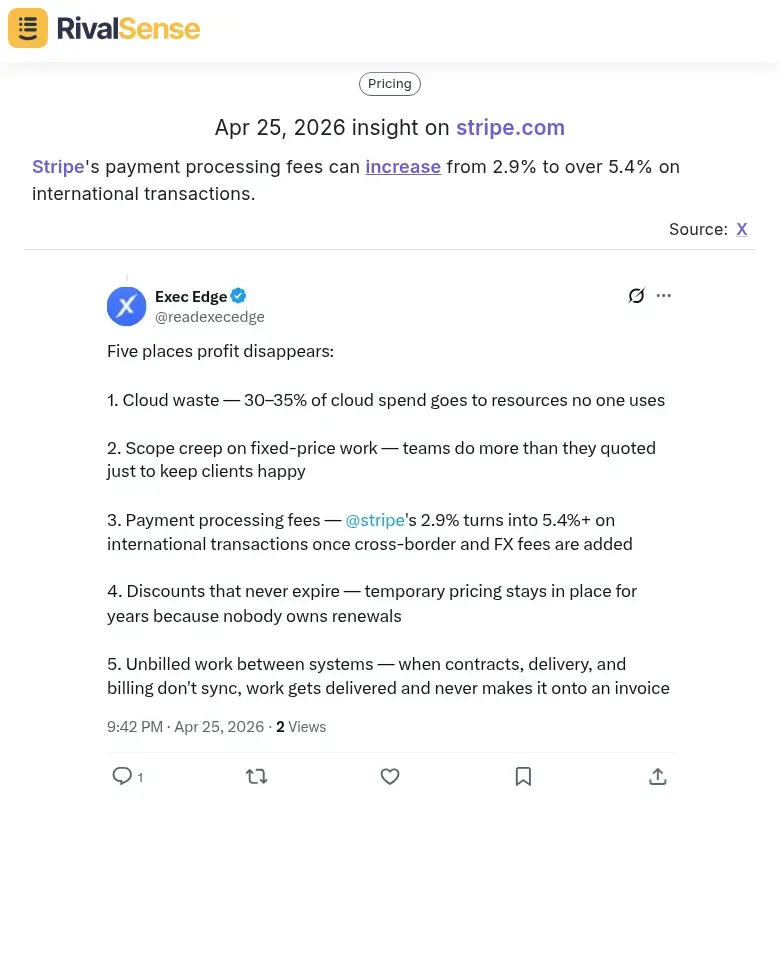
Why this type of insight is valuable: Real-world cost data lets you adjust your own pricing or highlight your transparency. If a competitor adds a hidden fee, you can position your flat-rate pricing as a differentiator. One SaaS company we tracked discovered a competitor’s hidden setup fee through a single customer rant—and immediately updated their comparison page to call it out.
How to do it:
- Set up Twitter List alerts for your top 3 competitors. Add their support handles, CEO accounts, and product pages.
- Search for keywords like "[competitor] hidden fee," "[competitor] price increase," or "[competitor] charged me." Use Twitter’s advanced search with date filters.
- Monitor replies to competitor tweets—especially when they announce new features. Angry customers often reply with screenshots of surprise charges.
- Track competitor responses. If a rival replies with a defensive explanation or a new pricing FAQ, that’s a signal of a change.
Pro tip: Create a shared Slack channel or spreadsheet where your team logs every pricing mention. Over a month, patterns emerge—like a new surcharge for API usage or a reduced annual discount.
Checklist:
- [ ] Set up Twitter List for competitors
- [ ] Search for pricing complaints weekly
- [ ] Log findings in a shared doc
- [ ] Review monthly for pricing pattern shifts
Tactic 4: Analyze Content Themes and Audience Engagement
Your competitor’s Twitter feed is a window into their content strategy and target audience. The topics they post about—whether industry news, product updates, or even pop culture like anime or crypto—reveal who they’re trying to reach and what they think will engage them. By systematically analyzing these themes, you can spot trends and gaps to inform your own content plan.
How to analyze:
- Categorize their tweets into themes (e.g., thought leadership, customer stories, promotions, humor). Use a simple spreadsheet or a tool like Twitter’s advanced search.
- Identify top-performing content by sorting tweets by likes, retweets, and replies. Look for patterns: Do how-to threads get more engagement than product announcements? Do memes outperform data reports?
- Compare with your own themes. List your content pillars side by side. Where are they investing that you aren’t? Where are you stronger?
Practical steps:
- Use a free tool like TweetDeck to create a column for your competitor’s tweets. Review weekly and note which themes get the most engagement.
- Create a simple checklist:
- [ ] What are the top 3 content themes they post?
- [ ] Which theme gets the highest average likes?
- [ ] Which theme gets the most replies (indicating conversation)?
- [ ] Are there topics they avoid that you could own?
Pro tip: Don’t just copy what works—look for gaps. If they dominate thought leadership but ignore customer success stories, that’s your opportunity to differentiate. Use engagement data to validate which themes truly resonate, then double down on your unique angle.
Conclusion: Building a Systematic Twitter Intelligence Workflow
To turn Twitter intelligence into a sustainable competitive advantage, systematize your workflow. First, automate monitoring with tools like RivalSense that track competitor tweets and alert you to key events, partnerships, and pricing changes—saving hours of manual scrolling. Second, establish a weekly cadence: every Friday, review the week’s top competitor tweets, categorize them (product launches, hiring signals, customer wins), and share a 3-bullet summary with your team. Third, integrate Twitter signals with other sources—cross-reference a tweet about a new feature with the official press release and your product team’s notes. This triangulation ensures you never act on incomplete information. Finally, create a simple checklist: (1) Set up alerts for each competitor, (2) Schedule 30 min weekly for analysis, (3) Log insights in a shared doc, (4) Discuss at Monday stand-up. By combining automation, regular review, and multi-source validation, you’ll transform raw tweets into actionable competitive intelligence that drives strategy.
Ready to level up your competitor tracking? Try RivalSense for free and get your first competitor report today—no strings attached.
📚 Read more
👉 Beginner's Guide to Tracking Key Account Interactions in Fintech
👉 Tracking Emerging Competitors: Unlocking Partnership & Client Insights
👉 Key Account Tracking Workflow: A Step-by-Step Guide to Outsmart Your Competition