
5 Best Practices for Mining Competitor Insights from Twitter (with Real-World Examples)
Twitter offers real-time, unfiltered access to competitor announcements, product updates, and strategic moves. Unlike formal press releases, tweets often reveal timing, tone, and customer reactions that signal market direction. For example, a feature teaser tweet can hint at upcoming capabilities before a launch; a new service launch tweet reveals immediate customer sentiment; and a partnership promotion tweet exposes strategic alliances. To mine these insights effectively, follow this checklist:
- [ ] Track competitor Twitter lists using tools like TweetDeck
- [ ] Monitor tweet engagement (likes, retweets, replies) to gauge market reception
- [ ] Note posting frequency and timing to infer product release cycles
- [ ] Archive tweets for trend analysis
- [ ] Cross-reference tweets with official announcements for gaps
By systematically analyzing these three categories—teasers, launches, and partnerships—you can anticipate competitor moves and adjust your strategy proactively.
1. Spotting Product Roadmap Signals from Feature Teasers
To spot product roadmap signals from feature teasers on Twitter, start by monitoring competitor accounts for tweets that showcase upcoming features with phrases like "available in this week’s update" or "coming soon." These short-term announcements reveal development velocity and prioritization—if a competitor ships weekly, they likely have a fast iteration cycle. Pay attention to visual elements such as screenshots, GIFs, or interactive prototypes; these hint at UX direction and technical capabilities being invested in. For example, a polished UI mockup suggests design maturity, while a rough demo may indicate early experimentation. Track the frequency and timing of these teasers: a sudden spike in posts could signal a major release, while consistent weekly teasers point to a steady cadence. Create a simple spreadsheet to log each teaser’s date, feature description, and visual quality. Over time, patterns emerge—like features that appear in teasers but never ship, revealing abandoned experiments.
📘 Real-World Insight: Vellum announced that an interactive memory visualization feature will be available in its desktop AI assistant in the upcoming 0.6.6 update this week. This type of teaser is valuable because it reveals a competitor’s UX investment and feature prioritization—helping you gauge where they are doubling down on user experience. If you see a visual prototype, it indicates design maturity and a potential new standard in the market.

Pro tip: Set up Twitter lists or use tools like TweetDeck to group competitors and filter by keywords (e.g., "update," "preview," "beta"). This systematic approach turns casual scrolling into a structured competitive intelligence process.
2. Uncovering New Service or Product Line Launches
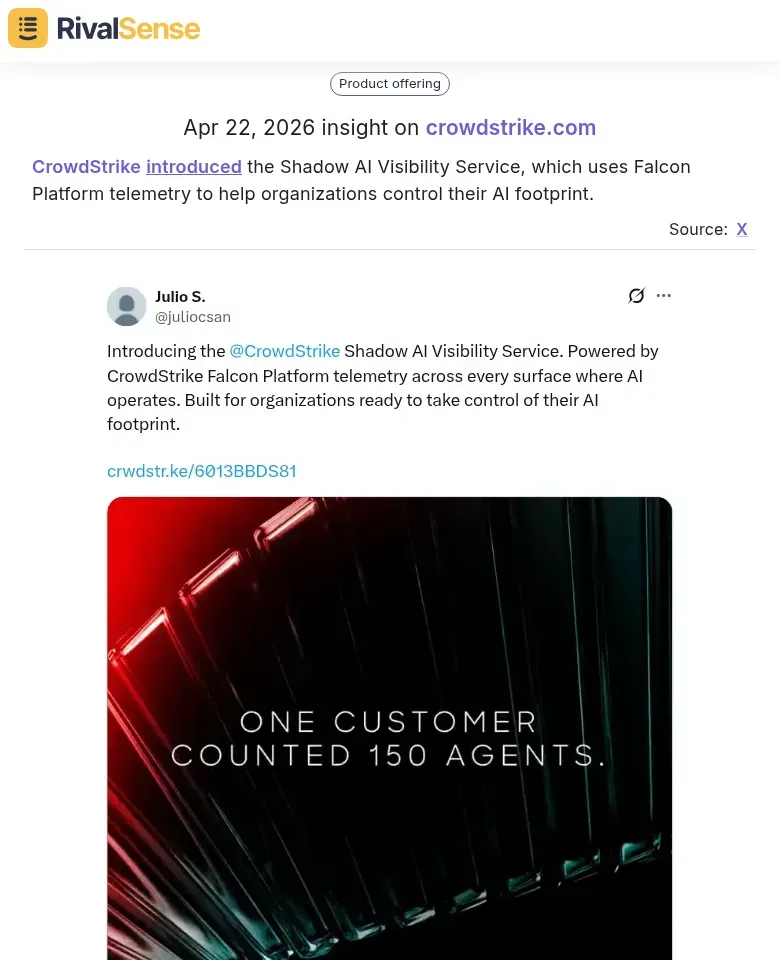
When a competitor launches a new service or product line, their Twitter announcement is a goldmine of strategic signals. For instance, a cybersecurity firm tweeting about a 'Shadow AI Visibility Service' reveals an expansion into adjacent problem spaces (e.g., AI governance) and targets new customer segments like compliance officers. The language they use—'control AI footprint'—hints at their positioning and value proposition. To extract maximum insight:
- Monitor launch tweets for partner mentions (e.g., 'in partnership with AWS'), which signal ecosystem plays and integration capabilities.
- Look for pricing hints like 'starting at $X per month' or 'free tier available' to gauge market positioning.
- Note any early adopter testimonials in replies or retweets—they reveal which customer segments resonate most.
📘 Real-World Insight: CrowdStrike introduced the Shadow AI Visibility Service, which uses Falcon Platform telemetry to help organizations control their AI footprint. This launch tweet is valuable because it signals a pivot to serving compliance and security teams—a clear expansion into a new buyer persona. The phrasing "control AI footprint" indicates they are framing AI as a risk to be managed, which can inform your own messaging.
Pro tip: Set up a Twitter list of competitors and use a tool like RivalSense to track their launch tweets in real time. Create a checklist:
- [ ] Identify the problem being solved
- [ ] Note the target audience language
- [ ] Capture partner and pricing details
- [ ] Analyze reply sentiment for market reception
This structured approach turns a simple tweet into a competitive intelligence win.
3. Identifying Partnership and Integration Strategies
Competitors’ co-promotion tweets are goldmines for uncovering their partnership and integration strategies. When you see a tweet like "Enables partner to offer personalized products," it signals a channel partnership or platform play. The nature of the partnership—technology integration, co-marketing, or reseller—reveals their go-to-market approach.
Practical steps:
- Track partner types: Categorize each partner as tech (API/SDK), co-marketing (joint campaigns), or reseller (distribution).
- Monitor frequency: A surge in new partner announcements indicates ecosystem expansion.
- Analyze messaging: Look for phrases like "integrated with," "powered by," or "now available on" to spot integration depth.
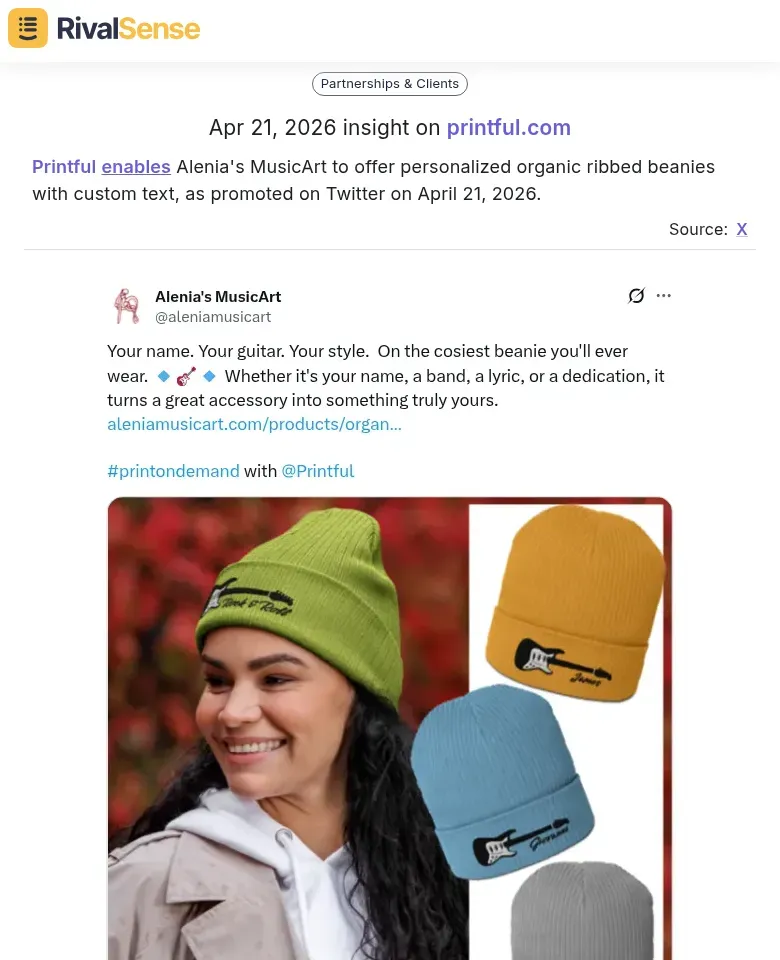
📘 Real-World Insight: Printful enables Alenia's MusicArt to offer personalized organic ribbed beanies with custom text, as promoted on Twitter on April 21, 2026. This partnership tweet reveals a co-marketing play where Printful empowers a niche brand. The value for your strategy: it shows how competitors leverage platform capabilities to attract creators and build channel relationships. You can identify similar underserved niches or API partners.
Checklist for partner analysis:
- [ ] Log each partner tweet with date and partner name.
- [ ] Tag partner type (tech, co-marketing, reseller).
- [ ] Note the value proposition (e.g., "reduces onboarding time").
- [ ] Review quarterly to map ecosystem growth.
Tip: Use Twitter’s advanced search with “partner” + competitor handle to filter relevant tweets. This reveals not just who they partner with, but how they scale market reach through alliances.
4. Analyzing Customer Engagement and Sentiment from Replies
Customer replies to competitor tweets are a goldmine of unfiltered feedback. Unlike surveys or reviews, these are raw, real-time reactions to features, pricing, and usability. To extract actionable insights, follow this three-step process:
1. Collect replies systematically – Use tools like Twitter’s advanced search or a social listening platform to pull replies to your competitor’s tweets. Focus on posts about product launches, updates, or support issues.
2. Analyze engagement metrics – Sort replies by likes and retweets to identify what resonates most. A high like-to-reply ratio often signals strong agreement (e.g., “This is exactly what we needed!”). Conversely, a flurry of replies with few likes may indicate controversy or confusion.
3. Tag replies by sentiment and theme – Create a simple spreadsheet with columns for: tweet link, sentiment (positive/negative/neutral), and theme (pricing, feature request, bug, usability). For example, if multiple users complain about a missing integration, that’s a gap your product could fill.
Pro tip: Look for recurring questions. If three different users ask “Does this work with Slack?” and the competitor hasn’t answered, that’s a clear opportunity to highlight your Slack integration in your own messaging.
Checklist:
- [ ] Set up a weekly review of top 5 competitor tweets by engagement
- [ ] Tag at least 10 replies per tweet for sentiment and theme
- [ ] Identify top 3 recurring complaints or requests
- [ ] Map each gap to a feature or messaging angle for your product
5. Building a Systematic Twitter Competitive Intelligence Process
To turn Twitter noise into actionable intel, you need a repeatable system. Start by creating Twitter Lists for each competitor (public or private) and adding key accounts—founders, product leads, and customer success teams. Pair this with a monitoring tool like RivalSense or TweetDeck to track branded keywords, product names, and industry hashtags in real time.
Next, categorize insights as you collect them. Use a simple taxonomy:
| Category | Examples |
|---|---|
| 🚀 Product | Feature launches, bugs, roadmap hints |
| 🤝 Partnership | New integrations, co-marketing moves |
| 🎯 Positioning | Messaging shifts, thought leadership angles |
| 💬 Sentiment | Customer praise/complaints, employee chatter |
A shared spreadsheet or a tool like Notion can serve as your central repository. Tag each entry with date, competitor, and category.
Finally, set a regular cadence. Review your feed daily (15 min) for urgent signals—e.g., a competitor outage or pricing change. Do a deeper weekly analysis (30 min) to spot trends and update your team. Assign ownership so insights don’t gather dust. Pro tip: create a Slack channel (#competitive-intel) to share quick wins instantly. Consistency turns raw tweets into strategic advantage.
Want to automate this whole process? RivalSense tracks competitor product launches, pricing updates, event participations, partnerships, and more across websites, social media, and registries—then delivers everything in a weekly email report. Try RivalSense for free and get your first competitor report today.
📚 Read more
👉 Competitor Customer Testimonials Analysis Template for Social Media Agencies
👉 Uncover Key Account Opportunities Through Competitor Event Analysis
👉 Sendible's Strategic Pivot: From Small Business to Software Integrators – What It Means for You
👉 How to Track Key Account Risks Before They Sink Your Business
👉 Strategic Key Account Tracking for Media Buying Agencies: Best Practices and App Strategies