
Uncover Key Account Opportunities in Grocery Retail with Data-Driven Insights
In the fiercely competitive grocery retail landscape, suppliers often struggle to grow their accounts with major retailers. The key to unlocking new opportunities lies not in guesswork, but in data-driven competitor tracking. By systematically monitoring competitors' retail partnerships, pricing strategies, and promotional tactics, you can uncover hidden gaps and tailor your approach to meet retailers' evolving needs.
Why it matters: Retailers constantly adjust their shelf space, private-label offerings, and promotional calendars. If you're not tracking these shifts, you're missing chances to align your product portfolio and promotions with their strategic priorities.
Practical steps to get started:
- Monitor competitor product launches – Identify which categories retailers are expanding and where your competitors are gaining shelf space.
- Analyze promotional patterns – Track frequency, depth, and timing of competitor promotions to spot untapped promotional slots.
- Map retailer strategic initiatives – Follow retailer earnings calls and press releases to understand their focus areas (e.g., sustainability, private label, local sourcing).
Real-world example: A mid-size snack brand noticed a competitor had secured a seasonal end-cap display at a major chain. By analyzing the retailer's promotional calendar, they identified a gap in the 'healthy snacking' category and pitched a tailored end-cap program, resulting in a 15% account growth within three months.
Small, data-informed changes can unlock significant account potential. Start tracking today to turn insights into action.
Spotting Promotion Shifts to Optimize Your Offerings
To spot promotion shifts, start by tracking retailer pricing patterns weekly. Use competitor monitoring tools to log changes from multi-buy deals (e.g., 3-for-2) to simpler fixed seasonal prices—this signals a strategic move to boost margins or clear inventory.
Step 1: Categorize promotions. Create a spreadsheet with columns for product category, promotion type, start/end dates, and discount depth. For example, if a retailer shifts from “Buy One Get One Free” on snacks to “$5 flat” on beverages, note the category pivot.
Step 2: Prioritize your SKU pitches. Cross-reference these categories with your product portfolio. If dairy is heavily promoted, propose a complementary SKU (e.g., yogurt dips) that fits the same seasonal theme.
Step 3: Align sales cycles. Map promotion timing to retailer peak seasons—back-to-school, holidays, summer grilling. For instance, if a retailer runs “Summer BBQ” deals in May, pitch your marinades or buns in April to secure shelf space.
Pro tip: Set up alerts for specific keywords (e.g., “fixed price,” “seasonal special”) to catch shifts early. Use a shared dashboard so your sales team can act within 48 hours of a change.
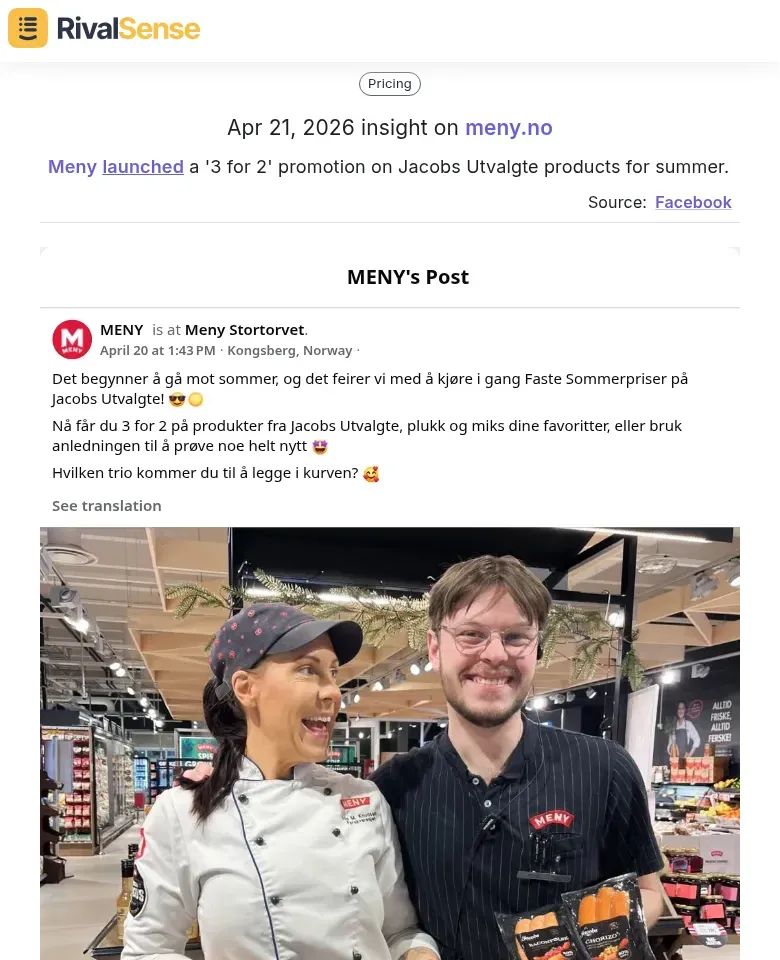
Real RivalSense insight – why tracking promotion shifts matters: When a retailer like Meny launches a seasonal '3 for 2' promotion on its Jacobs Utvalgte line, it signals a focus on driving volume during peak summer months. For your business strategy, this indicates an opportunity to align your own promotions or bundle offers with the same seasonal push, potentially securing co-promotion slots or incremental shelf space.
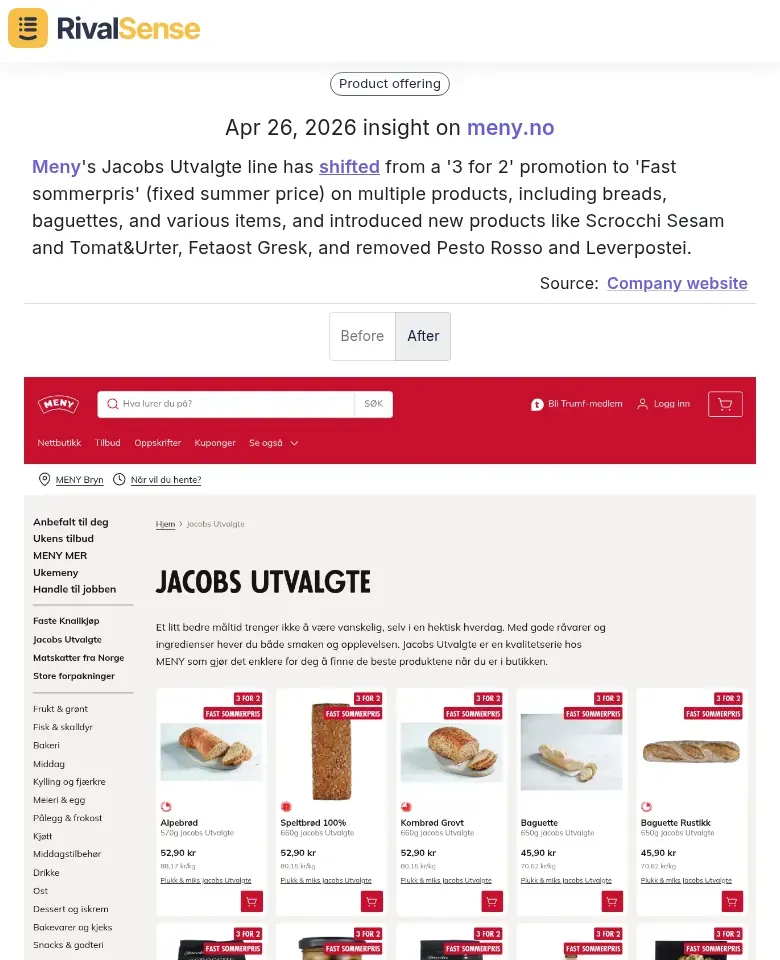
Another real insight – why tracking pricing strategy shifts matters: Meny later shifted from '3 for 2' to a 'Fast sommerpris' (fixed summer price) across multiple products in the Jacobs Utvalgte line. This pricing change reveals the retailer's intention to simplify the customer experience and protect margins while maintaining a strong summer theme. For your business, it signals a shift toward value positioning rather than multi‑buy discounts—an insight that can help you adjust your own pricing model or promotional mechanics to stay competitive.
Tracking Product Assortment Changes for Competitive Gaps
Tracking product assortment changes in grocery retail reveals where competitors are investing and where gaps exist. New product introductions signal retailer focus areas—if a competitor launches a plant-based protein line, demand is validated and you can propose a complementary or superior alternative. Discontinued items create immediate openings: analyze why a product was removed (low sales, seasonality, supplier issues) and pitch a replacement or adjacent product that fills the void.
Practical Steps:
- Monitor weekly using competitor tracking tools or manual shelf checks. Create a spreadsheet logging additions and removals by category.
- Categorize changes into: new brands, line extensions, seasonal items, private label expansions, and discontinued SKUs. This maps strategic shifts—e.g., a surge in private label additions signals retailer margin focus.
- Score opportunities by volume potential and fit with your product line. Prioritize gaps where you can offer better margins or differentiation.
- Pitch proactively to category managers with data: “Competitor X removed Y; our Z can fill that gap with 20% higher margin.”
Pro Tip: Set up automated alerts for assortment changes using tools like RivalSense to stay ahead without manual effort.
Leveraging Store Refurbishment Insights for In-Store Positioning
Store refurbishments are a goldmine for uncovering priority departments and in-store positioning opportunities. When a retailer relocates the bakery section or expands fresh produce, they signal where foot traffic and investment are concentrated. Use refurbishment announcements to identify these high-priority zones and align your product placement accordingly.
Practical Steps:
- Monitor refurbishment news via trade publications, local press, or retailer investor reports. Note the timeline: start and completion dates.
- Map layout changes – e.g., if a new ‘Food on the Go’ concept appears, it indicates demand for convenience and grab-and-go items. Position your products near these sections.
- Plan sales visits around refurbishment phases. Visit before work begins to build relationships with store managers, and schedule follow-ups after completion to secure prime shelf space.
- Time sampling campaigns to coincide with grand reopenings. Shoppers are more exploratory during these periods, increasing trial rates.
Checklist for Action:
- [ ] Set Google Alerts for key retailers + “refurbishment” or “remodel.”
- [ ] Create a calendar of refurbishment timelines for top accounts.
- [ ] Prepare a pitch deck highlighting how your product complements new store concepts.
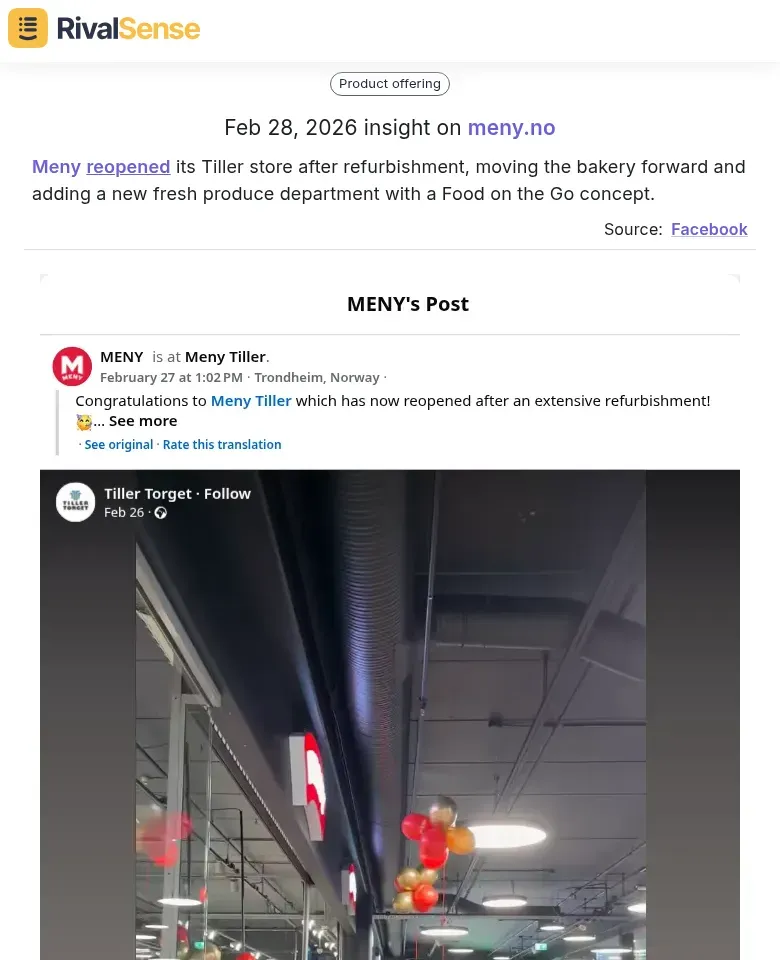
Real RivalSense insight – why tracking store refurbishments matters: Meny reopened its Tiller store after a refurbishment that moved the bakery forward and added a new fresh produce department with a 'Food on the Go' concept. For your business strategy, this indicates the retailer's investment in fresh and convenience categories. You can pitch products that align with these zones—such as grab‑and‑go snacks or fresh accompaniments—and secure premium placement during the store's renewed traffic flow.
Building a Systematic Competitor Intelligence Process
To build a systematic competitor intelligence process, start by automating the tracking of retailer promotions, product changes, and store updates. Use web scraping tools or APIs to monitor competitor websites for price changes, new product launches, and promotional banners. Set up Google Alerts or social listening tools to capture real-time mentions and customer feedback. For in-store intelligence, train field teams to use a mobile app to log shelf layouts, end-cap displays, and price tags with photos and timestamps.
Combine these data sources into a single dashboard (e.g., Tableau, Looker) to create a holistic view. For example, overlay a competitor’s social media campaign with their in-store display changes to identify coordinated marketing pushes. Use a tagging system to categorize insights by type (pricing, promotion, product) and urgency (immediate action, monitor).
Finally, establish a weekly cross-functional intelligence brief. Share a one-page summary with sales (highlighting competitor discount patterns), marketing (new messaging angles), and product teams (gaps in your assortment). Use a shared Slack channel or Trello board to flag time-sensitive moves. Pro tip: assign a rotating “intelligence lead” from each team to ensure insights drive coordinated action, not just information hoarding.
Conclusion: Turning Insights into Account Wins
To turn competitive insights into account wins, start by prioritizing the most actionable intelligence. Map each retailer’s recent moves—new private-label launches, shelf-space reallocations, or pricing changes—against your product portfolio and strategic goals. Focus on the 2–3 opportunities where your solution directly addresses a gap or pain point.
Next, create tailored pitch decks that reference specific retailer actions. For example, if a grocer expanded its organic line, position your product as a premium complement. Use data visualizations to show how your offering aligns with their strategy.
Finally, measure impact by tracking account engagement (e.g., email opens, meeting requests) and conversion rates. Set up a simple dashboard to monitor which insights drive the most pipeline. Regularly refine your approach based on what resonates.
Quick checklist:
- [ ] Map insights to portfolio and goals
- [ ] Build 3–5 customized pitch decks
- [ ] Track engagement and conversion weekly
- [ ] Iterate based on performance data
Ready to put these insights into action? Try RivalSense for free and get your first competitor report today.
📚 Read more
👉 Unlock Growth: Track Key Account Feedback for Smarter Partnerships
👉 How to Turn a Competitor’s Tachograph Mandate Pivot Into Your Own Growth Opportunity
👉 The Real-World Benefits of Competitive Intelligence Software (And How to Actually Use It)
👉 Key Account Management Best Practices for Influencer Platforms