
Uncover Competitor Moves: Website Change Insights for Key Account Wins
Introduction: Why Website Changes Matter in Competitive Intelligence
In the fast-paced B2B landscape, your competitors' websites are a goldmine of early strategic signals. A new pricing page, a shifted value proposition, or a case study featuring a beta client can reveal product launches, market pivots, or key account wins weeks before official announcements. By monitoring these changes, you gain a critical competitive advantage: time to prepare counter-strategies, adjust your messaging, or approach vulnerable accounts.
Website change detection complements traditional CI methods like win/loss analysis and market reports. While those offer retrospective insights, website monitoring provides real-time, actionable intelligence.
Practical Steps to Get Started:
- Identify key competitor pages: Focus on product, pricing, careers, and case study pages.
- Use change detection tools: Set up alerts for specific URL changes using tools like RivalSense, Visualping, or Distill Web Monitor.
- Categorize changes: Track pricing updates, new features, leadership hires, and client logos.
- Integrate with your CI workflow: Share weekly digests with your product, sales, and strategy teams.
Pro Tip: Don't just track homepage changes. Deep-link to high-value pages like 'Enterprise' or 'Integrations' to catch targeted moves. A new integration partner listed on a competitor's site often precedes a joint go-to-market campaign.
Product Line Expansion & Retirement: Reading Between the SKUs
When a competitor adds new SKUs, it’s often a sign of market expansion or a push for upselling. For example, if a SaaS company launches a premium tier with advanced analytics, they’re targeting enterprise clients. Conversely, removing a product can indicate strategic pruning—focusing resources on higher-margin offerings. A sudden retirement of a popular SKU might signal a pivot or a new replacement coming soon.
Tracking product lineup changes is valuable because it reveals how competitors are evolving their offerings to capture new segments or phase out underperforming lines. This intelligence helps you adjust your own product roadmap and identify opportunities to poach dissatisfied customers.
Real-world example: RivalSense detected that VistaPrint added Premium Plus Business Cards to its product lineup and replaced Foil Accent and Kraft Business Cards, while also updating the frequently bought together section to include a VistaPrint Large Cotton Tote Bag and Custom Ribbon, removing District Soft-Touch T-Shirts and Custom Mugs.
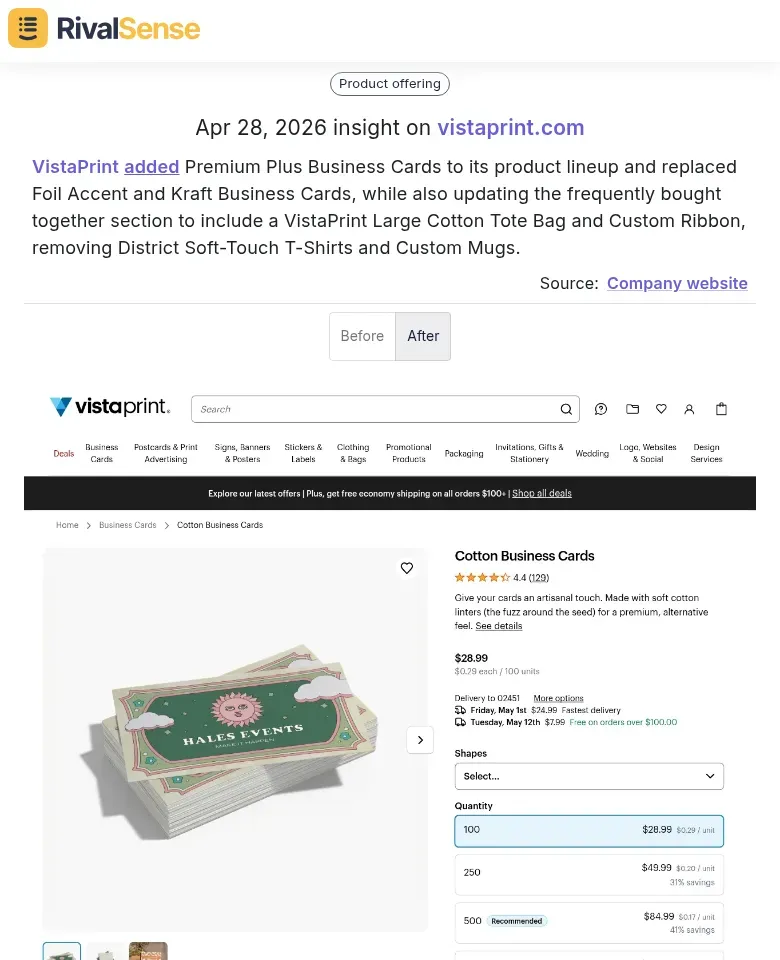
Why this insight matters: Product additions and removals like these signal a shift in competitive strategy—perhaps moving toward higher‑margin premium items or experimenting with cross‑selling tactics. For you, it’s a chance to reassess your own product portfolio and positioning.
Practical Steps:
- Track SKU changes weekly using tools like RivalSense or manual checks of their product pages.
- Categorize additions: Is it a new category (expansion) or a variation (upsell)?
- Note removals: Check if they’re replaced by an upgraded version or discontinued entirely.
Cross-sell and bundle updates are goldmines. A new bundle with a partner product reveals ancillary revenue shifts. For instance, a CRM adding a Slack integration bundle suggests they’re targeting collaborative teams.
Checklist for Analysis:
- [ ] New SKU: What problem does it solve? Who is the target buyer?
- [ ] Removed SKU: Is it replaced? Check for redirects or 404s.
- [ ] Bundle changes: Identify new partners—they may be acquisition targets.
By reading between the SKUs, you can anticipate competitor moves and position your key account pitches accordingly.
Compliance & Certification Updates: Uncovering Regulatory Moves
When a competitor updates their compliance page, it’s often a signal of new certifications or expanded regulatory coverage. For example, adding SOC 2 Type II or ISO 27001 suggests they’re targeting enterprise buyers. These updates are critical because they directly impact your ability to compete in regulated industries or for large accounts where compliance is a buying criterion.
Action step: Set up alerts for compliance page changes using tools like RivalSense. When detected, cross-reference with their recent case studies or blog posts to confirm the target segment.
Real-world example: RivalSense tracked that Vanta updated its FedRAMP product page to emphasize its FedRAMP 20x Moderate authorized platform on AWS GovCloud, added an SSP generation feature, and replaced a customer testimonial.
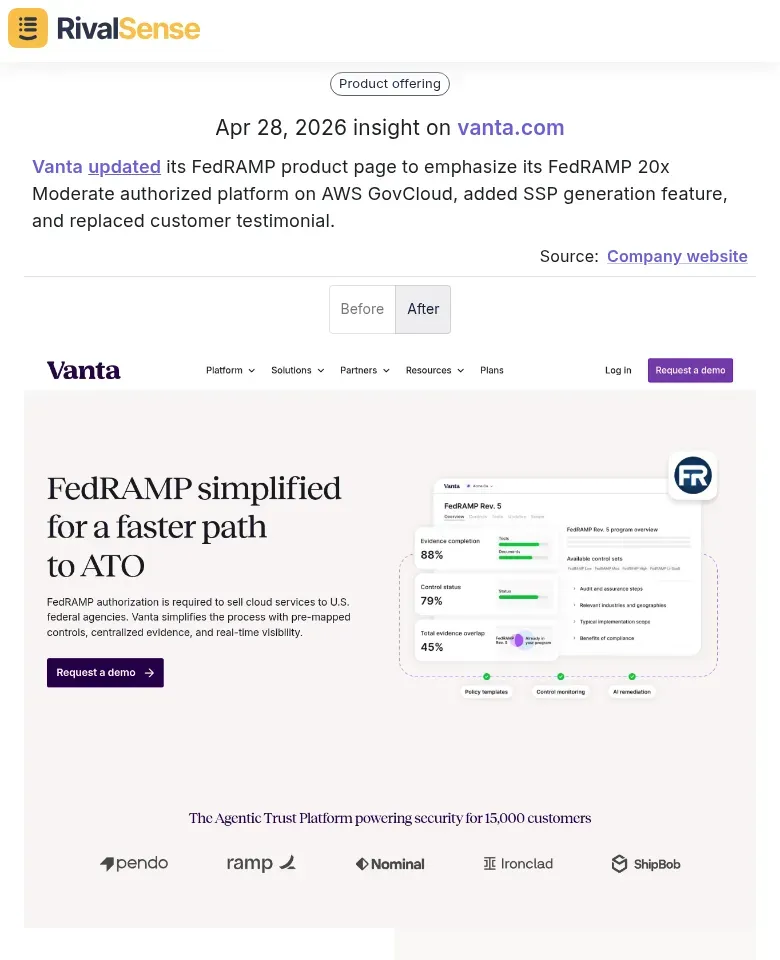
Why this insight matters: Compliance changes like FedRAMP authorization or new SSP features reveal that a competitor is doubling down on government or enterprise verticals. You can use this intel to pre‑emptively strengthen your own compliance story or target accounts that may be underserved.
Feature additions like automated SSP (Statement of Suitability) generation reveal evolving customer pain points. If a competitor launches a one-click SSP generator, they’re likely hearing that manual creation is a bottleneck. Tip: Map each new feature to a specific job-to-be-done for your shared audience. This helps you prioritize your own roadmap.
Testimonial swaps are subtle but telling. A shift from SMB logos to enterprise names (e.g., "Acme Corp" replacing "SmallBiz Co") indicates a persona pivot. Checklist:
- Compare testimonials month-over-month.
- Note industry, company size, and role of the quoted person.
- Update your competitive positioning accordingly.
Pro hint: Use a change-log tool to capture before/after screenshots automatically. This creates a historical record you can reference during strategy meetings.
Event & Webinar Changes: Decoding Sales and Marketing Priorities
Event and webinar changes are a goldmine for understanding your competitor's shifting priorities. When a company swaps out a past event series like "Mastering Cloud Security" for a new one titled "AI-Driven Threat Detection," it signals a pivot in product focus and go-to-market strategy. These lineup changes often highlight emerging solutions they’re betting on—and where they plan to invest marketing dollars.
Capturing these shifts is valuable because you can align your own sales and product messaging to counter their narrative or even target the same audience with a differentiated angle.
Real-world example: RivalSense observed that Palo Alto Networks updated its upcoming events, replacing April 2026 NGFW, Cortex CDR, and Prisma AIRS events with new April 2026 events: SASE with Prisma Access Virtual Ultimate Test Drive, Cortex XSIAM Demo 'n' Dash, and Cortex Cloud Bootcamp: AppSec Deep Dive.
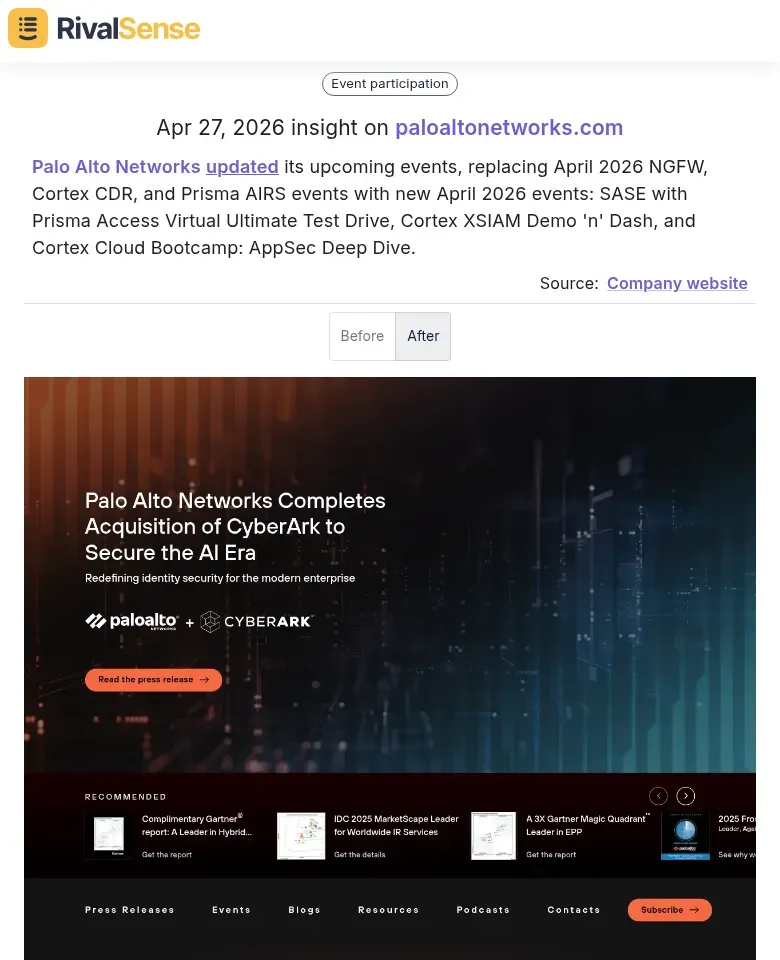
Why this insight matters: Dropping legacy event themes and introducing new ones (e.g., SASE, XSIAM, AppSec) indicates a strategic pivot toward cloud‑native security and AI‑driven operations. You can anticipate their go‑to‑market campaigns and prepare competitive battle cards or offer alternative solutions that address the same pain points.
Practical Steps to Decode Event Changes:
- Track event titles and descriptions over time. Look for keywords that appear, disappear, or gain prominence. A shift from "cost optimization" to "innovation" hints at repositioning.
- Compare past vs. current lineups. If a recurring webinar on "Legacy Integration" vanishes and is replaced by "Cloud-Native Transformation," they're deprioritizing old tech.
- Analyze speaker roles. Are product managers now leading sessions that engineers used to run? That suggests a move toward market-led messaging.
Pro Tip: Set up alerts for your competitor's event pages. A sudden addition of a "Competitive Battlecard" session could mean they're gearing up to counter your offerings. Use these clues to refine your own messaging and anticipate their next move.
Actionable Framework: How to Systematically Monitor and Analyze Website Changes
To systematically monitor and analyze website changes, follow this framework:
1. Set Up Automated Tracking
Use tools like RivalSense or Visualping to monitor key pages: product, pricing, compliance, events, and careers. Configure daily or weekly scans. Prioritize pages that signal strategic shifts (e.g., pricing page changes often precede market repositioning).
2. Categorize by Strategic Impact
Create a simple taxonomy:
- Product: New features, integrations, case studies (indicate R&D focus).
- Marketing: Messaging updates, new customer logos, content offers (reveal targeting shifts).
- Compliance: Privacy policy, certifications, security badges (critical for enterprise deals).
3. Integrate into Battle Cards & Account Planning
- Battle Cards: Add a “Recent Moves” section summarizing competitor website changes. Update monthly.
- Account Plans: Flag changes relevant to specific accounts (e.g., a competitor adds a compliance cert for your target industry). Assign owners to track and respond.
Pro Tips:
- Use a shared spreadsheet or CRM field to log changes with date, category, and action items.
- Set alerts for high-impact categories (e.g., pricing drops).
- Review changes weekly in team stand-ups to align sales and product strategies.
Conclusion: Turning Insights into Key Account Wins
Competitor website intelligence isn't just about tracking changes—it's about turning those signals into key account wins. When you spot a competitor launching a new feature or pricing page, anticipate how your prospects will react. Prepare objection-handling scripts and tailored demos that address the exact pain points your competitor's move reveals. For example, if a competitor drops prices, proactively emphasize your superior ROI and support.
Build a continuous CI feedback loop: 1) Set up weekly alerts for competitor site changes (pricing, case studies, job postings). 2) Map each change to a potential customer objection or need. 3) Update your sales playbooks and account plans accordingly. 4) Share insights cross-functionally—sales, product, and marketing—in a 15-minute weekly standup.
Pro tip: Create a 'Competitor Move Response Template' with fields for the change, likely impact, recommended positioning, and owner. This turns ad hoc monitoring into a repeatable advantage. By systematically converting competitor intel into proactive positioning, you'll consistently win key accounts before your rivals even know they're in a race.
To make this process effortless, try RivalSense for free. It automatically tracks competitor website changes across product, pricing, compliance, events, and more—delivering a weekly email report so you never miss a strategic move. Get your first competitor report today.
📚 Read more
👉 Track Competitor Podcasts: A Data Quality Guide
👉 Key Account Intelligence: A Content Marketing Framework for Competitor Media Mentions
👉 How to Leverage Competitor Insights: The NAVEX Guide Example
👉 How to Track Key Account Contracts: A Practical Guide for B2B Leaders
👉 Unlock Growth: 5 Data-Driven Benefits of Competitor Analysis