
Track Competitor Sentiment on LinkedIn: A Step-by-Step Guide
Why LinkedIn is a Goldmine for Competitor Sentiment Analysis
LinkedIn offers a unique window into competitor sentiment because it captures unfiltered, real-time perspectives from company leaders and employees. Unlike polished press releases, LinkedIn posts often reveal genuine reactions to strategic moves—such as funding announcements, partnerships, or product launches—giving you a direct line to their market positioning. Employee updates, comments, and reactions also signal shifts in internal culture and morale, which can precede talent churn or innovation slowdowns.
Practical Tips for Mining LinkedIn Sentiment:
- Follow key leaders and departments (e.g., CEO, CTO, HR) to catch candid posts about challenges or wins.
- Monitor engagement patterns: A spike in likes/comments on a post about a new hire may indicate excitement; silence on a restructuring post could signal uncertainty.
- Use a tracking tool like RivalSense to aggregate sentiment signals across posts and comments, spotting trends before they become public news.
Checklist for Your Weekly Scan:
- [ ] Review 5–10 recent posts from competitor executives.
- [ ] Note sentiment tone (positive/negative/neutral) and recurring themes.
- [ ] Compare employee reactions vs. official company messaging.
- [ ] Flag any sudden changes in posting frequency or topic focus.
Setting Up Your Competitor Monitoring Dashboard
To build an effective competitor monitoring dashboard, start by aggregating all relevant LinkedIn activity in one place. Tools like RivalSense can automatically pull posts from competitor company pages, founders, and key executives—saving you hours of manual scrolling.
Step 1: Identify Key Accounts
Create a list of accounts to track: official company pages, CEOs, product leads, and marketing heads. For example, if you're in SaaS, track the CEO of Salesforce and the HubSpot company page.
Step 2: Set Up Keyword Alerts
Configure alerts for high-signal terms like "new product," "partnership," "hiring," or "funding." This ensures you never miss critical updates. For instance, a competitor's post about a "strategic partnership" could signal a market shift.
Step 3: Organize Your Dashboard
Group tracked accounts by competitor and prioritize based on relevance. Use tags or folders to separate direct competitors from adjacent players.
Pro Tip: Add a weekly review slot to scan sentiment trends—are competitors getting positive engagement? A sudden spike in negative comments might indicate customer churn risks you can capitalize on.
Checklist:
- [ ] List of competitor LinkedIn accounts
- [ ] Keyword alerts configured
- [ ] Dashboard organized by priority
- [ ] Weekly review scheduled
Decoding Strategic Signals from Executive Posts
Executive LinkedIn posts are a goldmine for strategic intelligence. Here's how to decode them:
1. Leadership Announcements
When executives announce new initiatives, research support, or partnerships, they're signaling R&D priorities. For example, a CEO posting about a new AI lab reveals investment in machine learning.
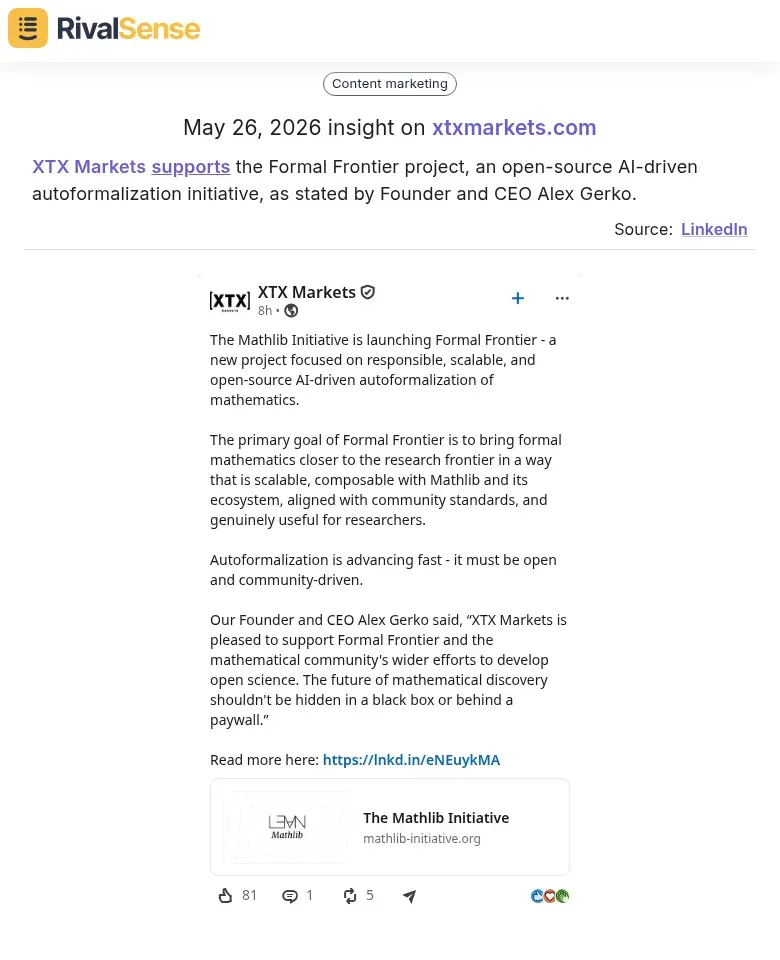
Real Insight from RivalSense: XTX Markets supports the Formal Frontier project, an open-source AI-driven autoformalization initiative, as stated by Founder and CEO Alex Gerko.
Why this matters: Tracking such support reveals where a competitor is directing resources and talent. Open-source investments often precede product ecosystems or hiring sprees in that area.
Tip: Track posts with keywords like “launching,” “investing,” or “new research.”
2. Webinar & Event Mentions
Event invitations or recap posts highlight go-to-market focus. If a VP of Sales promotes a webinar on “SaaS for Healthcare,” that’s their target audience.
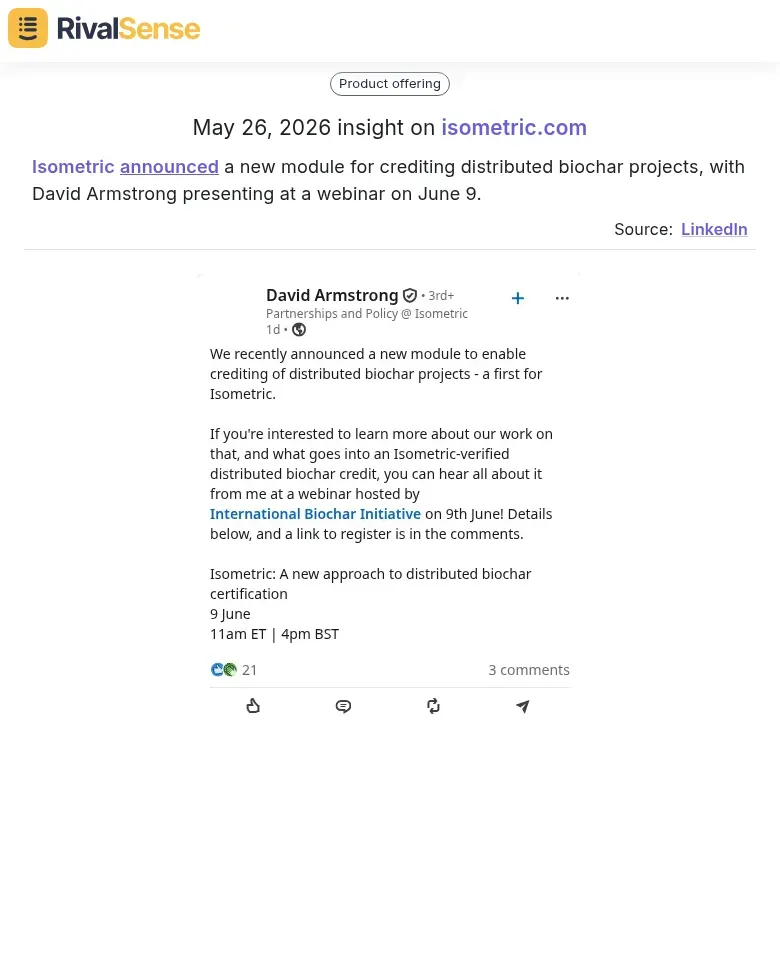
Real Insight from RivalSense: Isometric announced a new module for crediting distributed biochar projects, with David Armstrong presenting at a webinar on June 9.
Why this matters: New product modules and webinar topics signal which verticals a competitor is entering. Use this to adjust your own positioning or launch complementary offerings.
Action: Note the event theme and speaker list to infer messaging and positioning.
3. Executive Departures & Hires
A new CMO from a competitor suggests a shift in brand strategy; a departing CTO may signal restructuring.
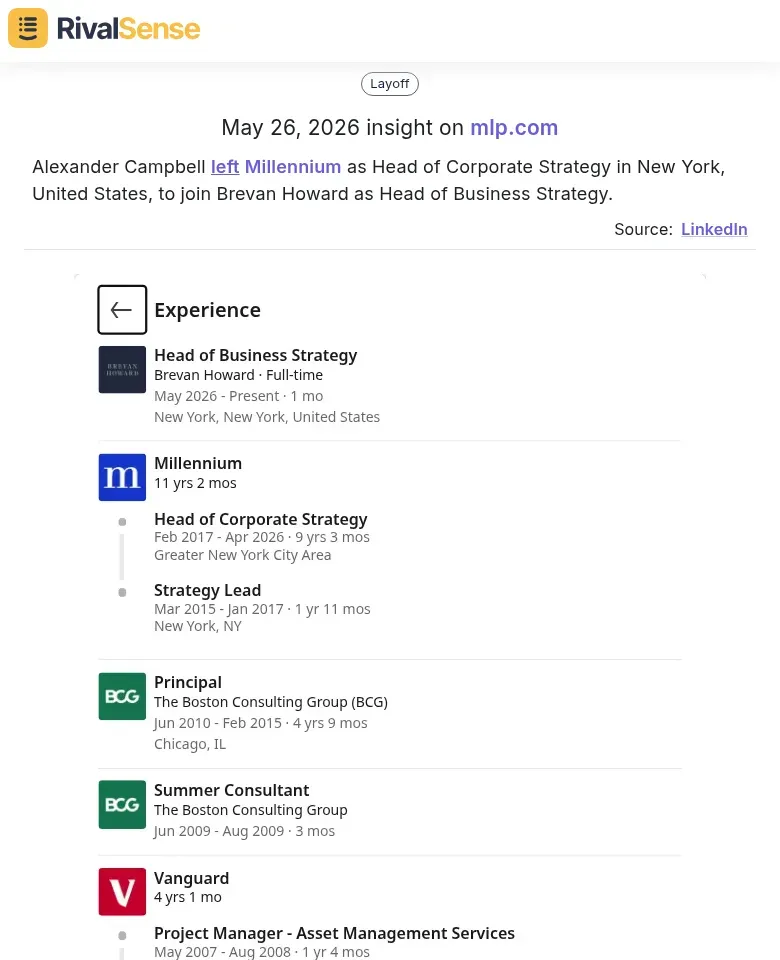
Real Insight from RivalSense: Alexander Campbell left Millennium as Head of Corporate Strategy in New York, United States, to join Brevan Howard as Head of Business Strategy.
Why this matters: Leadership moves often precede strategic pivots. A corporate strategy head leaving for a direct competitor can indicate impending changes in market approach or M&A focus.
Checklist for monitoring:
- Follow key executives on LinkedIn.
- Set up Google Alerts for “[Company] + new hire” or “[Company] + departure”.
- Compare job titles to spot new roles (e.g., first-ever Chief Revenue Officer).
Pro Tip: Use a competitor tracking tool like RivalSense to aggregate these signals and spot patterns automatically. Combine with company news for a fuller picture.
Analyzing Employee Advocacy and Culture Clues
Employee advocacy on LinkedIn offers a window into your competitors’ internal culture and innovation focus. Here’s how to analyze it:
1. Spot Innovation Signals
When employees post about new projects, product launches, or technical breakthroughs, they’re highlighting areas where the company invests. Use LinkedIn’s search bar with queries like "[Company Name] just launched" or "[Company Name] new feature." Track these posts to map their innovation roadmap.
2. Gauge Morale Through Engagement
Look at how employees interact with company posts. High engagement (likes, comments, shares) from staff signals strong alignment and pride. Low engagement may indicate disengagement or internal issues. Pro tip: Compare the ratio of employee engagement to total engagement over time.
3. Monitor Talent Flow
Departure announcements (e.g., "I’ve left X for Y") reveal talent drains and gains. Search "left [Competitor]" or "joined [Competitor]" to see which teams are shrinking or growing. A sudden spike in departures from a specific department might signal trouble.
Checklist for Monthly Analysis:
- [ ] Search employee posts for project/launch mentions
- [ ] Note engagement levels on 3–5 company posts
- [ ] Count departure vs. arrival posts by department
- [ ] Compile findings into a competitive culture report
These clues help you anticipate competitor moves and benchmark your own culture.
Turning Sentiment Data into Competitive Intelligence
To turn sentiment data into actionable competitive intelligence, start by correlating sentiment shifts with key events. For example, map negative sentiment spikes around a competitor's product launch to identify features that frustrated users. Use a simple spreadsheet to track dates of funding rounds, expansions, or leadership changes alongside sentiment scores. When you spot a dip in employee sentiment (e.g., via LinkedIn posts about layoffs or culture), investigate whether it signals churn—this can reveal talent gaps you can exploit. Next, segment negative feedback by theme (e.g., poor support, pricing complaints) and compare it to your own strengths. Refine your positioning by highlighting what competitors lack. For instance, if a rival's customers complain about slow onboarding, emphasize your seamless setup in messaging. Finally, set up a monthly review: pull sentiment data, note three competitor weaknesses, and adjust one positioning statement accordingly. This turns raw data into a strategic edge.
Building a Repeatable Workflow for Ongoing Tracking
To make competitor sentiment tracking a habit, build a repeatable workflow that scales with your team.
1. Schedule Weekly LinkedIn Reviews
Block 30 minutes every Monday to scan competitors’ recent posts, comments, and engagement spikes. Use a tool like RivalSense to aggregate activity so you don’t miss anything. Early detection of sentiment shifts (e.g., a sudden drop in comment tone) gives you time to react.
2. Maintain a Shared Repository
Create a simple spreadsheet or Notion database with columns: Date, Competitor, Post URL, Sentiment Score (Positive/Neutral/Negative), Key Themes, and Action Items. Share it with product, marketing, and sales teams. Weekly sync-ups (15 min) to discuss findings ensure cross-team alignment.
3. Iterate Your Tracking Criteria
Competitors evolve—so should your tracking. Every quarter, review your keyword list and sentiment categories. For example, if a rival pivots to sustainability, add terms like “carbon neutral” to your watchlist. Adjust your repository schema to capture new signals.
Pro Tips:
- Use a color-coded sentiment scale (🔴🟡🟢) for quick visual scans.
- Tag team members on action items to drive accountability.
- Archive old data monthly to keep your repository lean.
By following this workflow, you’ll transform ad-hoc monitoring into a strategic advantage.
Ready to save hours and catch every critical signal? Try RivalSense for free and get your first competitor report today. Start your free trial here.
📚 Read more
👉 Monitor Competitor Signals to Predict Fintech Expansion Moves
👉 Advanced Media Monitoring Tactics for Key Account Growth
👉 Uncovering Competitor Moves: How a Documentation Overhaul Signals Strategic Shift
👉 Key Account Management Webinar: Turning Insights into Retention & Growth