
The Webinar Competitive Intelligence Playbook: Uncover New Features, AI Upgrades & Ecosystem Shifts
Webinars are an underrated treasure trove for competitive intelligence. Unlike static website copy or release notes, webinars offer live, unfiltered glimpses into what competitors are building and why. Here’s why they matter—and how to mine them.
1. Live demos reveal unannounced features.
Competitors often showcase product updates during webinars that haven’t hit their website or docs yet. Tip: Set up alerts for competitor webinars and watch them within 24 hours to capture early intel.
2. Q&A sessions expose roadmap priorities.
Informal remarks and audience questions can reveal strategic bets—like “we’re investing heavily in AI” or “integrating with platform X is our next milestone.” Action: Record the Q&A and transcribe it. Then tag each mention by theme (e.g., AI, integrations, pricing).
3. Recordings enable longitudinal comparison.
A single webinar is a snapshot; a year’s worth of recordings paints an evolution. Step: Create a shared folder, save recordings with dates, and revisit quarterly to spot shifts in messaging or features.
Quick Start Checklist
- [ ] Register for competitor webinars (use a burner email if needed).
- [ ] Record the session (OBS or Zoom’s built-in recorder).
- [ ] Within 48 hours, list all product announcements.
- [ ] Transcribe Q&A and highlight roadmap hints.
- [ ] Compare against previous webinars to track changes.
🔍 Spotting New Features and Integrations
Webinars are a goldmine for uncovering product updates that competitors may not shout about publicly. Here’s how to spot new features and integrations that signal strategic moves.
Watch for Third-Party Integrations
- Look for logos or mentions of new partners (e.g., “Now integrates with Salesforce” in a slide).
- Check the Q&A—attendees often ask, “Does it work with [tool X]?” The answer reveals upcoming integrations.
- Tip: Create a list of your competitor’s current integrations, then note any additions post-webinar.
Scan for Updated Descriptions
- Compare slide decks from previous webinars vs. current ones. New bullet points or reworded feature explanations signal deeper documentation or upgraded functionality.
- Click “About” / “Learn More” links in webinar materials—they often lead to updated help docs or changelogs.
- Hint: Use the Wayback Machine to cross-check if a page changed around the webinar date.
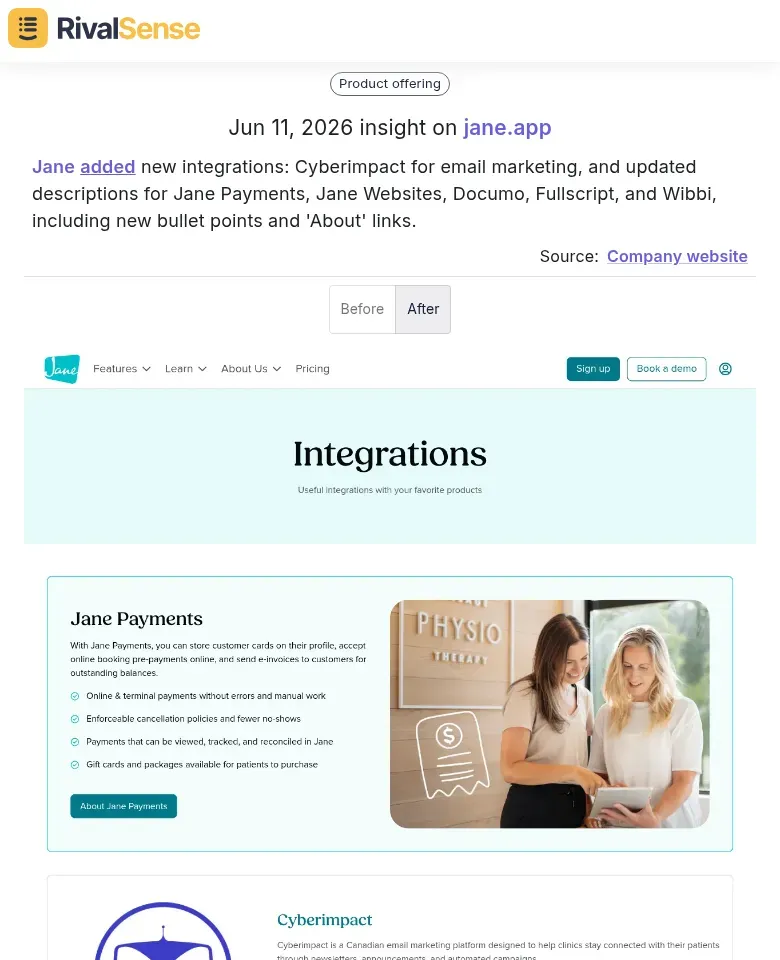
Real-world signal: RivalSense tracked how a competitor expanded its partner ecosystem. Jane added new integrations like Cyberimpact for email marketing, and updated descriptions for Jane Payments, Jane Websites, Documo, Fullscript, and Wibbi, including new bullet points and 'About' links.
This type of insight—spotting integration additions and documentation updates—signals a strategy to broaden market reach and deepen partner relationships. Understanding such moves helps you decide whether to counter with your own integrations or emphasize existing differentiators.
Note UI & Workflow Tweaks
- Record screen shares (with permission) to review later at 0.5x speed. Subtle UI changes—like relocated buttons or simplified menus—indicate ongoing refinement.
- Observe demo flows: New steps or shortened paths reveal workflow improvements.
- Checklist for each webinar:
- ✅ List any new integrations mentioned.
- ✅ Capture screenshots of feature descriptions.
- ✅ Note UI differences from prior demos.
By systematically cataloging these signals, you’ll build a timeline of your competitor’s product evolution—and spot opportunities to differentiate your own offering.
🤖 Detecting AI and Automation Upgrades
When analyzing competitor webinars, pay close attention to AI and automation upgrades that signal a leap in product capability. Look for AI-powered modules that automate previously manual tasks like match verification or research synthesis—these often appear as demos showing rapid data processing.
What to watch for:
- Recommendations with source links: Does the tool surface recommendations alongside linked sources? This indicates transparency and trust, a sign of mature AI integration.
- Complex automated checks: Features that automate nuanced analyses, such as political position analysis or family association screening, suggest advanced natural language processing and knowledge graph usage.
Tips:
- Note when presenters highlight “automated” or “AI-driven” for specific tasks you currently do manually.
- Ask during Q&A: “How does your AI handle false positives in [specific check]?” This reveals depth of automation.
- Record timestamps of demos showing one-click execution of multi-step workflows—these are likely automation upgrades.
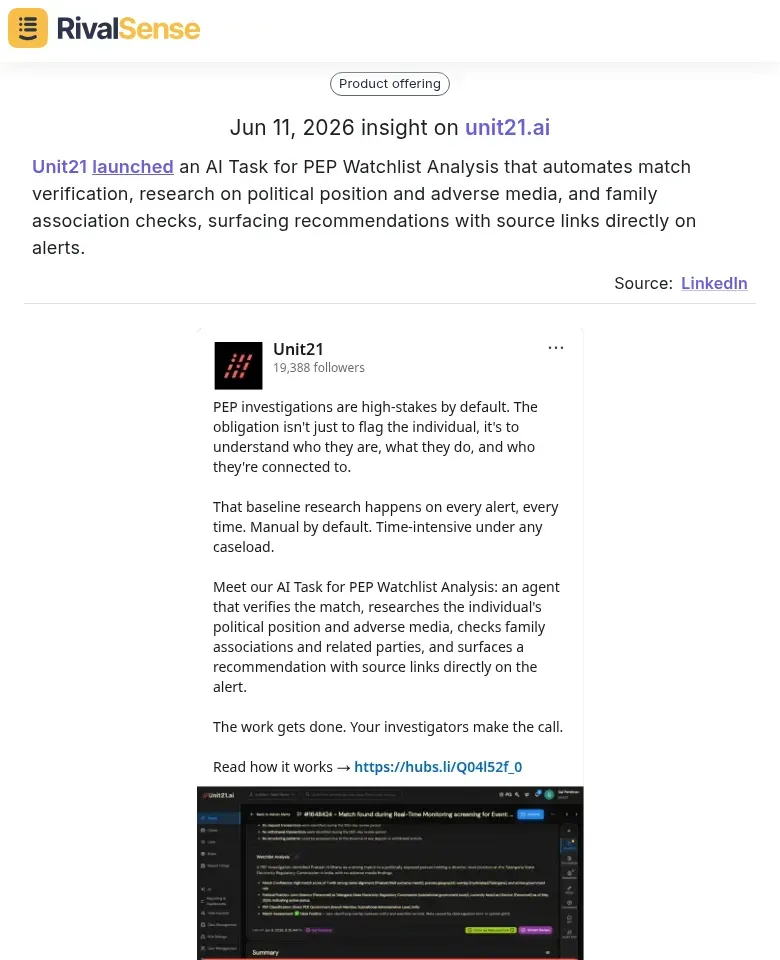
Real-world signal: RivalSense detected that Unit21 launched an AI Task for PEP Watchlist Analysis that automates match verification, research on political position and adverse media, and family association checks, surfacing recommendations with source links directly on alerts.
An AI upgrade like this reveals a competitor’s commitment to reducing manual compliance work and enhancing trust through transparent sourcing. For your strategy, it’s a cue to evaluate whether your own processes could benefit from similar automation—or if you can highlight your team’s human expertise as a premium alternative to AI-driven checks.
🌐 Monitoring Platform and Ecosystem Expansions
Webinars often unveil platform expansions that signal strategic direction. Track these three areas to understand how your competitor is maturing its offering.
Expanded Integration Catalogs
Look for announcements of new pre-built integrations (e.g., CRM, ERP, Slack) and custom integration capabilities via APIs or no-code connectors. Note any mentions of “agent actions” – automated workflows that extend functionality into third-party tools.
Tip: Create a table comparing the number and types of integrations before vs. after the webinar to quantify expansion pace.
Real-Time Debugging Tools
Developer experience improvements like agent traces, logs, or live inspection tools indicate a platform maturing toward enterprise readiness. If a competitor demos real-time debugging, evaluate whether your own product offers similar observability.
Checklist: Watch for mentions of latency metrics, error tracking, or test sandboxes.
Auto-Drafting & Knowledge Base Features
Self-service capabilities such as AI-powered auto-drafting (e.g., email replies, support tickets) or embedded knowledge bases reduce dependency on human agents. Note whether these features are native or require third-party plugins.
Tip: Test the feature yourself if a trial is offered – quality often differs from demo hype.
Action Step: After the webinar, update your competitive matrix with specific integration counts, debugging tool names, and self-service feature sets to track shifts over time.
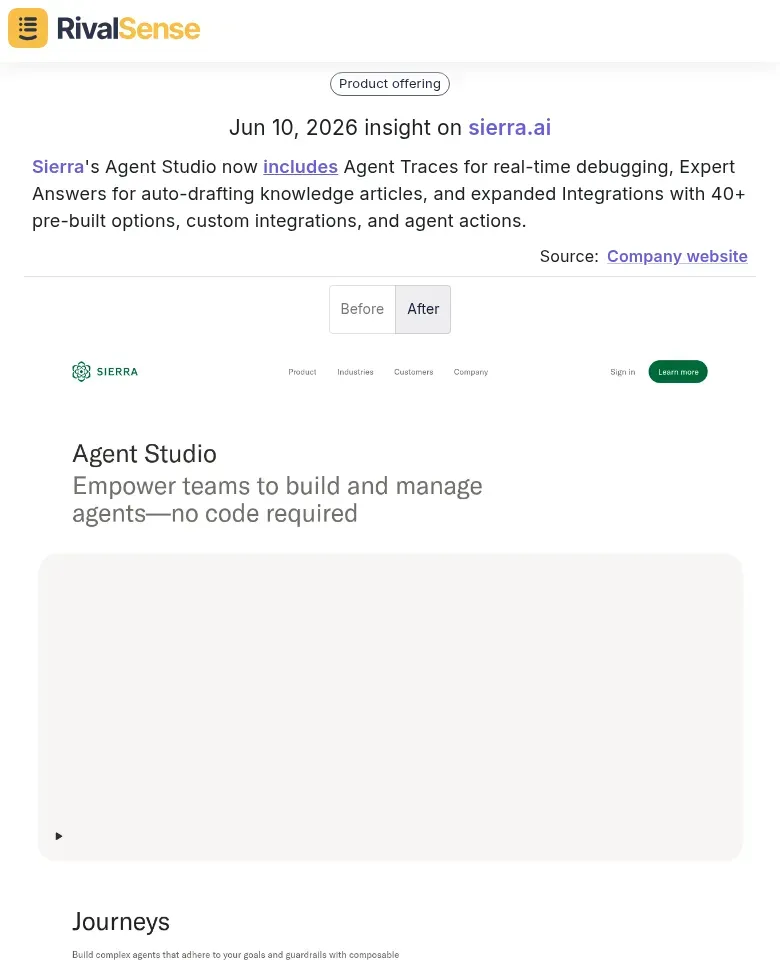
Real-world signal: RivalSense captured a notable platform expansion. Sierra's Agent Studio now includes Agent Traces for real-time debugging, Expert Answers for auto-drafting knowledge articles, and expanded Integrations with 40+ pre-built options, custom integrations, and agent actions.
Tracking such platform expansions helps you gauge when a competitor is gearing up for enterprise deals by offering observability and self-service capabilities. If you see a rival rolling out debugging tools and auto-drafting features, it may be time to accelerate your own platform’s maturity or double down on a vertical niche before the markets collide.
🧭 Decoding Messaging and Positioning Shifts
When analyzing competitor webinars, decoding messaging and positioning shifts reveals strategic intent. Start by capturing how they frame customer pain points—do they emphasize cost, inefficiency, or missed opportunities? Compare this with their past messaging to spot changes.
Practical Steps:
- Build a language matrix: Extract key phrases for pain points, solution benefits, and target audiences from each webinar. Timestamp them for reference.
- Map shifts over time: Note when new terms appear (e.g., “AI-driven” vs. “automation”) that signal new segments or value propositions.
- Flag exclusivity claims: Statements like “the only platform that…” or “patented technology” reveal differentiation anchors.
Checklist for Each Webinar:
- [ ] What are the top three pain points mentioned?
- [ ] How are they positioned (e.g., urgent vs. aspirational)?
- [ ] Any new language or acronyms introduced?
- [ ] Claims of being first, best, or only?
Use this intel to refine your own positioning. If a competitor starts targeting mid-market, you might double down on enterprise-grade trust. These signals are early warnings of competitive pivots—act on them before your next strategy cycle.
📋 Building Your Actionable Checklist
To turn webinar insights into a competitive advantage, build an actionable checklist with a standardized tracking template. Start by creating a shared document or tool (e.g., Notion, Airtable) with columns for each webinar: date, competitor, and key categories.
Essential categories to track:
| Category | What to Track |
|---|---|
| New Features | Specific product updates and their use cases |
| Integrations | New partnerships, platform connections |
| AI/Automation | AI-driven enhancements, automation workflows |
| Ecosystem | Third-party apps, developer tools |
| Positioning | Messaging shifts, target personas, value props |
| Pricing | Pricing changes, bundles, freemium tiers |
Pro tip: Use a tag-based system (e.g., #AI, #pricing) to quickly filter and compare across competitors.
Set a regular cadence for reviews:
- Weekly: Log webinar takeaways and assign responsibility for deeper analysis.
- Monthly: Synthesize findings into a competitive brief shared with product and marketing teams.
- Quarterly: Update your competitive intelligence repository with long-term trends and strategic shifts.
Automate where possible—use tools like Zapier to capture webinar registrations or follow-up emails. Consistency is key: a living checklist ensures you never miss a critical competitor move.
Stay ahead without the manual grind. RivalSense tracks competitor product updates, pricing shifts, partnerships, and more across websites, social media, and registries, delivering all signals in a concise weekly report. Try RivalSense for free and get your first competitor report today: https://rivalsense.co/
📚 Read more
👉 How Trimble’s Product Expansion Reveals 3 Competitor Moves You Can Act On Today
👉 The Ultimate Key Account Management Playbook: A 30-Day Plan to Retain & Grow Strategic Accounts
👉 From Reactive to Predictive: A KAM Playbook for Med Equipment CEOs
👉 How Frank Dirksen’s CCO Appointment Revealed Helsing’s Global Expansion Playbook
👉 Website Changes: Decoding Competitor Moves for Key Account Playbooks