
Predictive LinkedIn Analysis for Key Account Monitoring Wins
Most competitive intelligence teams treat LinkedIn as a passive resume database. But in reality, LinkedIn is your most powerful, real-time predictive account intelligence hub—if you know how to listen. Traditional monitoring tools surface press releases and quarterly filings, but LinkedIn offers unfiltered, immediate signals about product shifts, team changes, and go-to-market pivots that competitors don't broadcast elsewhere.
The key is transforming casual browsing into a structured, proactive intelligence process. Instead of reacting to announcements weeks late, you can anticipate moves before they hit the news.
To do this, focus on three signal categories:
- Product signals – New job postings for engineers with specific tech stacks, beta tester calls, or updated product pages.
- People signals – Executive hires, departures, role changes, or employees mentioning new initiatives.
- Go-to-market signals – Sales team expansion, new partner announcements, or thought leadership content targeting a new audience.
Practical tip: Create a saved search for each key account using LinkedIn Sales Navigator filters (e.g., job title changes, company growth). Set up weekly scans of these searches and log signals in a shared intelligence board. This turns browsing into a repeatable, predictive workflow.
🔍 Tracking Product & Technology Innovation Signals
To spot product and tech shifts early, set up LinkedIn alerts for your key accounts' CTO, VP Engineering, and product pages. Watch for posts about new integrations, developer tools, or SDK releases. These launches reveal evolving tech stacks and partnership priorities, letting you predict upcoming feature requirements or integration needs for your own product.
For example, RivalSense recently flagged that Vanta launched an MCP server enabling developers to remediate compliance failures directly from AI coding tools like Claude Code, Cursor, Codex, or Perplexity without leaving the terminal.
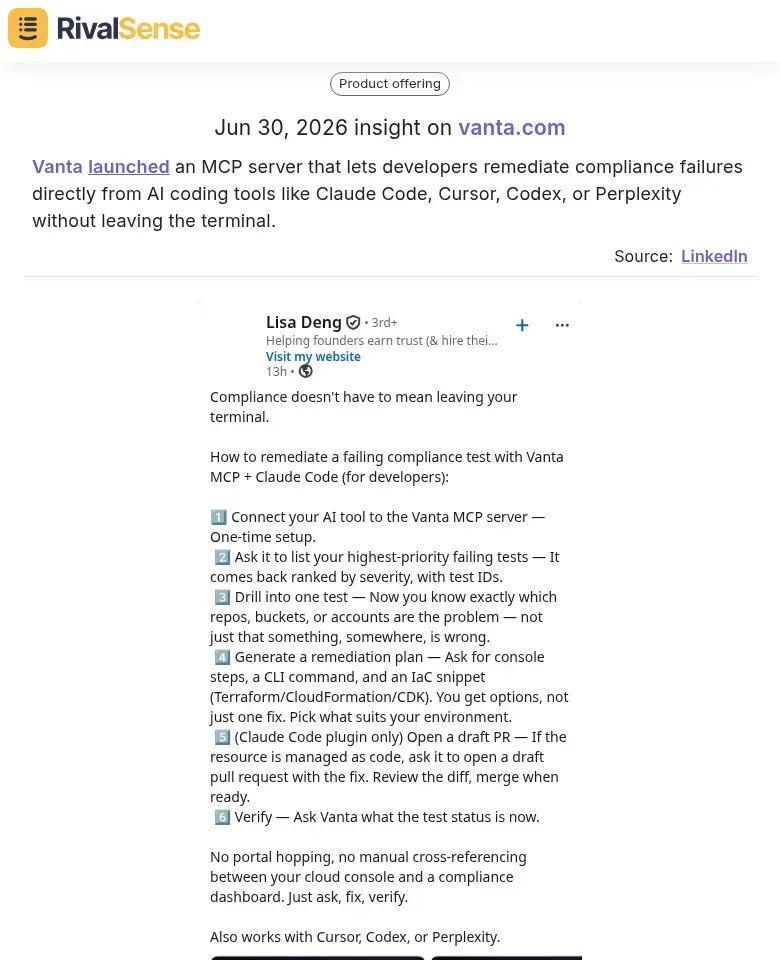
Detecting new developer tool launches like this is valuable because it reveals how a competitor is deepening its integrations and betting on the AI-assisted developer workflow, signaling upcoming trends and partnership opportunities you can act on early.
Practical steps:
- Create a LinkedIn Sales Navigator or saved search for each account, filtering by "Product Launches" and "Integrations" keywords.
- Enable notifications for those pages and set a weekly calendar slot to scan for new tool announcements.
- For each signal, ask: Does this align with a known roadmap item? Could it disrupt our current integration? Will our customers expect similar capabilities soon?
- Maintain a shared spreadsheet tracking these signals with columns: Account, Signal type (integration/SDK), Date, Potential impact (Low/Medium/High), and Recommended action (e.g., alert product team, schedule exploratory call).
- Share key findings in a monthly competitive intelligence brief to align your product and sales teams.
By systematically monitoring these signals, you move from reactive catch-up to proactive account planning—turning LinkedIn into a predictive radar.
🧑💼 Monitoring Talent Movements and Organizational Changes
When a key account hires a new Director of Customer Success or loses a VP of Sales, it’s rarely neutral. These moves often signal shifts in account strategy, service quality, or even retention risk. To stay ahead, build a talent watchlist for your top 5–10 accounts.
Consider a recent RivalSense insight: Simona Zudyte joined Guesty as Director of Customer Success, EMEA in Ireland, previously serving as Account Management Leader, EU at Square.
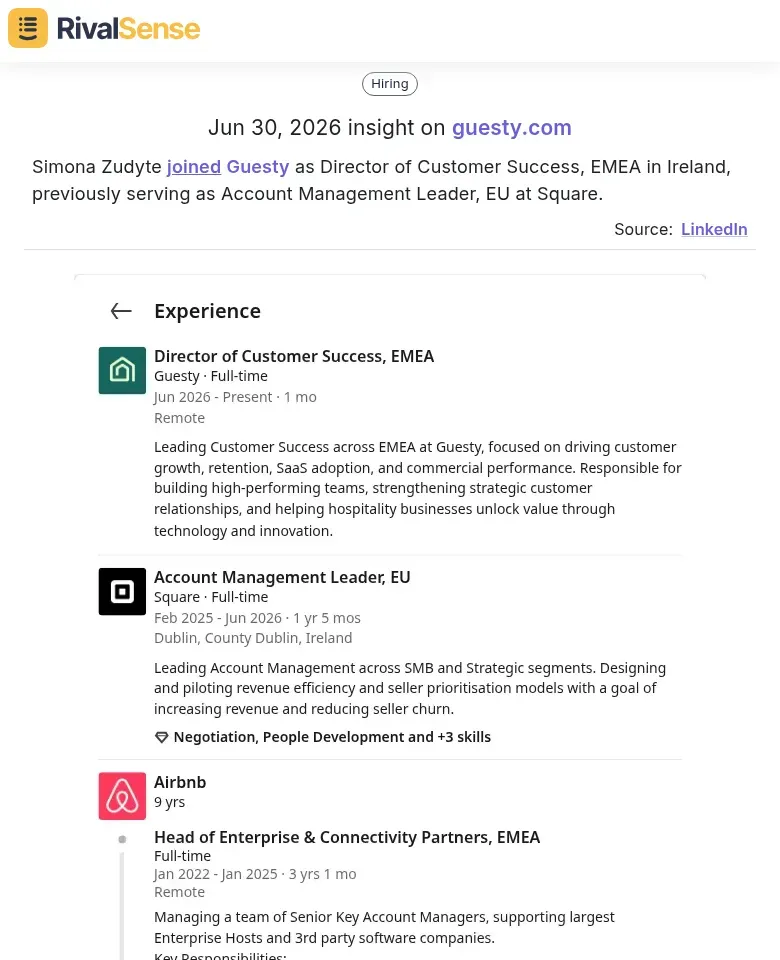
A hire like this signals that Guesty is bolstering its customer success presence in Europe—possibly due to expansion or churn reduction. Tracking such people moves helps you anticipate account management changes at your own key accounts, indicating retention risk or new priorities.
Step 1: Identify critical customer-facing roles — Look for VP/ Director of Customer Success, Account Management, Sales, and Support. Changes in these roles frequently precede changes in how your account is managed.
Step 2: Set up alerts — Use LinkedIn Sales Navigator or tools that automatically track job changes, promotions, and departures. The earlier you know, the more time you have to respond.
Step 3: Map departures to risk or opportunity — A departure could mean your contact is leaving (retention risk) or a competitor just hired a key influencer (expansion risk for you). Similarly, a new hire might bring a fresh mandate that aligns with your solution.
Pro tip: Maintain a private “account health” spreadsheet with columns for each key role, the current holder, and status (stable, new, vacant). Review it monthly.
By monitoring talent movements, you turn LinkedIn noise into an early warning system — and a competitive advantage.
📅 Decoding Go-to-Market and Event Signals
Company-hosted events—like product showcases and user conferences—are goldmines for predictive intelligence. These gatherings often unveil new product roadmaps, target customer segments, and specific pain points that your own positioning can exploit.
RivalSense recently detected that Samsara hosted its Beyond event last week to showcase new products to customers.
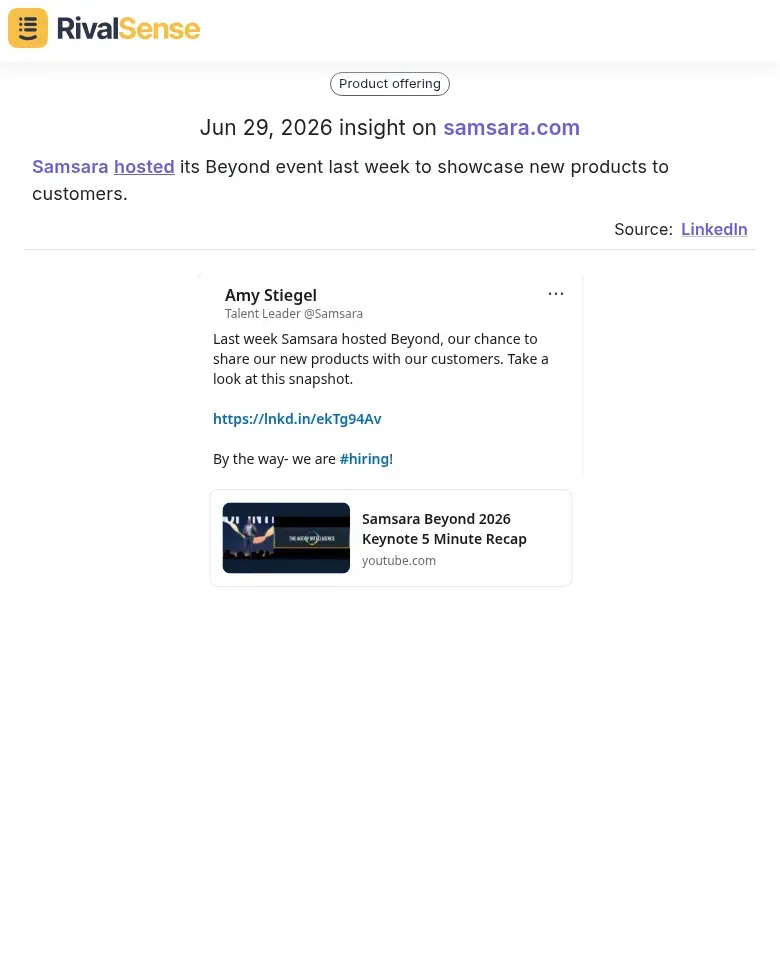
Monitoring competitor events like this provides early visibility into their product roadmap, the new customer segments they’re targeting, and the pain points they’re addressing—information you can use to refine your own positioning and outreach.
Practical Steps to Decode Event Signals:
-
Scan Event Agendas & Speaker Titles: Look for sessions addressing new use cases, industries, or technical challenges. If a competitor hosts a workshop on "integrating AI for mid-market logistics," they are signaling a pivot toward that segment.
-
Analyze Timing and Frequency: A sudden increase in events or a new annual conference suggests a major push. Use this timing to plan your own campaigns—launch a counter-positioning blog post just before their event to capture audience attention.
-
Identify Pain Points from Session Descriptions: Phrases like "overcoming data silos" or "scaling customer support" highlight challenges your product can solve. Repurpose these themes into targeted content or outreach sequences.
Proactive Outreach Tip: Create a mini-campaign around the event theme. Send personalized emails to attendees referencing a specific session pain point, offering your solution as an alternative. This positions you as a savvy, customer-centric alternative.
Checklist for Event Signal Analysis:
- [ ] Capture all public event titles, dates, and speaker names.
- [ ] Note recurring keywords or themes across sessions.
- [ ] Map each theme to your product’s strengths.
- [ ] Schedule a content piece or outreach campaign to coincide with the event.
By mining event signals, you turn competitor gatherings into your strategic advantage.
🧩 Combining Signals for Account-Winning Strategies
To win key accounts, don't rely on single signals. Cross-reference product, people, and event signals for a comprehensive predictive picture. For instance, a new Customer Success hire combined with an upcoming product launch event could indicate either a churn risk (they're ramping up support) or an upsell opportunity (they're preparing to scale). The key is context.
Develop a Scoring System Based on Signal Density:
| Signal Type | Points |
|---|---|
| New VP of Sales / Director of CS | 10 |
| General hire in customer-facing role | 3 |
| Product launch (integration, SDK) | 8 |
| Event announcement (new conference) | 6 |
| Funding news | 5 |
| Senior leadership departure | 10 |
Cross-reference pairs – Double the total score when two or more signals occur within 30 days (e.g., product launch + new CS hire = 18 → 36 pts).
Set thresholds:
- Above 30 points: Immediate outreach
- 15–30 points: Active monitoring and team alert
- Below 15 points: Passive tracking
Quick Tips:
- Use LinkedIn Sales Navigator alerts and tools like RivalSense to automate signal tracking.
- Create a shared spreadsheet to log signals across your team weekly.
- Set a 90-day lookback window for maximum relevance.
By systematically combining signals, you'll spot account opportunities and risks before your competitors do.
Conclusion: Building Your Predictive LinkedIn Monitoring Workflow
Building your predictive LinkedIn monitoring workflow doesn't require a massive overhaul—start small. Pick 3–5 key accounts and begin tracking the three signal types: leadership changes, funding announcements, and strategic pivots. Use LinkedIn alerts, manual weekly scans, and centralized tools to turn noise into insight.
Quick-start checklist:
- Set up LinkedIn notifications for target accounts
- Create a shared spreadsheet or dashboard to log signals
- Schedule a weekly 15-minute review of new intelligence
As relationships evolve, refine your signal categories. A partner who expands into a new region may now warrant priority over a dormant prospect. Revisit your signal taxonomy quarterly—what mattered six months ago may not drive value today.
The ultimate win? Shifting from reactive account management—scrambling when a competitor strikes—to proactive, insight-driven engagement. Predictive monitoring turns social noise into strategic foresight. Start small, iterate fast, and let signals guide your next move.
Ready to see competitor signals you might be missing? Try RivalSense for free today at https://rivalsense.co/ and get your first AI-powered competitor report delivered to your inbox.
📚 Read more
👉 Beginner’s Guide: How Transport Competitors Attract Customers
👉 Benchmarking Competitors' Client Partnerships: Trend Insights
👉 How CoreStream’s Free TPRM RFP Exposes a Powerful Competitive Move
👉 Key Account Management Training: A Strategic Blueprint for B2B Leaders
👉 Key Account Performance Dashboard: Real Examples for Heavy Equipment Repair