
Key Account Tracking Data Export: A Practical Guide for B2B Leaders
In the competitive B2B landscape, keeping a close watch on key accounts is non-negotiable. But tracking competitor moves across multiple sources—websites, social media, regulatory filings, and more—generates massive amounts of data. The real challenge? Exporting that data in a usable format for analysis, reporting, and decision-making. This guide walks you through practical use cases for exporting key account tracking data, common pitfalls, and actionable steps to set up a reliable export workflow. 🚀
Why Export Key Account Tracking Data?
Exporting competitor intelligence data allows you to:
- Backup data for compliance or audit trails.
- Validate data accuracy by cross-referencing with other sources.
- Integrate with BI tools (e.g., Power BI, Tableau) for custom dashboards.
- Feed AI/ML models for predictive insights on competitor behavior.
Use Cases & Implementation Steps
1. Data Backup for Compliance
Goal: Retain a complete copy of all tracked competitor data for regulatory or internal policy requirements.
Steps:
- Identify the data sources you need to back up (e.g., pricing updates, product launches).
- Set up a scheduled export (daily/weekly) to a secure cloud destination (AWS S3, Google Cloud Storage, Azure Blob).
- Ensure exports include timestamps and source metadata for auditability.
Tip: Use incremental exports to save storage and bandwidth—only export new or changed records since the last backup. 🔄
2. Data Validation for Accuracy
Goal: Confirm that the tracked data is correct before acting on it.
Steps:
- Run ad-hoc SQL queries on your raw tracking data to spot anomalies (e.g., sudden price drops, duplicate entries).
- Compare exported data against original sources (e.g., check a competitor’s website directly).
- Set up automated validation rules—flag records where values deviate beyond a threshold.
Checklist for Validation:
- [ ] Are timestamps consistent with the event date?
- [ ] Do URLs in the export resolve correctly?
- [ ] Are numeric fields (prices, percentages) within expected ranges?
3. Feeding BI Tools & Data Warehouses
Goal: Combine competitor tracking data with your internal CRM, sales, or marketing data for holistic analysis.
Steps:
- Export processed data (with attribution and sessionization if needed) to a cloud data warehouse.
- Connect your BI tool to the warehouse using native connectors or ODBC/JDBC.
- Build dashboards that overlay competitor moves on your own pipeline metrics.
Example: Plot competitor product launch dates against your own sales cycle length to identify market response patterns.
Tip: Use BI extensions that allow live queries to your tracking data, avoiding stale exports. 💡
4. Enriching AI/ML Models
Goal: Use historical competitor data to predict future moves (e.g., pricing changes, new market entries).
Steps:
- Export full tables of dimensions (e.g., competitor name, event type) and metrics (e.g., frequency of updates, sentiment score).
- Include calculated fields like "days since last price change" or "number of partnerships in last quarter."
- Feed the data into your ML pipeline for training.
Hint: Segment exports by competitor tier (e.g., direct vs. indirect) to improve model accuracy. 🧠
Real-World Examples: What You Can Track and Why
To show the power of structured, exportable competitor intelligence, here are three real insights from RivalSense that you could have in your data export—and why each type matters for your business strategy.
🎯 Product Launch & Creative Collaborations
Imagine tracking a competitor’s limited-edition product launch co-created with a major artist. RivalSense caught: Hublot and artist Daniel Arsham released the MP-17 Meca-10 Arsham Splash Titanium Sapphire, a 42 mm wristwatch limited to 99 pieces, marking Arsham's first wristwatch design for the brand.

Why this matters for strategy: Product launch data reveals innovation direction, target audience (luxury collectors), and partnership strategies. Export this to compare your own product roadmap and identify white-space opportunities.
📺 Content & Media Strategy Shifts
Shifts in content or distribution can signal a pivot in competitive positioning. RivalSense spotted: Amazon Prime Video announced new series including 'Fourth Wing' adaptation, 'The Rings of Power' Season 3 premiere date, 'Jury Duty' renewal, and a Brett Goldstein series, replacing previous NWSL coverage.
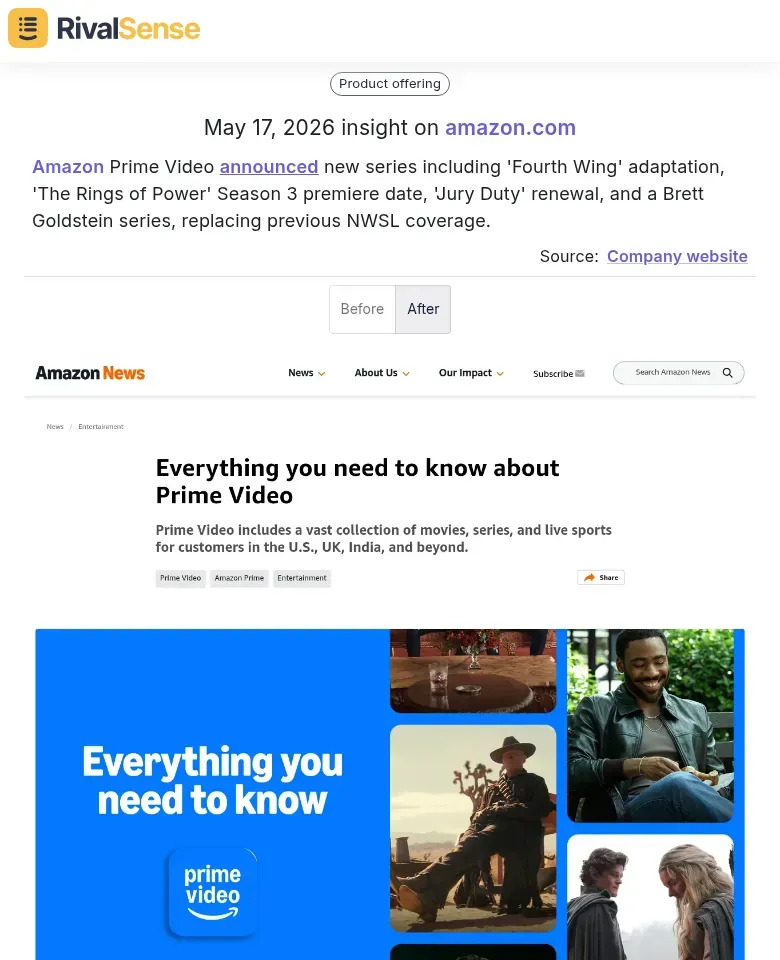
Why this matters for strategy: Content strategy changes affect brand perception, audience engagement, and even partnership opportunities. By exporting this data, you can correlate content shifts with market share or ad spend adjustments.
🚗 Strategic Investment & New Business Models
Capital allocation tells you where a competitor sees future growth. RivalSense reported: DiDi Global committed about US$151 million to build an electric carsharing fleet, marking a push into asset-heavy mobility.

Why this matters for strategy: Large investments signal market shifts—moving from software to hardware, or asset-light to asset-heavy. Export this data to model competitive threats and adjust your own capital allocation.
These insights come directly from RivalSense’s weekly email report—standardized, timestamped, and ready to export into your own systems.
Common Pitfalls & How to Avoid Them
| Pitfall | Solution |
|---|---|
| Stale data – Exports don’t reflect the latest changes. | Set up recurring exports (daily or real-time streaming). |
| Inconsistent formatting – Dates, currencies, or units vary across sources. | Standardize fields during export using transformation rules. |
| Missing context – Exported data lacks attribution (e.g., which source or campaign). | Always include metadata columns: source URL, collection timestamp, confidence score. |
| Overwhelming volume – Too much data slows down analysis. | Apply filters and segmentation before export (e.g., only export updates from top 5 competitors). |
How RivalSense Simplifies Data Export
RivalSense tracks competitor activity across 80+ sources—websites, social media, registries, and more—and delivers a weekly email report. But we know you need more than just a summary. That’s why RivalSense offers flexible export options:
- Automated cloud exports – Schedule exports to your data lake or warehouse.
- Structured data – Every export includes clean, standardized fields (event type, date, source, description).
- Segmented by relevance – Filter exports by competitor, event category, or urgency.
No more manual copy-pasting from emails or wrestling with inconsistent formats. RivalSense handles the collection and normalization, so you can focus on analysis.
Final Checklist for Setting Up Your Export
- [ ] Define your primary use case (backup, validation, BI, or ML).
- [ ] Choose export frequency (real-time, daily, weekly).
- [ ] Select destination (cloud storage, data warehouse, BI tool).
- [ ] Map fields to your target schema.
- [ ] Set up validation rules to catch errors early.
- [ ] Schedule recurring exports and monitor for failures.
- [ ] Review and refine based on feedback from your team.
By following this guide, you’ll transform raw competitor tracking data into a strategic asset—ready for analysis, reporting, and decision-making. And with RivalSense, you get a head start with clean, export-ready data from day one.
Ready to streamline your key account tracking? Try RivalSense for free and get your first competitor report today. 📊
📚 Read more
👉 5 Key Competitor Tracking API Mistakes in Custom Software Development
👉 How RivalSense Helped Meta Uncover a Competitor's AI Efficiency Breakthrough
👉 How Internet Sleuthing Revealed a Rival's UX Flaws
👉 2026 Identity Verification Benchmarking: Competitor Matrix Insights
👉 How Financial Insights Drove Key Account Wins: 3 Case Studies