
How to Track Competitor Podcast Appearances: A Step-by-Step Guide
Podcasts have become a goldmine for competitive intelligence. Your competitors are likely appearing on industry shows, sharing their strategies, product roadmaps, and market insights. But manually tracking these appearances is nearly impossible—there are over 58 million podcast episodes out there, with 35,000+ new ones published every day.
Here’s how to systematically track competitor podcast appearances and turn those insights into actionable intelligence.
Why Track Competitor Podcast Appearances?
- Product announcements: Competitors often reveal new features or launches on podcasts before official press releases.
- Strategic insights: Listen for mentions of partnerships, funding, hiring plans, or market expansion.
- Brand perception: Hear how competitors talk about themselves—and about you.
- Thought leadership: Identify which topics they’re positioning themselves as experts on.
- Sales intelligence: Prospects may mention your competitors in interviews, giving you direct feedback.
Step 1: Define Your Monitoring Scope
Start by listing:
- Competitor names (full name, abbreviations, nicknames)
- Product names (including code names or old names)
- Key executives (CEO, CTO, product leaders)
- Industry keywords (e.g., “SaaS bootstrapping,” “fintech regulation”)
- Your own brand (to catch competitor mentions of you)
Pro tip: Use AI-powered tools that suggest related terms. For example, if you monitor “TechCorp,” the tool might also catch “tech corp” or common misspellings.
Step 2: Choose Your Tracking Method
Option A: Manual Tracking (Time-Consuming, Limited)
- Search podcast platforms (Apple Podcasts, Spotify, Google Podcasts) by keyword.
- Set Google Alerts for competitor names (catches only show notes, not spoken content).
- Follow competitors’ social media for episode announcements.
Downside: You’ll miss 90% of mentions—especially those not in show notes or titles.
Option B: Dedicated Podcast Monitoring Tools
Tools like Podscan automatically transcribe and scan millions of episodes for your keywords. They alert you within minutes of a mention, with the exact quote, sentiment, and context.
What to look for in a tool:
- Real-time alerts (email, Slack, webhook)
- Sentiment analysis (positive/negative/neutral)
- Audience size filtering (focus on high-reach shows)
- Full transcript access
- Host contact information for follow-up
Step 3: Set Up Alerts Like a Pro
- Create separate alerts for each competitor—don’t lump them all together.
- Use Boolean operators:
TechCorp OR "Tech Corp" OR TCorp - Add semantic questions: Some tools let you ask “Is the speaker discussing TechCorp’s product, not someone named Tech?” to reduce false positives.
- Set audience size thresholds: Ignore shows with fewer than 1,000 listeners if you only care about high-impact appearances.
- Enable sentiment analysis: Prioritize negative mentions (competitor criticism) and positive mentions (their wins).
Example alert configuration:
- Filter:
TechCorp OR "tech corp" - Semantic question: “Is the speaker discussing TechCorp’s product?”
- Min audience: 1,000 listeners
- Sentiment: On
- Notification: Slack webhook
Step 4: Integrate Alerts into Your Workflow
Get notifications where you already work:
- Email: For daily digests
- Slack/Microsoft Teams: For instant team alerts
- Webhooks: Connect to Zapier, Make, or custom automation
Real-world example:
Maya, founder of LedgerLine, set up a Podscan alert for competitor “TechCorp.” Nine minutes after an episode aired, she received a Slack message:
🎙️ TechCorp · Founder Stories #217
“...onboarding was rough — I switched after a week.” — Host, 00:23:18 · Negative sentiment
She immediately listened to the clip, identified the pain point, and used it in her own sales pitch.
Step 5: Analyze and Act on Insights
Don’t just collect alerts—turn them into action.
Create a Competitive Intelligence Report
Track over time:
- Mention frequency: Is a competitor ramping up podcast appearances?
- Sentiment trends: Are they getting more positive or negative coverage?
- Topics discussed: What themes are they pushing (e.g., “AI-first,” “remote culture”)?
- Podcast types: Are they targeting industry shows, startup podcasts, or mainstream media?
Take Immediate Actions
- Negative mention of competitor: Reach out to the host with your alternative perspective.
- Competitor product launch: Brief your product and sales teams.
- Competitor executive interview: Extract strategic quotes for your own positioning.
- Prospect mentions competitor: Follow up with personalized outreach.
Step 6: Combine with Broader Competitive Intelligence
Podcast monitoring is most powerful when combined with other signals:
- Product launches (company website, social media)
- Pricing updates (pricing pages, press releases)
- Event participations (conference agendas, speaker lists)
- Partnerships (press releases, LinkedIn)
- Regulatory changes (government registries)
- Management changes (LinkedIn, SEC filings)
- Media mentions (news articles, blogs)
Tools like RivalSense consolidate all these signals—including podcast appearances—into a single weekly email report. You get a holistic view of competitor activity without juggling multiple dashboards.
See the Power of Comprehensive Monitoring: Real RivalSense Insights
Here are real examples of the kind of intelligence RivalSense uncovers, and why each matters for your strategy:
Pricing & Product Strategy
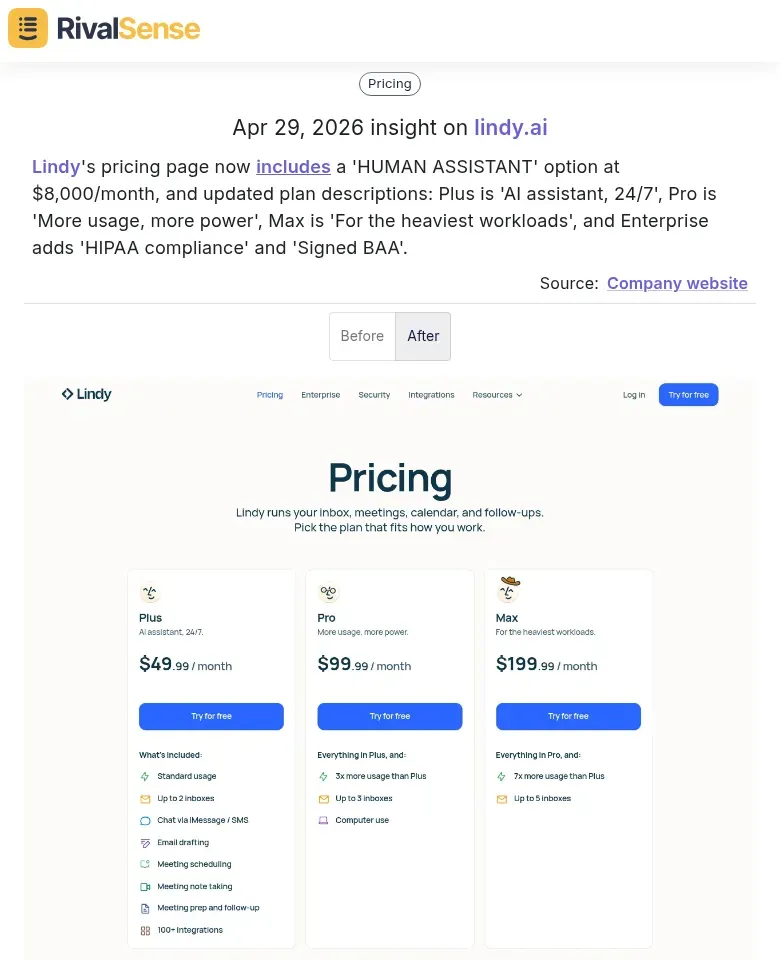
Lindy's pricing page now includes a 'HUMAN ASSISTANT' option at $8,000/month, and updated plan descriptions: Plus is 'AI assistant, 24/7', Pro is 'More usage, more power', Max is 'For the heaviest workloads', and Enterprise adds 'HIPAA compliance' and 'Signed BAA'.
Why this matters: Pricing changes reveal competitor positioning, target segments, and willingness to offer premium tiers. You can adjust your own pricing or messaging to compete.
Partnerships & Market Expansion

Starship Technologies has started delivering hot restaurant meals in Jyväskylä, Finland, through a partnership with Wolt.
Why this matters: New partnerships signal market expansion, new customer channels, or technology integrations. Monitoring these helps you anticipate competitor reach and find partnership opportunities for your own business.
Product Innovation & Roadmap
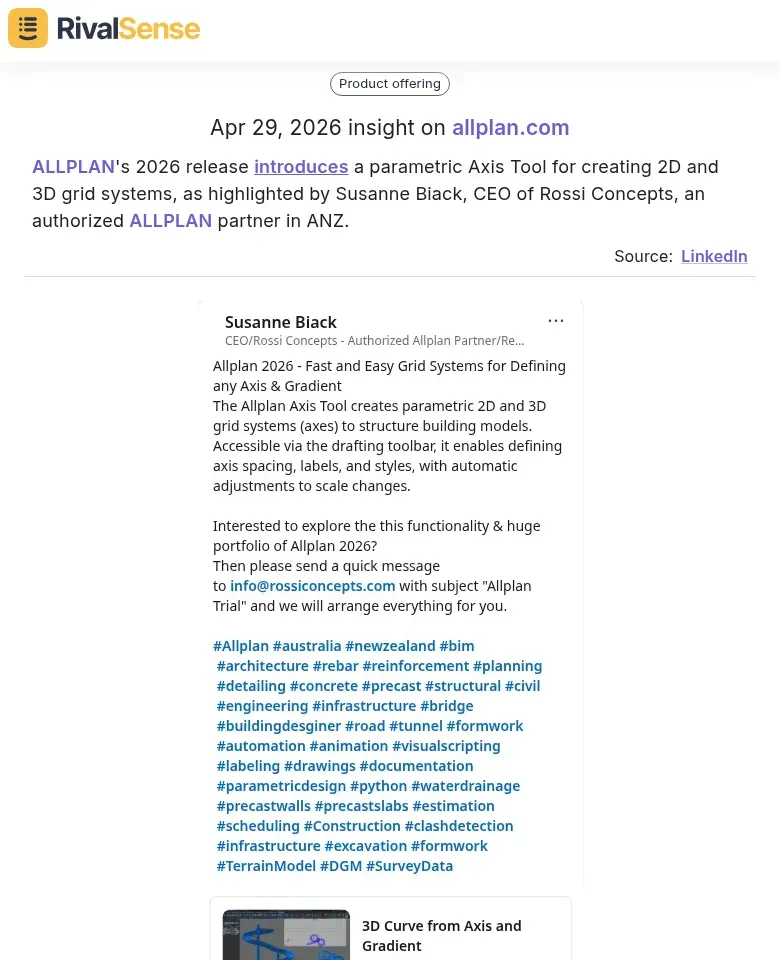
ALLPLAN's 2026 release introduces a parametric Axis Tool for creating 2D and 3D grid systems, as highlighted by Susanne Biack, CEO of Rossi Concepts, an authorized ALLPLAN partner in ANZ.
Why this matters: Product updates (especially from partners or resellers) provide early insight into competitor R&D direction and feature priorities. You can adjust your own product roadmap or highlight your differentiators.
Checklist: Your Podcast Competitor Tracking Setup
- [ ] List all competitors, products, and executives to monitor
- [ ] Choose a monitoring tool (manual or automated)
- [ ] Create Boolean search strings for each entity
- [ ] Set audience size and sentiment filters
- [ ] Configure notifications (email, Slack, webhook)
- [ ] Designate a team member to review alerts daily
- [ ] Create a template for competitive intelligence reports
- [ ] Integrate podcast insights with other CI data
- [ ] Review and refine alerts monthly
Final Thoughts
Podcast appearances are one of the richest sources of competitive intelligence—but only if you can capture them in real time. With the right setup, you can go from “I wonder what our competitors are up to” to “I know what they announced on a podcast 10 minutes ago.”
Start small: pick your top two competitors, set up alerts, and see what you learn. Then expand from there. Your competitors are talking—make sure you’re listening.
Ready to go beyond podcasts? Try RivalSense for free at https://rivalsense.co/ and get your first competitor report today. Let us monitor 80+ sources—product updates, pricing changes, partnerships, and more—so you never miss a signal that could shape your strategy.
📚 Read more
👉 Competitor Partnership Alerts: A 5-Step Monitoring Checklist
👉 How a Competitor's Calendar Update Sparked a Strategic Pivot (Real Insight Inside)
👉 Track Competitor Market Cap Signals via Facebook: A Step-by-Step Guide