
CRM Workflow for Key Account Tracking in Marine Port Services
In marine port services, key accounts—shipping lines, logistics giants, and cargo owners—represent outsized revenue and strategic value. Yet, managing these high-stakes relationships is uniquely complex: contracts involve multi-year commitments, operations span global networks, and decision-makers change frequently. Generic CRM usage often falls short, leading to missed renewal signals, fragmented communication, and revenue leakage. A tailored CRM workflow bridges this gap. By structuring key account tracking around port-specific touchpoints—berth scheduling, cargo volume trends, contract milestones, and incident logs—you gain a 360-degree view of account health. This enables proactive retention: for example, a drop in vessel calls triggers an automated alert for a strategic business review.
Practical steps to kickstart your workflow:
- Map each account’s decision-making hierarchy and update it quarterly.
- Set CRM fields for contract end dates, volume thresholds, and satisfaction scores.
- Create automated reminders for quarterly business reviews and annual contract negotiations.
- Log every interaction—from port calls to complaint resolutions—to identify patterns.
A structured workflow not only prevents churn but uncovers upsell opportunities, like offering dedicated berth priority to growing accounts. The result? Higher retention rates, deeper wallet share, and a CRM that works as a strategic asset, not just a database.
Mapping the Key Account Lifecycle in Marine Port Services
Mapping the Key Account Lifecycle in Marine Port Services involves distinct stages from onboarding to contract renewal. Start by segmenting accounts based on vessel traffic volume, contract value, and strategic importance. During onboarding, capture essential data: vessel schedules, berthing preferences, and service agreements. Use CRM fields for port call frequency, average dwell time, and ancillary service usage (e.g., pilotage, towage).
Key Touchpoints for Engagement & Risk Assessment:
- Pre-arrival: Trigger automated checklists for berth allocation, customs clearance, and crew change requests.
- During Port Stay: Track real-time service delivery (e.g., bunkering, waste disposal) via CRM activity logs. Set alerts for delays or service complaints.
- Post-departure: Send satisfaction surveys and analyze turnaround time vs. benchmarks.
Align CRM Stages with Port Milestones:
- Prospecting → Port tariff negotiation and slot agreement.
- Onboarding → Vessel registration, credit terms, and SOPs.
- Service Delivery → Berth occupancy, cargo handling, and ancillary services.
- Review & Renew → Quarterly business reviews (QBRs) with KPIs (e.g., cost per call, incident rate).
Tip: Set CRM automation to flag accounts with declining call frequency or increased demurrage claims—early indicators of churn risk. Use pipeline stages to visualize contract renewal probability and trigger retention actions (e.g., loyalty discounts).
Essential CRM Data Fields for Port Service Key Accounts
To effectively manage key accounts in marine port services, your CRM must capture data beyond standard contact details. Start by adding custom fields for vessel schedules (arrival/departure times, berth assignments), cargo volumes (tonnage, container counts, cargo type), and service history (past repairs, inspections, towing). This enables proactive planning and personalized service.
Track contract terms and pricing agreements in dedicated fields—include renewal dates, discount structures, and penalty clauses. Store compliance documents (ISPS, SOLAS, environmental permits) directly in the CRM with expiration alerts to avoid regulatory gaps.
Integrate operational data like berth availability and turnaround times via API or manual imports. This allows you to spot bottlenecks (e.g., a key account consistently faces delays) and offer solutions.
Pro tip: Create a dashboard that combines account health scores (based on payment timeliness, volume trends) with operational metrics. Set automated triggers—e.g., if turnaround time exceeds 12 hours, notify the account manager.
Checklist for setup:
- ✅ Map essential fields (vessel, cargo, service).
- ✅ Import historical data for trend analysis.
- ✅ Connect CRM to terminal operating system for real-time berth data.
- ✅ Define compliance document expiry alerts.
- ✅ Train team on data entry standards.
Automating Workflows for Proactive Account Management
To stay ahead in marine port services, automate workflows that trigger proactive actions. Set renewal reminders 90 days before contract expiry, schedule quarterly service reviews based on vessel call data, and escalate issues when response times exceed SLAs. Use account health scores—combining payment timeliness, service usage, and satisfaction surveys—to flag at-risk accounts. Automated reports on usage patterns (e.g., dock utilization, cargo volume trends) help identify declining engagement early.
Practical Steps:
- Define Triggers: In your CRM, create rules: if renewal date ≤ 90 days → send reminder; if health score drops below 70 → alert account manager; if support ticket unresolved > 4 hours → escalate to supervisor.
- Build Health Score Formula: Weight factors: 40% payment history, 30% service usage frequency, 20% survey scores, 10% support interactions. Automate recalculation monthly.
- Usage Pattern Reports: Schedule weekly email summaries showing changes in port traffic, berth occupancy, or ancillary service uptake.
Cross-Sell/Upsell Notifications: Integrate port traffic data (e.g., increased vessel size) to trigger suggestions: if a client’s container volume grows 20% month-over-month, recommend expanded storage or logistics planning services. Set CRM alerts for managers to act within 48 hours.
Checklist:
- [ ] Triggers set for renewals, reviews, escalations
- [ ] Health score automated with clear thresholds
- [ ] Usage reports scheduled and distributed
- [ ] Cross-sell rules linked to traffic data
Automation turns reactive tracking into proactive account growth.
Leveraging CRM Analytics for Strategic Decision-Making
To turn CRM data into strategic insights, start by building dashboards that surface key metrics like revenue per account, service utilization rates, and engagement frequency. Use these dashboards to spot underperforming accounts or services ripe for bundling. Next, apply predictive analytics to flag churn risks—for example, if a key account’s utilization drops below 70% for two consecutive quarters, trigger a retention workflow. Conversely, identify growth potential by analyzing accounts with increasing service adoption; these may be candidates for upsells or premium tiers. Finally, mine historical data to refine pricing and service bundles. Run cohort analyses on accounts that expanded versus those that churned—what services did they use? At what price points? Use these patterns to design tiered packages (e.g., basic, premium, enterprise) that align with actual usage.
Practical checklist:
- Define 3–5 core metrics per account type.
- Set thresholds for alerts (e.g., utilization drop >15%).
- Schedule monthly dashboard reviews with account managers.
- Run quarterly cohort analysis to adjust pricing.
This transforms CRM from a record-keeping tool into a strategic decision engine.
Integrating Competitive Intelligence into Your CRM Workflow
Your CRM workflow shouldn't only look inward. To truly anticipate client needs and market shifts, you need real-time visibility into what your competitors are doing. Tracking competitor product launches, leadership changes, partnerships, and pricing updates can directly impact your account strategy—for instance, a rival's new training program might signal a shift in client expectations, or a key hire at a competing port operator could indicate a push for new business. By weaving competitive intelligence into your CRM, you can proactively adjust your value proposition and stay ahead.
Why competitor insights matter for business strategy:
- Product/Service Launches: When a competitor rolls out a new offering, it may set new industry standards or create pressure on your own service bundling.
- Leadership Changes: Movement of senior talent can reveal strategic pivots, new client relationships, or gaps in your own team.
- Partnerships & Events: Who your competitors partner with or sponsor at key trade shows often hints at their growth focus areas.
Here are three real-world competitive signals you could catch with a tool like RivalSense:
1. Product Launch/Update Insight
Databricks launched Databricks Academy Pro, a subscription offering unlimited access to self-paced, live instructor-led, and hands-on training for continuous upskilling of data and AI teams.
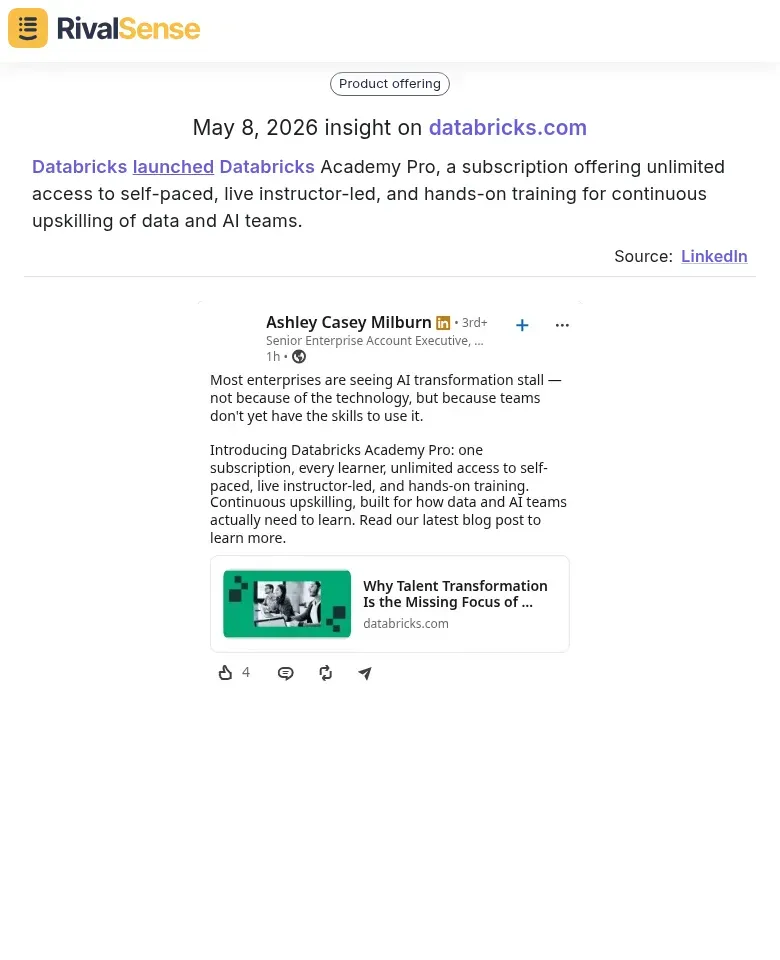
Why this matters: If a competitor in your ecosystem (e.g., a port tech provider) launches a major upskilling program, it could shift client expectations for training support. You can proactively enhance your own training offerings or use this as a talking point in QBRs to demonstrate your value.
2. Leadership Move Insight
Katy Phillips left IQVIA Laboratories as Regional Director EMEA, Business Development – Biotech Account Management in Greater Edinburgh Area to join Synexa Life Sciences as Senior Director and Head of Business Development.
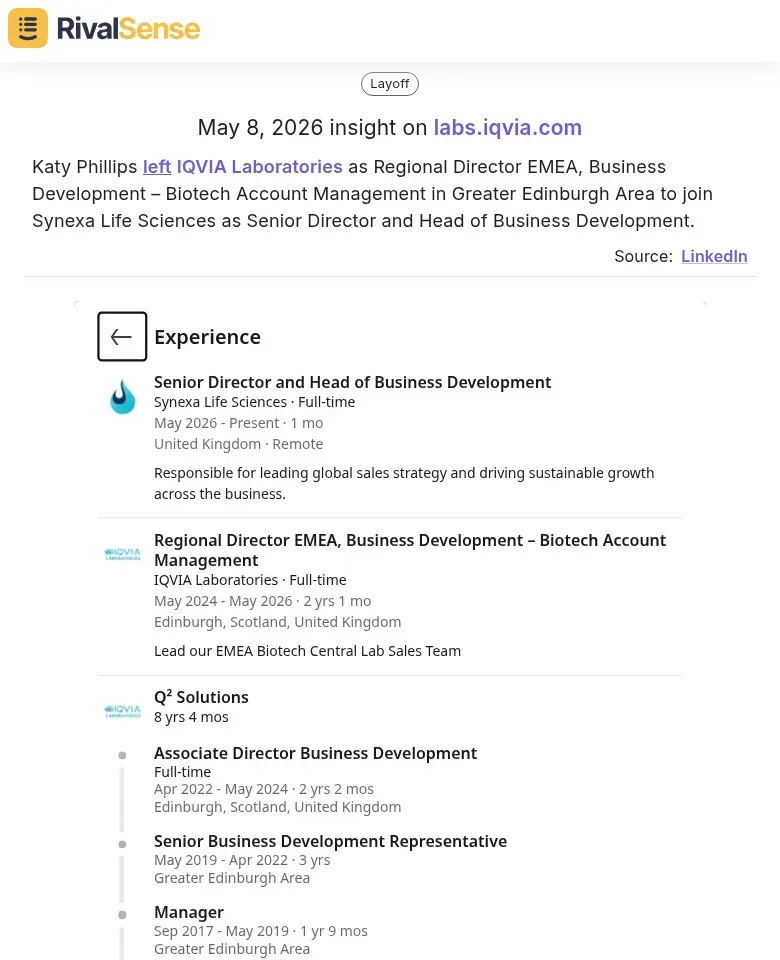
Why this matters: When a top business developer moves from one firm to another, it often signals new competitive intensity in a region or client segment. You can update your account plans, reassess relationship maps, and prepare counter-strategies before the new hire makes an impact.
3. New Hire Insight
Jean Chan, PBM joined IQVIA Laboratories as Director in Singapore.
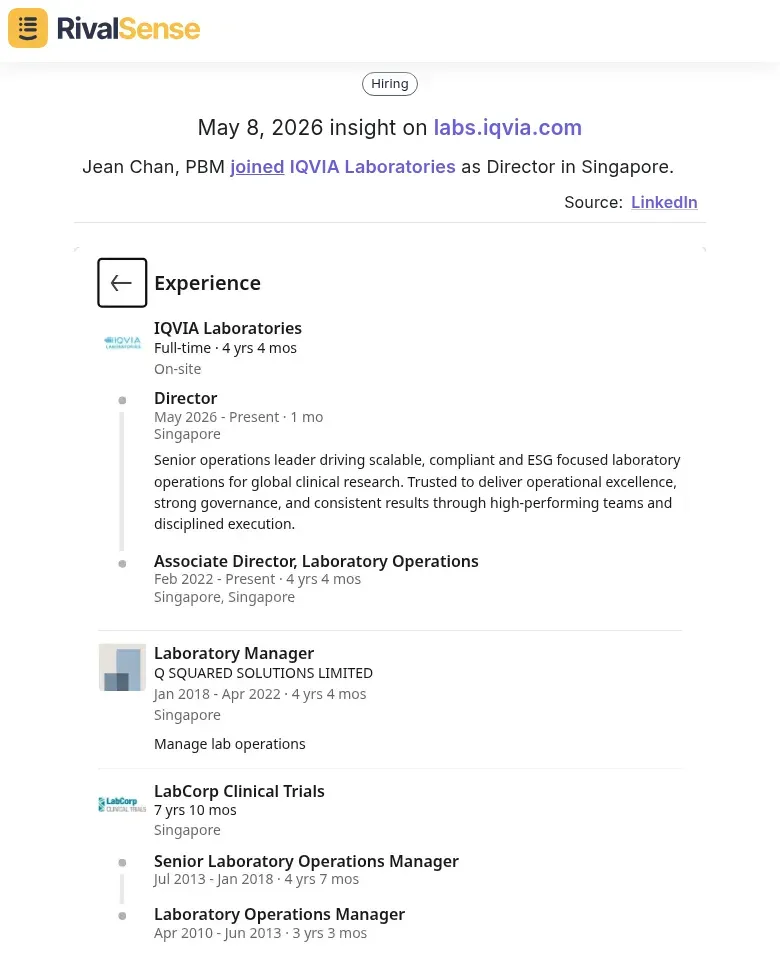
Why this matters: A new director in a key market like Singapore indicates that IQVIA is strengthening its Asian presence. If you operate in the same region, this should trigger a review of your local account coverage, partnership opportunities, or competitive positioning.
How to integrate this into your CRM:
- Add a custom object or note field for competitor activity tied to each key account.
- Set up automated alerts when a competitor’s product launch or leadership change involves a client’s industry.
- Include competitor moves as a factor in your account health score—e.g., if a rival launches a service you don't offer, flag the account for a retention review.
By combining internal CRM data with external competitive intelligence, you turn your workflow into a complete market radar.
Best Practices for Implementation and Team Adoption
To ensure successful adoption of a CRM workflow for key account tracking in marine port services, start with targeted training. Conduct hands-on workshops for port service teams, focusing on data entry standards: require mandatory fields like vessel ETA, cargo type, and contact logs. Provide a quick-reference checklist: (1) Log every client interaction within 24 hours, (2) Use standardized tags for account tier (e.g., Platinum, Gold), (3) Attach relevant documents (berth plans, survey reports). Schedule monthly 30-minute refreshers to reinforce habits.
Next, implement regular data audits. Assign a CRM champion to review entries weekly for completeness and accuracy. Use a scorecard to track metrics like % of accounts with updated contact info or overdue follow-ups. Flag anomalies—e.g., missing visit reports for top-tier accounts—and correct them promptly. Quarterly, assess workflow relevance: are stages like 'Berth Allocation' or 'Customs Clearance' still aligned with actual processes? Remove outdated steps.
Finally, iterate based on feedback. After each quarter, survey account managers: 'What slows you down?' and clients: 'Are updates timely?' Use a simple feedback board (e.g., Trello) to prioritize improvements. For example, if managers report duplicate data entry, automate syncing between CRM and terminal operating systems. Celebrate small wins—like a 20% reduction in response time—to maintain momentum. This cycle of train, audit, and improve turns CRM from a chore into a strategic asset.
Ready to stay ahead of competitor moves and protect your key accounts? 🚀
Try RivalSense for free today and get your first weekly competitor report—covering product launches, leadership changes, partnerships, and more—delivered straight to your inbox. No setup hassle, just actionable intelligence to strengthen your account strategy.
📚 Read more
👉 How Databricks’ EHR Deal Reveals a Gap in Your Competitive Strategy
👉 Boost Key Account Wins with Internet Competitor Insights
👉 2026 SaaS Automation Benchmarking Report: Key Account Tracking Insights
👉 How to Use Competitive Intel for Successful Market Entry
👉 Real-World Competitor Analysis: Tracking Product Additions