
2026 SaaS Automation Benchmarking Report: Key Account Tracking Insights
Introduction: The State of SaaS Automation in 2026
In 2026, the SaaS automation landscape has matured beyond basic task scheduling into a strategic imperative for competitive intelligence. With 73% of B2B leaders reporting that real-time competitor tracking directly influences their go-to-market decisions, the ability to monitor key accounts has shifted from a nice-to-have to a core operational capability. This report benchmarks the essential features that separate market leaders from laggards.
Why benchmarking key account tracking matters: Without structured evaluation, teams waste hours manually aggregating competitor moves—pricing changes, feature launches, leadership shifts—missing critical signals. Our analysis reveals that companies using automated tracking tools see a 40% faster response to competitive threats.
Three trends dominating 2026:
- Workflow expansion: Tools now integrate with CRM, Slack, and revenue intelligence platforms, triggering alerts when a competitor targets your top accounts.
- UX simplification: No-code dashboards let non-technical teams set up tracking in minutes.
- AI-native integrations: Predictive models identify which competitor actions pose the highest risk to your pipeline.
Practical tip: Start by mapping your top 10 accounts and defining 3-5 trigger events per competitor (e.g., new case study, pricing update, executive hire). Automate alerts for these signals and review weekly to refine your strategy.
Workflow Template Expansion as a Competitive Signal
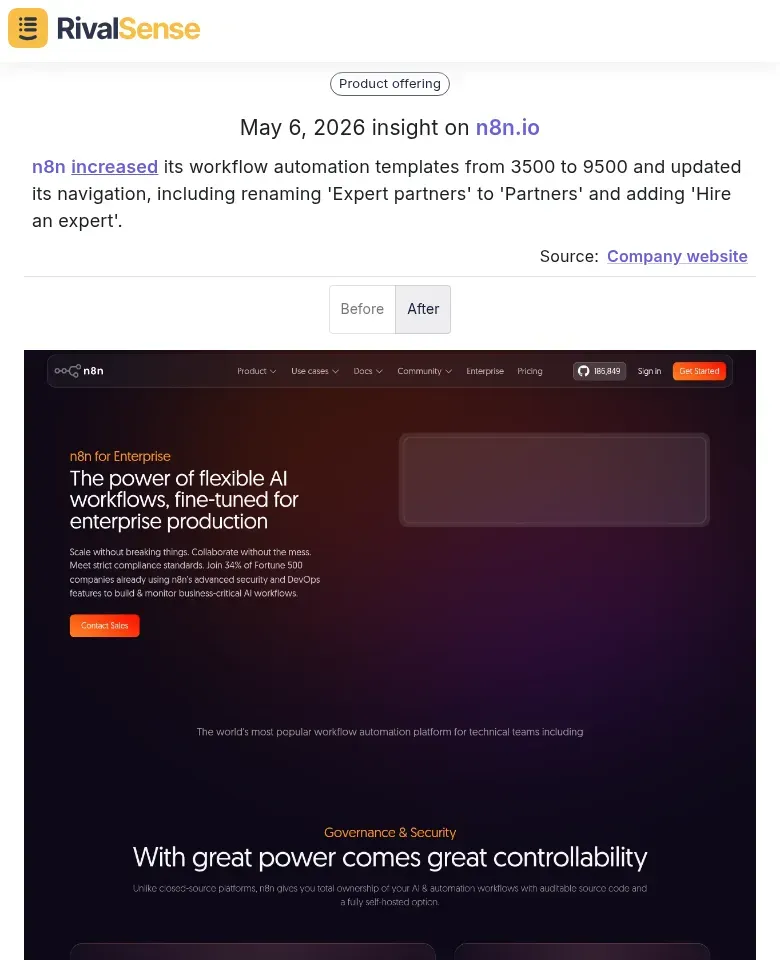
When a competitor expands its workflow template library from 3,500 to 9,500 in a single quarter, that’s not just a content update—it’s a strategic signal. Rapid template growth indicates heavy investment in user onboarding and vertical-specific use cases, aiming to reduce time-to-value for new customers.
For example, a recent RivalSense insight captured n8n increasing its workflow automation templates from 3500 to 9500 and simultaneously updating its navigation—including renaming 'Expert partners' to 'Partners' and adding 'Hire an expert'. This type of insight is valuable because it reveals where a competitor is investing resources; rapid template expansion often signals a push into new verticals or user segments, while navigation changes hint at monetization or ecosystem shifts.
What to track beyond raw counts:
- Category diversity: Are new templates targeting industries (e.g., healthcare, fintech) or functions (e.g., sales, HR)? This reveals target market shifts.
- Quality improvements: Look for templates with conditional logic, multi-step approvals, or API integrations—signs of automation maturity.
Practical steps:
- Set up monthly template audits: Use a spreadsheet to log new additions, categories, and complexity.
- Categorize by use case: Map templates to common workflows (e.g., lead scoring, invoice processing) to spot competitor focus areas.
- Benchmark against your own library: Identify gaps where competitors offer templates you don’t—these are potential product opportunities.
Pro tip: A sudden spike in templates for a specific vertical (e.g., 200+ healthcare templates) often precedes a targeted marketing campaign or partnership push. Track these to anticipate competitive moves.
By monitoring template expansion strategically, you can decode a competitor’s automation maturity and uncover whitespace for your own product roadmap.
UX and Navigation Changes: Decoding Product Strategy
To decode a competitor's product strategy, monitor UI/UX and navigation changes systematically. For instance, renaming a section or adding a service layer (like 'Hire an expert') can reveal a broader ecosystem play or monetization ambitions. Track such changes using a structured approach:
- Set up automated screenshots (weekly) of key competitor dashboards using tools like Visualping or RivalSense's change detection.
- Maintain a changelog categorizing updates: navigation restructuring, new entry points, label changes, or feature deprecations.
- Analyze intent behind each change—e.g., a new 'Enterprise' tab suggests upmarket focus; simplified menus hint at user onboarding improvements.
- Cross-reference with job postings and press releases to validate strategic bets.
Pro tip: Create a 'UX Change Impact Matrix' mapping each change to potential customer segments (SMB vs. enterprise) and revenue models (subscription vs. service). This turns raw observations into actionable roadmap intelligence. Regularly share findings with product and strategy teams to stay ahead of competitor shifts.
Chat and AI Agent Capabilities as a Market Differentiator
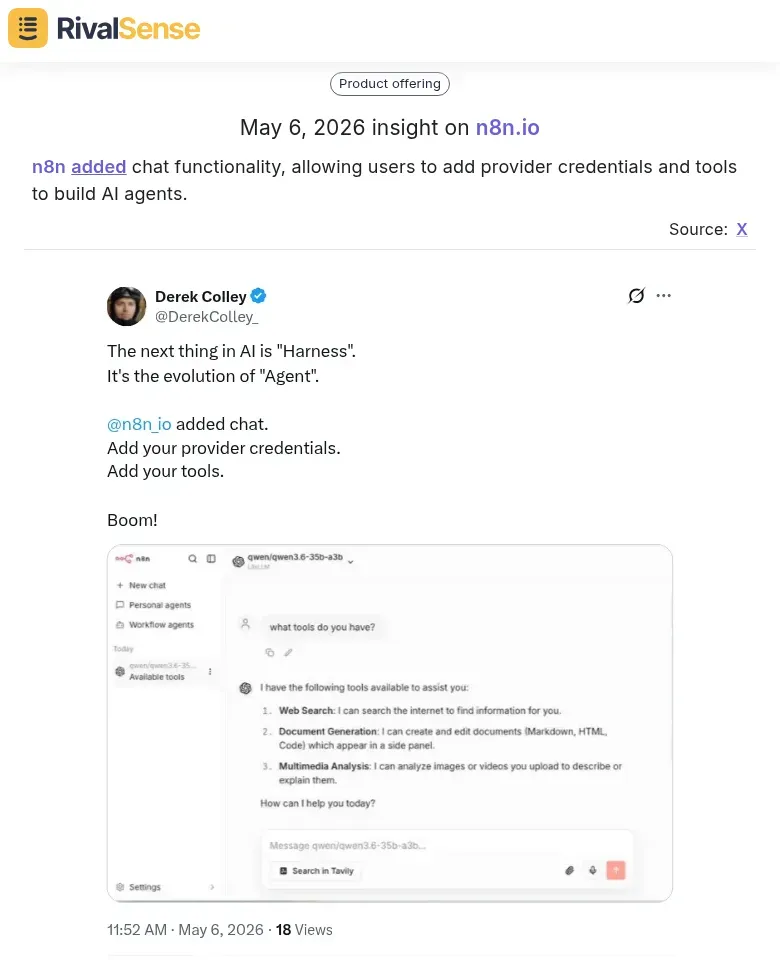
Chat and AI agent capabilities are rapidly becoming a key differentiator in SaaS automation. Our analysis reveals that embedding chat functionality with credential management signals a shift toward conversational automation—users can now trigger workflows via natural language, reducing reliance on complex UI navigation.
For example, a RivalSense insight captured n8n adding chat functionality, allowing users to add provider credentials and tools to build AI agents. This insight is valuable because it indicates a move toward lowering the barrier to automation and enabling non-technical users to harness AI directly.
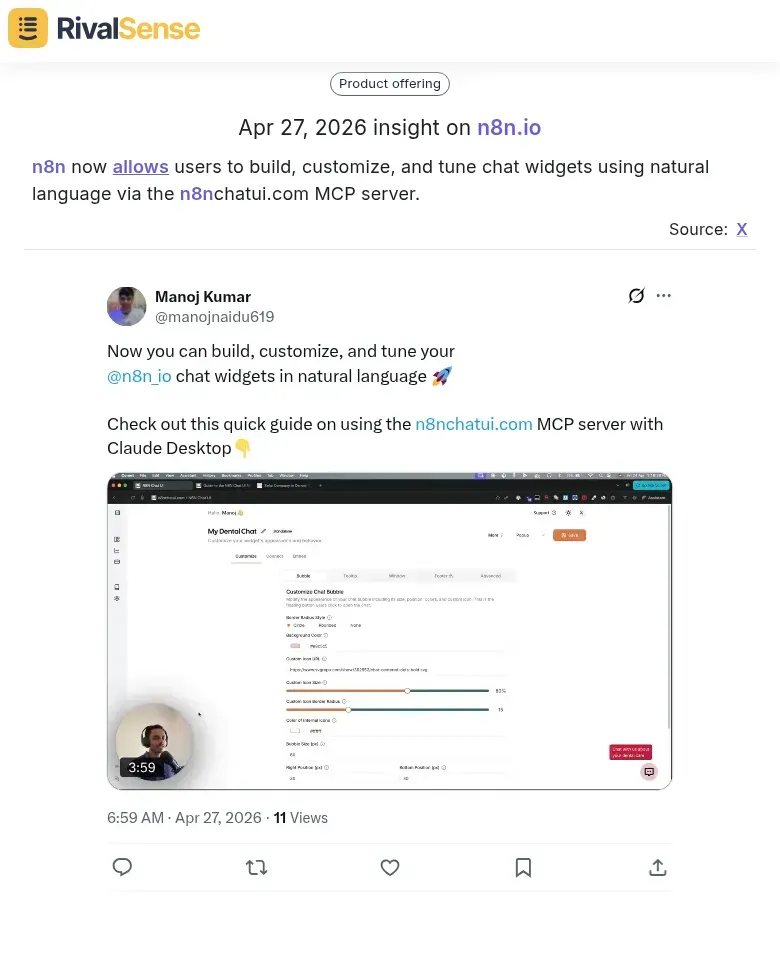
Another RivalSense insight showed that n8n now allows users to build, customize, and tune chat widgets using natural language via the n8nchatui.com MCP server. This type of insight is valuable because it reveals how competitors are making AI agent creation more accessible, which can directly impact customer retention and expansion.
Platforms like Zapier and Make are also integrating similar features, reflecting the convergence of RPA and AI. This enables non-technical team members to create automations by simply describing the task.
Practical steps to leverage this trend:
- Evaluate chat-based triggers in your automation tools—look for platforms that support natural-language commands for common tasks like data entry or report generation.
- Build a simple AI agent using low-code tools (e.g., OpenAI’s Assistants API integrated with your CRM) to handle repetitive customer queries.
- Customize chat widgets via MCP servers to lower the skill barrier—this allows you to tailor responses without coding.
Tip: Start with one high-volume, low-complexity process (e.g., lead qualification) to test conversational automation before scaling.
Methodology: How to Track and Benchmark Competitor Automation Features
To track and benchmark competitor automation features effectively, follow a structured methodology. Establish a monitoring cadence by reviewing template libraries, changelogs, and documentation updates weekly. Set up alerts for help center changes and use RSS feeds for blog posts. Leverage public sources like community forums (e.g., Reddit, G2) and product update pages to detect early feature rollouts. For example, monitor “What’s New” sections and release notes. Create a scoring framework across three dimensions: (1) Automation depth – number of triggers, actions, and conditional logic options (score 1–5); (2) AI integration – presence of AI-powered suggestions, natural language inputs, or predictive workflows (score 1–5); (3) UX polish – ease of setup, visual builders, and error handling (score 1–5). Calculate a composite score (max 15) per competitor. Pro tip: Use a shared spreadsheet to log findings weekly and track changes over time. This systematic approach ensures you catch automation upgrades before they impact your market position.
Key Takeaways and Strategic Recommendations
1. Prioritize Template Ecosystem Investments
- Tip: Audit your top 5 competitors’ template libraries monthly. Identify gaps (e.g., missing industry-specific templates) and build those first.
- Checklist for success:
- [ ] Offer 10+ pre-built templates for common workflows.
- [ ] Enable user-generated templates with ratings/reviews.
- [ ] Track template usage to double down on high-demand ones.
2. Simplify Onboarding
- Actionable step: Reduce time-to-value to under 5 minutes. Use progressive onboarding: show a quick-start wizard, then offer advanced features later.
- Hint: A/B test a “no-signup” sandbox vs. guided tour to see which converts better.
3. Embed AI Chat
- Practical advice: Deploy AI chat for instant answers (e.g., “How do I set up a trigger?”). Monitor top queries to improve your knowledge base.
Align Your Roadmap Without Copying
- Map competitor features to customer pain points (not just features). If a competitor adds AI chat, ask: “Does this solve a real friction for our users?” If yes, prioritize your unique spin (e.g., industry-specific AI responses).
- Step: Create a competitive feature matrix with three columns: Competitor Feature, Underlying Need, Your Differentiator.
Build a Sustainable CI Process
- Weekly routine: 30 min scanning competitor changelogs, product updates, and review sites. Use tools like RivalSense to automate alerts.
- Monthly review: Share a one-page CI summary with your team: top 3 competitor moves, risks, and opportunities. Keep it actionable, not overwhelming.
Ready to start tracking your competitors like a pro? Try RivalSense for free at https://rivalsense.co/ and get your first competitor report today.
📚 Read more
👉 How to Use Competitive Intel for Successful Market Entry
👉 Real-World Competitor Analysis: Tracking Product Additions
👉 Key Account Sales Tracking: The Metrics That Actually Move the Needle
👉 How to Predict Your Competitors' Next Content Moves (and Win in App Dev)