
5 Best Practices for Twitter Competitor Analysis (Free Tools)
Introduction: Why Twitter Is a Goldmine for Competitor Intelligence
Twitter offers a raw, real-time window into your competitors' strategies, partnerships, and customer sentiment—far more revealing than polished press releases. Here, companies test messaging, announce experimental campaigns, and engage directly with their audience before those tactics scale. To systematically mine this goldmine, start by creating a dedicated Twitter list of competitors, key executives, and industry influencers. Use free tools like TweetDeck to monitor that list in real time, and set up alerts for specific keywords (e.g., competitor product names, industry buzzwords) using Twitter’s advanced search. Regularly scan for patterns: Are they promoting a new feature? Responding to a crisis? Partnering with someone unexpected? Document these observations in a simple spreadsheet with columns for date, competitor, action, and potential impact. This habit turns chaotic noise into actionable intelligence—spotting opportunities (e.g., a gap they’re ignoring) or threats (e.g., a new pricing model) before they hit mainstream news.
Track Event-Driven Marketing and Localized Campaigns
Competitors frequently use Twitter to promote exclusive events—like side events at major industry forums—that reveal their strategic focus. For example, a B2B SaaS company might tweet about a VIP dinner at SaaStr Annual. To track this:
- Set up Twitter Lists for competitors and monitor event-related keywords (e.g., “join us at,” “side event”).
- Use free tools like TweetDeck to create columns for these keywords and lists.
- Analyze engagement (likes, retweets, replies) on event tweets to gauge interest. High engagement signals a successful format worth replicating.
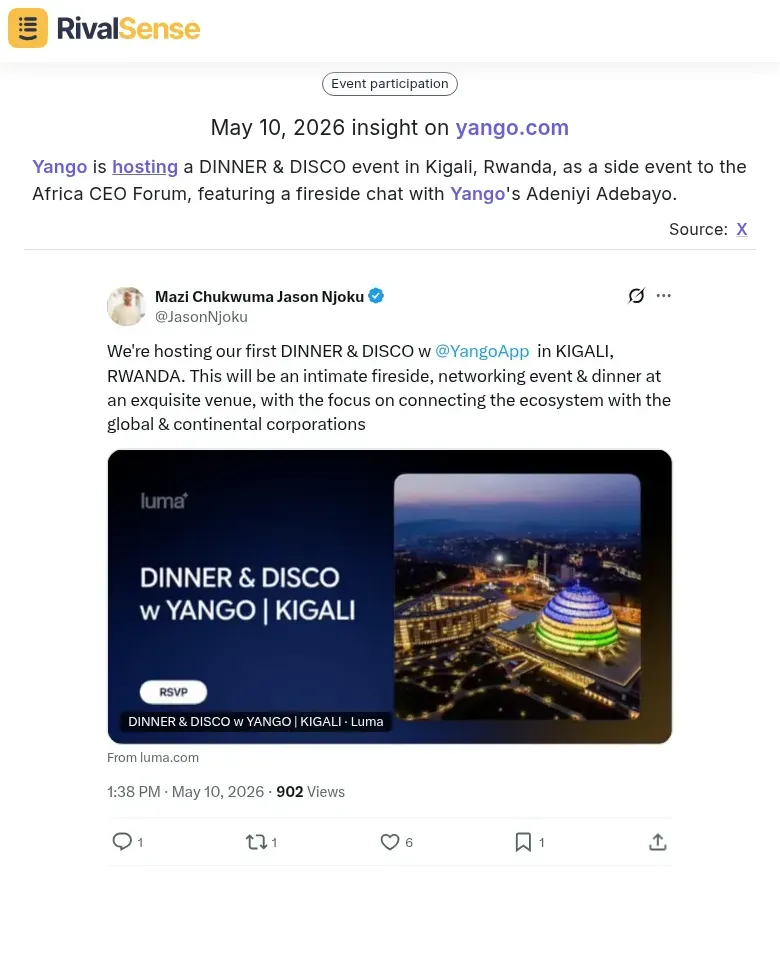
Real-world example: Yango is hosting a DINNER & DISCO event in Kigali, Rwanda, as a side event to the Africa CEO Forum, featuring a fireside chat with Yango's Adeniyi Adebayo. This type of insight is valuable for business strategy because it reveals where a competitor is investing face-to-face relationship building, which markets they prioritize, and the kind of networking they value. You can spot new geographic expansion plans or new executive hires by analyzing such event announcements.
Localized campaigns—such as city-specific partnerships or regional offers—indicate expansion priorities. For instance, a competitor tweeting about a partnership in Berlin suggests a push into the DACH market. To capitalize:
- Document each campaign in a spreadsheet with location, offer, and engagement metrics.
- Check follow-up tweets for event recaps or case studies; these often contain actionable insights.
- Replicate successful formats by adapting their localized messaging to your target regions.
Pro tip: Use Twitter’s advanced search (e.g., from:competitor “Berlin” since:2026-01-01) to quickly surface historical campaigns.
Identify Strategic Partnerships and Cross-Promotions
Partnership announcements on Twitter reveal how companies expand reach and acquire customers. For example, a ride-hailing app partnering with an airline signals a cross-industry ecosystem play—each brand taps into the other’s user base. To identify such opportunities, set up a Twitter list of competitors and adjacent players. Use free tools like TweetDeck or Nitter to monitor their posts for keywords like “partner,” “collaboration,” or “exclusive.”
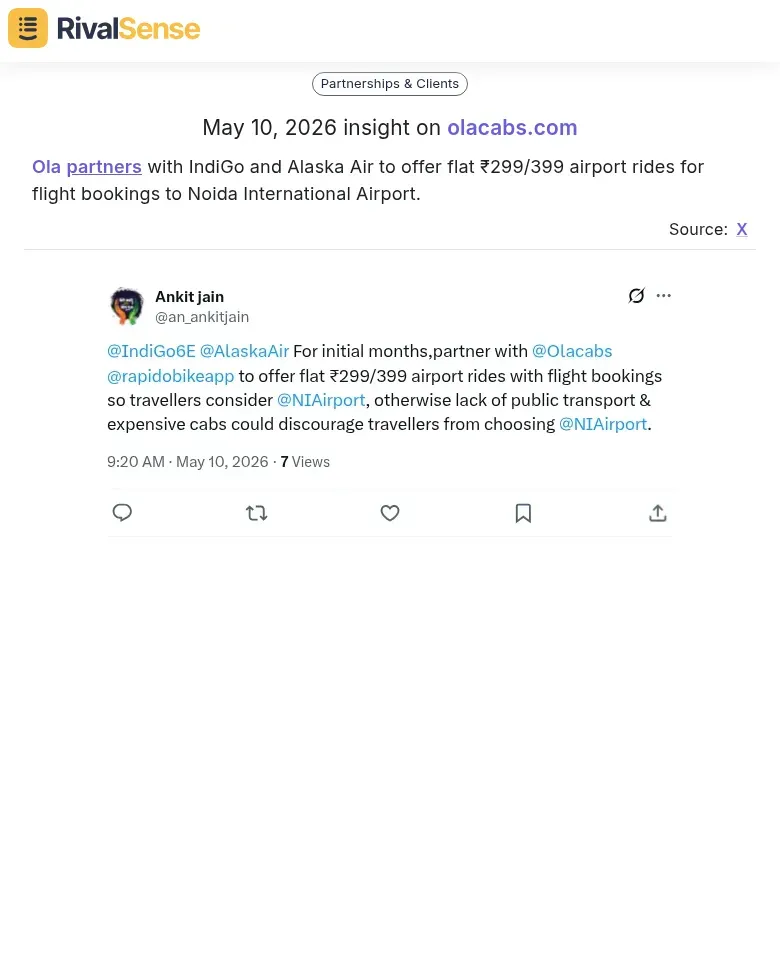
Real-world example: Ola partners with IndiGo and Alaska Air to offer flat ₹299/399 airport rides for flight bookings to Noida International Airport. This insight is valuable because it shows how a competitor is leveraging airline partnerships to capture airport-bound customers, indicating a focus on first-mile/last-mile connectivity and loyalty cross-pollination. Tracking such deals helps you identify potential partners your competitors are missing or new customer segments they’re targeting.
When you spot a co-branded promotion (e.g., a discount code shared by both accounts), dig deeper: Who is the target audience? What value does each side bring? This tells you about shared demographics and competitive positioning. Track the partnership’s longevity—did it last a month or a year?—and gauge reception by analyzing retweets, replies, and sentiment. A short-lived deal with negative feedback may indicate misalignment; a long-running campaign suggests strategic value.
Actionable tip: Create a simple spreadsheet to log each partnership, launch date, duration, and engagement metrics. Review quarterly to spot patterns and refine your own partnership strategy.
Spot Exclusive Product Drops and Limited-Time Offers
Twitter is the launchpad for exclusive product drops and limited-time offers. When a brand like McDonald’s announces a BTS meal or a fashion label teases a Supreme collaboration, they’re testing demand and creating urgency. Here’s how to reverse-engineer their strategy.
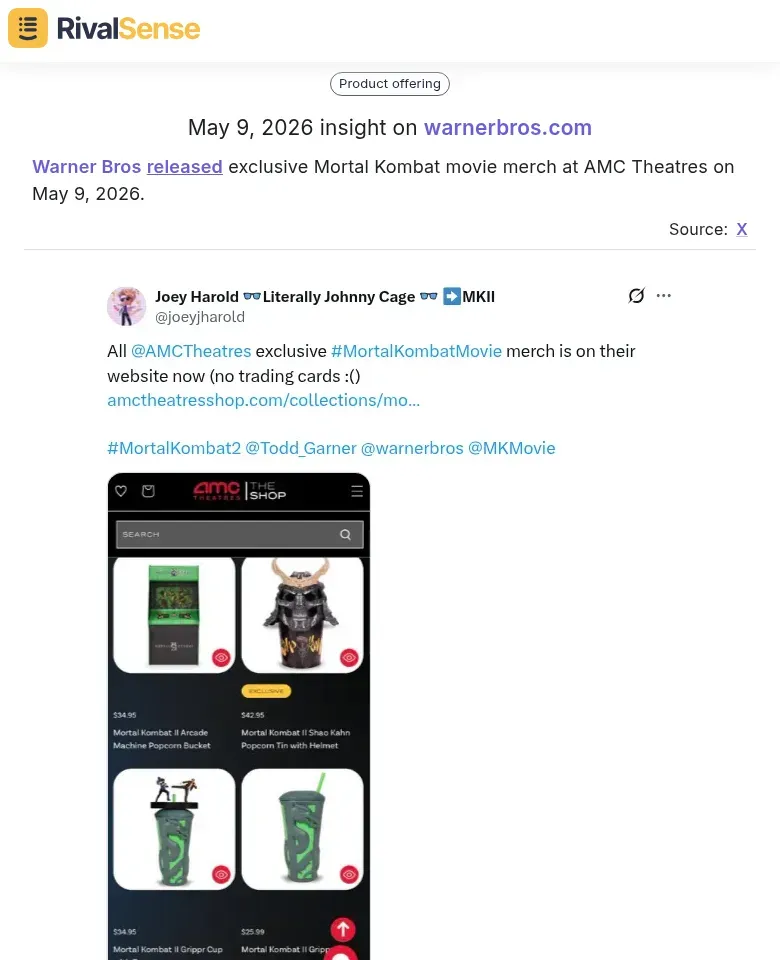
Real-world example: Warner Bros released exclusive Mortal Kombat movie merch at AMC Theatres on May 9, 2026. This drop is valuable for business strategy because it demonstrates a cross-industry collaboration (film + retail + theater) and tests demand for limited-edition items. By tracking such launches, you can gauge which types of exclusive merchandise generate buzz, what pricing works, and which distribution channels (like theaters) are being explored.
1. Track announcement timing. Use Twitter’s advanced search (e.g., from:brand “limited edition”) to find past drops. Note the day of week, time, and lead-up period. Do they tease 48 hours in advance? Launch on a Tuesday at 10 AM? Build a calendar of their patterns.
2. Analyze audience response. Sort replies by “Top” to gauge excitement. Look for retweets vs. quote tweets—high retweets with few quotes suggest pure hype; many quotes indicate controversy or questions. Use a free tool like TweetDeck to monitor real-time reactions.
3. Identify cross-industry signals. A movie tie-in at a retail chain reveals partnership strategies. Search for “collaboration” or “exclusive at” to spot these deals. If a competitor partners with a complementary brand, consider similar plays.
4. Price elasticity test. Limited-time offers often have a discount code. Track the code’s usage window and price point. A 20% off flash sale that sells out in 2 hours suggests you could test a 15% off with a longer window.
5. Create a launch checklist. Before your next drop:
- Announce 3 days ahead with a teaser.
- Post the exact launch time with a countdown.
- Monitor Twitter for 30 minutes post-launch to answer questions.
- Follow up with a “sold out” tweet to reinforce urgency.
By studying competitors’ drops, you can refine your own launch calendar, pricing, and partnership strategy—without spending a dime on tools.
Leverage Free Tools for Automated Competitor Monitoring
To stay ahead without breaking the bank, leverage free tools to automate competitor monitoring on Twitter. Start by creating Twitter Lists to group competitors, industry leaders, and key accounts. Use Advanced Search (twitter.com/search-advanced) to filter tweets by keywords, hashtags, or location—e.g., track mentions of “#SaaS” or “competitor name” within your niche. For real-time monitoring, TweetDeck (free) lets you set up multiple columns for competitor feeds, keyword searches, and mentions. Alternatively, Nitter (privacy-focused) provides a lightweight, ad-free way to view competitor timelines. For broader web monitoring, Google Alerts can notify you when competitors are mentioned on Twitter or other sites. Set up weekly digests by scheduling a recurring 15-minute review of your Lists and saved searches. Look for patterns (e.g., increased posting frequency, new hashtags) and anomalies (e.g., sudden silence, unusual engagement spikes). Pro tip: Use Boolean operators in Advanced Search (e.g., “competitor A” OR “competitor B” -filter:retweets) to exclude noise. This low-effort system ensures you never miss competitive moves while keeping costs at zero.
Conclusion: Turn Insights into Actionable Strategy
Synthesize your Twitter findings—from event launches, partnership announcements, and product drops—into a single competitive intelligence report. Prioritize insights by potential impact on your market share, customer base, or revenue. For example, if a competitor’s new integration threatens your core feature, escalate it to your product team immediately.
Build a repeatable process: Monitor → Analyze → Test → Iterate. Use a free tool like RivalSense to automate monitoring across Twitter, websites, social media, and registries (tracking product launches, pricing updates, event participations, partnerships, and more)—all delivered in a weekly email report. Then analyze patterns weekly. Test one insight at a time (e.g., a pricing change or messaging tweak) and measure results. Iterate based on what moves your metrics.
Checklist for your next cycle:
- [ ] Review competitor tweets for product drops, partnerships, events.
- [ ] Categorize each insight by urgency (high/medium/low).
- [ ] Assign ownership for testing high-impact insights.
- [ ] Set a 2-week experiment timeline.
- [ ] Document learnings and adjust your strategy.
Turn Twitter noise into a strategic weapon—not just by watching, but by acting on what matters most.
👉 Ready to automate your competitor tracking? Try RivalSense for free at https://rivalsense.co/ and get your first competitor report today. No credit card required.
📚 Read more
👉 Advanced Tactics for Competitor Branding in Fleet Management
👉 Master Pricing Insights: Key Account Models for Competitive Edge
👉 Why Tracking Leadership Changes Is a Competitive Intelligence Must-Have
👉 How to Track Competitor Glassdoor Reviews: A Practical Guide for Competitive Intelligence
👉 CRM Workflow for Key Account Tracking in Marine Port Services