
Solving Visual Collaboration Gaps in Key Account Management Software
Traditional key account management software excels at data tracking but fails at visual collaboration. While CRMs capture contact details and deal stages, they lack the visual tools needed for strategic alignment. This creates a critical gap where account teams can't visually map client ecosystems, illustrate growth opportunities, or co-create strategic plans with stakeholders.
This visual collaboration gap leads to tangible business costs: misalignment between sales and delivery teams, missed expansion opportunities hidden in client relationships, and client dissatisfaction from unclear strategic direction. When you can't visually demonstrate your value proposition or map the client's organizational landscape, you're operating with incomplete intelligence.
Bridging this gap delivers competitive advantage. Teams that master visual collaboration in account management achieve 30% higher client retention and identify 40% more cross-sell opportunities. Practical steps to close this gap:
- Audit your current tools for visual collaboration capabilities
- Map key client relationships visually (organizational charts, influence maps)
- Implement visual co-creation sessions with clients
- Train teams on visual storytelling techniques
- Integrate visual collaboration into quarterly business reviews
Start by identifying one high-value account where visual collaboration could transform your strategic approach and measure the impact on relationship depth and revenue growth.
AI-Powered Guided Sessions: Transforming Account Reviews and Strategy Meetings
AI-powered guided sessions revolutionize account reviews and strategy meetings by transforming passive presentations into dynamic, collaborative experiences. Implement AI-driven session modes that automatically summarize key insights and action items in real-time, ensuring nothing gets lost in translation. For example, during quarterly business reviews, AI can analyze discussion patterns to highlight critical performance gaps and automatically generate follow-up tasks.
Integrate interactive features like live polls, word clouds, and Q&A to boost client engagement. Use polls to gather instant feedback on proposed strategies, word clouds to visualize client priorities, and structured Q&A to address concerns systematically. Practical tip: Start sessions with an icebreaker poll to gauge client sentiment, then use word clouds to identify recurring themes from previous communications.
Create structured, guided workflows for different meeting types. For quarterly reviews, implement a standardized template covering performance metrics, challenges, and growth opportunities. For strategic planning sessions, use AI-guided frameworks that prompt teams through SWOT analysis, goal setting, and resource allocation.
Checklist for AI-Enhanced Sessions:
✓ Pre-load relevant account data
✓ Set clear session objectives
✓ Enable real-time collaboration tools
✓ Configure AI summarization settings
✓ Schedule automated follow-ups
These AI-enhanced sessions ensure consistent, actionable outcomes while strengthening client relationships through active participation.
Why Tracking Such Innovations Matters:
Monitoring competitor launches of AI-powered features is crucial for staying competitive. For instance, RivalSense tracked that Miro launched Miro Engage, a guided session mode that uses AI to summarize insights and includes features like polls, word clouds, and Q&As.  Insights like this help you understand how market leaders are enhancing collaboration, allowing you to adapt and innovate in your own strategies.
Native Integration Ecosystems: Seamlessly Connecting Collaboration Tools
Native integration ecosystems bridge the gap between account management platforms and visual collaboration tools like Miro, FigJam, or MURAL. Start by identifying the most critical workflows where context switching occurs—such as moving from CRM data to collaborative whiteboarding sessions. Build API-first integrations that sync data bidirectionally, ensuring account insights flow seamlessly into visual workspaces.
Practical steps:
- Map key user journeys where collaboration gaps exist
- Prioritize integrations with tools your customers already use
- Implement single sign-on (SSO) and unified notifications
- Create shared data models that maintain context across platforms
Launch these integrations through community-driven events. Host virtual workshops where customers can test integrations in real-time and provide feedback. Create sandbox environments for early adopters to experiment before general release. This approach not only validates your solution but also builds advocacy.
To eliminate context switching, develop embedded experiences where visual collaboration tools appear within your platform's interface. For example, embed Miro boards directly in account profiles, allowing teams to brainstorm strategies without leaving your software. Implement smart notifications that surface relevant visual content based on account activity.
Key Checklist for Integrations:
✓ Bidirectional data synchronization
✓ Embedded collaboration interfaces
✓ Unified permission management
✓ Automated context preservation
✓ Community feedback loops
These seamless workflows transform isolated tools into cohesive ecosystems, enabling account teams to collaborate visually without disrupting their core management processes.
Learning from Competitor Launch Strategies:
Tracking how competitors announce and roll out integrations can provide valuable insights. RivalSense captured that Miro product team members Jakob Knutzen and Christopher Holm-Hansen launched Miro Engage, a native integration of Butter Scenes, in a community event on January 21. 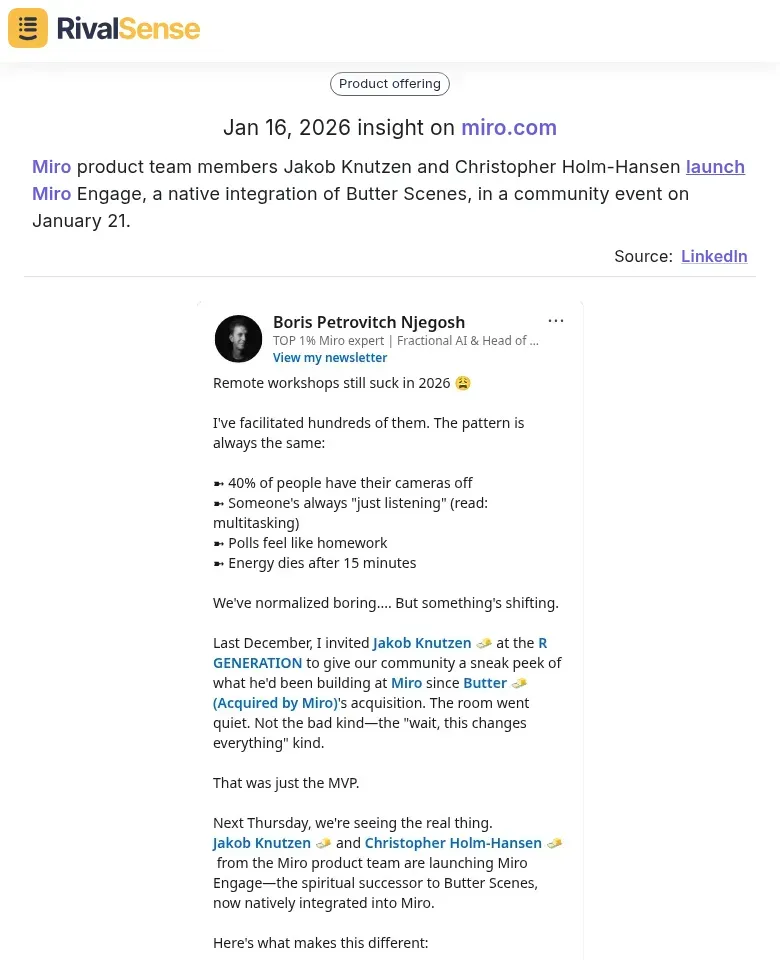 Understanding these community engagement tactics helps you refine your own launch strategies and better connect with your user base.
No-Code App Generation: Empowering Account Teams with Custom Solutions
No-code app generation transforms how account teams solve workflow gaps. Instead of waiting months for IT development, account managers can now create functional apps directly from visual collaboration boards. Platforms like Stacker and Bubble enable teams to describe their needs in natural language and generate working databases with interfaces in minutes.
Practical Implementation Steps:
- Identify recurring workflow bottlenecks in your account management process
- Map these to visual collaboration boards using tools like Miro or FigJam
- Partner with specialized no-code platforms that offer API integrations with your existing software stack
- Train account teams on basic app generation using AI prompts
- Establish governance for app creation and maintenance
Strategic Partnership Benefits:
- Accelerated innovation - Embed custom functionality 10x faster than traditional development
- Expanded capabilities - Add specialized features without extensive coding
- User empowerment - Enable account teams to solve their own unique challenges
- Cost efficiency - Reduce reliance on dedicated development resources
By integrating no-code app generation with visual collaboration tools, organizations create a continuous improvement loop where identified gaps lead directly to implemented solutions, dramatically increasing operational agility in key account management.
📚 Read more
👉 Regulatory Competitor Insights: A Checklist for Key Account Growth
👉 Leveraging Personnel Changes for Competitor Analysis: A Real-World Example
👉 Competitor SWOT Analysis: Your Actionable Guide to Strategic Advantage
👉 2026 Trend Analysis: Why Competitor Analysis Drives Digital Marketing Agency Success
👉 How Adidas' CLOT Partnership Served as a Competitive Intelligence Wake-Up Call