
Key Account Tracking Permissions: The Complete Guide for B2B Leaders in 2026
In today's hyper-competitive B2B landscape, your key accounts represent more than just revenue—they're strategic assets that can make or break your business. Research shows that just 20% of your accounts typically generate 80% of your revenue. Yet most companies still manage these critical relationships with fragmented systems and manual processes that leave them vulnerable to competitive threats.
The reality is stark: Without proper key account tracking permissions and integrated systems, you're essentially flying blind. You miss early warning signs of account dissatisfaction, overlook expansion opportunities, and remain unaware of competitive movements that could jeopardize your most valuable relationships.
The 5-Pillar Framework for Key Account Tracking Permissions
Pillar 1: Permission-Based Data Access Architecture
Your first step is establishing a structured permission system for account data access. This goes beyond basic CRM permissions to include comprehensive controls that protect sensitive account information while enabling strategic insights. A well-designed architecture ensures that the right people have access to the right data at the right time, balancing security with operational efficiency.
Practical Checklist for Permission Implementation:
✅ Role-Based Access Control (RBAC): Define clear permission levels for executives, account managers, and support teams
✅ Data Segmentation: Separate public information from confidential account intelligence
✅ Audit Trails: Implement logging for all account data access and modifications
✅ Compliance Integration: Ensure permissions align with GDPR, CCPA, and industry regulations
✅ Competitive Intelligence Permissions: Control who can access competitor tracking data
Pro Tip: Don't rely on basic CRM permissions. Use dedicated account management platforms that provide granular permission controls. The goal is to balance data security with strategic accessibility.
Pillar 2: Real-Time Monitoring Permissions and Automated Alerts
Proactive account management requires instant insights into account health, but not everyone needs access to all alerts. Implement a tiered permission system for monitoring and alerts to ensure timely responses without information overload. This approach helps teams focus on what matters most while maintaining data privacy.
Permission Implementation Steps:
- Define Alert Categories: Separate alerts by urgency and sensitivity (e.g., critical churn risk vs. routine engagement updates)
- Set Permission Levels: Determine who receives which types of alerts
- Establish Escalation Protocols: Define permission-based escalation paths for different risk levels
- Validate with Historical Data: Test the permission system using past account outcomes
- Regular Permission Reviews: Conduct quarterly permission audits
Key Permission Categories to Track:
- Executive-Level Permissions: Full account portfolio visibility
- Account Manager Permissions: Assigned accounts plus competitive context
- Support Team Permissions: Limited to engagement and support data
- Analyst Permissions: Aggregated data without individual account identification
Pillar 3: Competitive Intelligence Integration Permissions
Your key accounts are constantly being courted by competitors. Effective tracking must include monitoring competitive movements, but this requires careful permission management to protect strategic intelligence. Integrating competitor insights with controlled access allows you to anticipate threats and opportunities without compromising security.
Why Competitive Monitoring Permissions Are Critical:
- 68% of lost key accounts cite competitor offers as a primary reason for switching
- Early detection of competitive threats allows proactive response
- Understanding competitor strategies helps you anticipate account needs
- But: Uncontrolled access to competitive intelligence can create security risks
Practical Permission Strategy for Competitive Intelligence:
Competitive Intelligence Permission Checklist:
✅ Product Innovation Tracking: Who can see competitor feature launches that appeal to your accounts' industries
✅ Strategic Moves Monitoring: Permission levels for tracking acquisitions, partnerships, or executive changes
✅ Pricing and Service Updates: Controlled access to competitor pricing adjustments
✅ Market Expansion Signals: Permission-based alerts for competitor geographic expansion
✅ Regulatory Changes: Compliance team access to industry regulation impacts
Real-World Examples from RivalSense Insights:
-
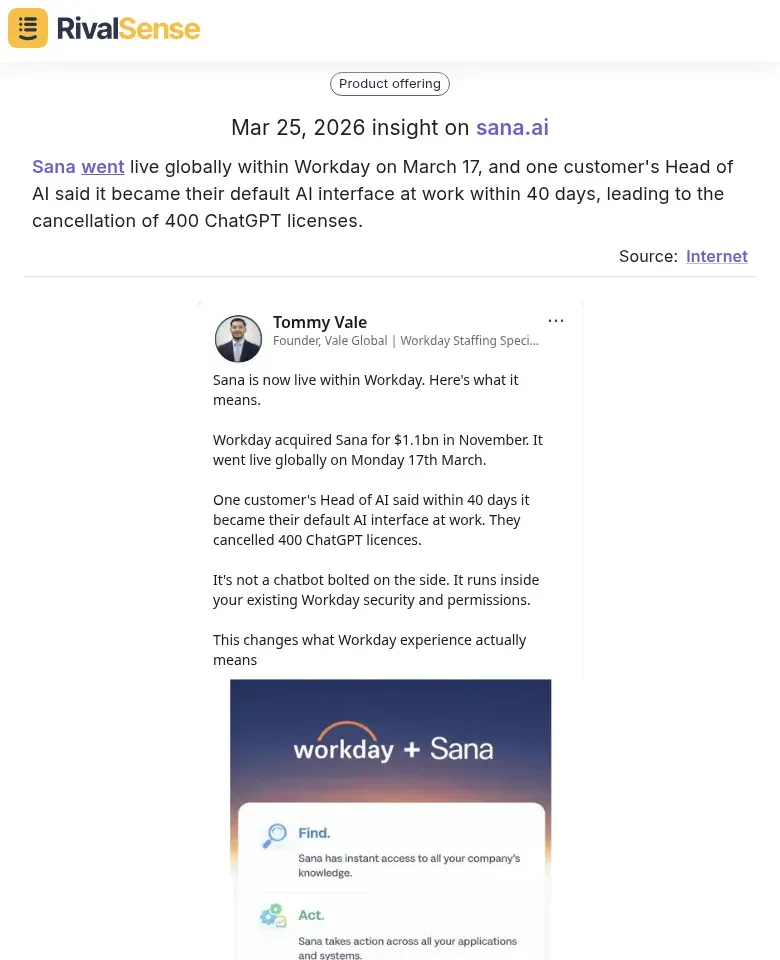
Product Innovation Tracking: When Sana went live globally within Workday on March 17, and one customer's Head of AI said it became their default AI interface at work within 40 days, leading to the cancellation of 400 ChatGPT licenses, this signaled a major shift in AI workspace tools.
Why it's valuable: This insight helps you understand how competitors are integrating with major platforms and displacing established solutions, allowing you to anticipate similar moves in your accounts' industries and adjust your product strategy accordingly. -
Strategic Moves Monitoring: When Revolut released its 2025 Annual Results with $6bn in revenue and $2.3bn in profit, applied for a French banking licence, opened a Paris HQ with a €1billion investment, and created 200 new jobs in France, this demonstrated aggressive market expansion and financial health.

Why it's valuable: Such strategic moves indicate where competitors are investing and growing, helping you identify potential threats or opportunities in specific regions or sectors, and informing your account retention and expansion strategies. -
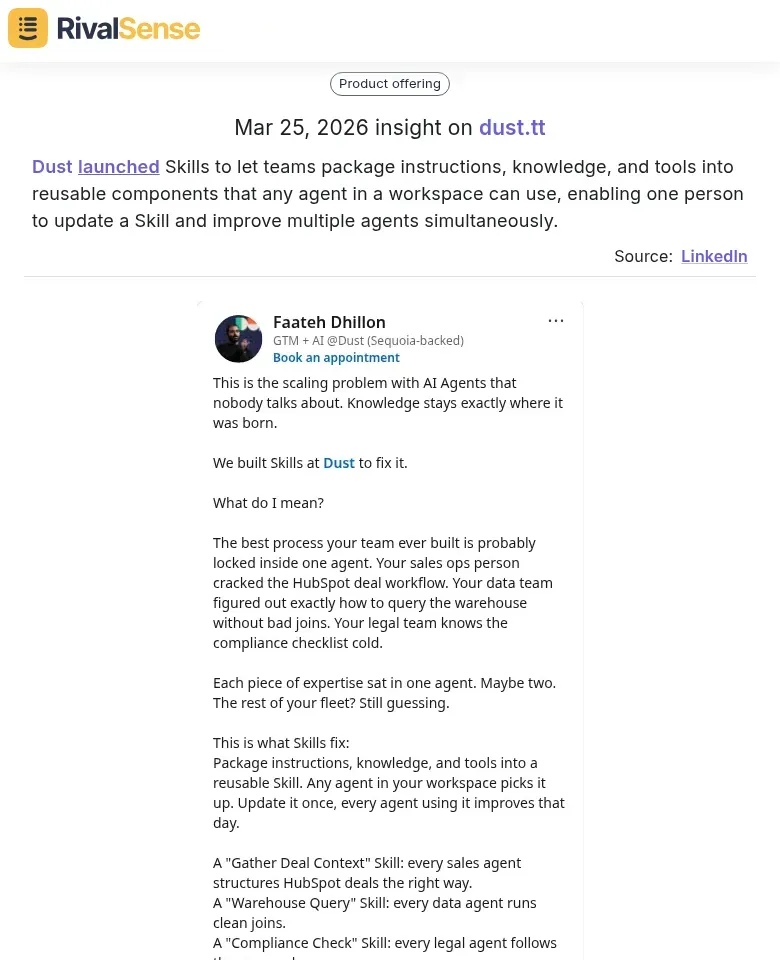
Product Innovation Tracking: When Dust launched Skills to let teams package instructions, knowledge, and tools into reusable components that any agent in a workspace can use, enabling one person to update a Skill and improve multiple agents simultaneously, this showcased innovation in AI agent ecosystems.
Why it's valuable: This type of product update reveals how competitors are enhancing efficiency and scalability, which can appeal to your key accounts looking for automation solutions, prompting you to highlight your own differentiators or develop similar capabilities.
Pillar 4: Workflow Automation and CRM Integration Permissions
Transform your key account tracking from administrative burden to strategic growth engine through automation, but with proper permission controls. Automated workflows save time and reduce errors, but they must be governed by permissions to prevent unauthorized access or actions.
Workflow Automation Permission Checklist:
✅ Process Audit Permissions: Who can identify manual bottlenecks in account tracking workflows
✅ AI-Powered Intelligence Access: Controlled access to conversation analysis for churn signals
✅ Automated Health Scoring Permissions: Who can configure risk thresholds and intervention triggers
✅ Whitespace Analytics Access: Permission-based identification of expansion opportunities
✅ Real-Time Benchmarking Permissions: Controlled access to industry performance comparisons
Key Advantage: Automated systems with proper permissions save account managers 20+ hours weekly while protecting sensitive intelligence. By 2026, integrated automation with permission controls isn't optional—it's the foundation for sustainable 15-25% annual revenue growth from existing accounts.
Pillar 5: Actionable Reporting and Dashboard Permission Design
Create reports that drive action, not just collect data, with permission-based access to different insights. Effective reporting ensures that each team member sees relevant information without being overwhelmed by unnecessary details.
Step-by-Step Permission Framework for Reporting:
Step 1: Define Permission-Based Reporting Objectives
- Executive Permissions: Full portfolio health and growth opportunity visibility
- Account Manager Permissions: Day-to-day relationship management with competitive context
- Cross-Functional Permissions: Limited, role-specific insights
Step 2: Select Permission-Based Key Performance Indicators
Limit core KPIs to 5-7 per permission level:
- Executive KPIs: Account revenue growth rate, portfolio health, competitive landscape
- Account Manager KPIs: Stakeholder engagement levels, opportunity win rates, competitive threat detection
- Support KPIs: Response time to account issues, customer satisfaction scores
Step 3: Design Permission-Based Reporting Dashboards
Executive Dashboard Example (Full Permissions):
- Portfolio Health Overview with color-coded account status
- Revenue Concentration showing distribution across top accounts
- Growth Opportunities with pipeline value by account
- Competitive Landscape tracking recent competitor activities
- Risk Assessment highlighting accounts requiring immediate attention
Account Manager Dashboard Example (Assigned Accounts Only):
- My Accounts Overview with quick status of all assigned accounts
- Upcoming Activities calendar for renewals and important dates
- Health Score Trends with historical tracking
- Action Items with priority tasks and deadlines
- Competitive Alerts for recent competitor movements affecting assigned accounts
Step 4: Establish Permission-Based Reporting Cadence
- Daily: Real-time alerts for critical issues (limited permissions)
- Weekly: Operational updates for account managers (assigned accounts only)
- Monthly: Performance reviews and strategic planning (executive permissions)
- Quarterly: Executive business reviews (full permissions)
- Annually: Comprehensive account planning (controlled access)
Advanced Permission Techniques for 2026
Predictive Analytics with Permission Controls
Move beyond reactive tracking to predictive insights with controlled access. Leveraging historical data and machine learning requires careful permission management to ensure data privacy while enabling forward-looking strategies.
Permission Implementation Steps:
- Collect historical data with proper anonymization where needed
- Build predictive models with access limited to data scientists
- Integrate predictions into dashboards with permission-based visibility
- Establish protocols for acting on predictive insights with clear permission boundaries
AI-Powered Relationship Intelligence Permissions
Leverage artificial intelligence to enhance your tracking capabilities while maintaining data security. AI can uncover patterns and insights that humans might miss, but access must be controlled to prevent misuse.
AI Permission Applications in Key Account Tracking:
- Sentiment Analysis: Automated tone assessment in communications (limited permissions)
- Interaction Pattern Recognition: Optimal engagement frequencies (account manager access)
- Stakeholder Mapping: Influence networks within accounts (executive permissions)
- Automated Insight Generation: AI-highlighted trends and anomalies (role-based access)
Implementation Roadmap: Getting Started with Permissions
Phase 1: Foundation (Weeks 1-4)
Start small to build momentum and refine your permission approach before scaling. This phase focuses on setting up basic structures and training your team.
- Select 5-10 most important accounts to start with basic permission structure
- Set up basic tracking and health scoring with initial permission levels
- Train your team on the new permission system
- Establish baseline metrics for permission effectiveness
Phase 2: Scaling (Months 2-3)
Expand your permission system to cover more accounts and integrate additional data sources. This phase involves broader implementation and integration with existing tools.
- Expand tracking to all key accounts with refined permission levels
- Integrate data sources (CRM, support, product analytics) with permission controls
- Implement competitive monitoring tools like RivalSense with permission-based access
- Refine reporting based on initial permission feedback
Phase 3: Optimization (Months 4-6)
Enhance your system with advanced capabilities and automation while maintaining security. This phase focuses on continuous improvement and scaling best practices.
- Add predictive capabilities and AI insights with permission controls
- Enhance automation to reduce manual work while protecting data
- Conduct regular permission reviews and updates
- Scale best practices across the organization
Common Permission Pitfalls to Avoid
-
Over-Permissioning: Granting too much access without clear business need
Solution: Implement principle of least privilege and regular access reviews -
Under-Permissioning: Restricting access so much that teams can't do their jobs
Solution: Balance security with strategic accessibility needs -
Siloed Permission Management: Different systems with inconsistent permission rules
Solution: Implement centralized permission management platforms -
Ignoring Competitive Context Permissions: Tracking account health without controlled competitive intelligence access
Solution: Integrate competitive intelligence with clear permission boundaries
The Future of Key Account Tracking Permissions: 2026 and Beyond
Technology is rapidly evolving, and key account tracking permissions must keep pace. Emerging tools and trends will enable even deeper insights with better security controls.
Key Trends to Watch:
- Zero-Trust Architecture: Continuous verification of all access requests
- AI-Driven Permission Optimization: Automated permission recommendations based on usage patterns
- Blockchain-Based Audit Trails: Immutable records of all permission changes and data access
- Context-Aware Permissions: Dynamic access based on location, device, and risk factors
How RivalSense Enhances Your Permission-Based Tracking Strategy
While establishing proper permissions is critical, you also need the right intelligence to protect. RivalSense tracks competitor product launches/updates, pricing updates, event participations, partnerships, regulatory aspects, management changes, and media mentions across 80+ sources, delivering all in a weekly email report.
Why This Matters for Your Permission Strategy:
- Controlled Competitive Intelligence: Get the insights you need without overwhelming your team
- Permission-Ready Reports: Structured information that fits into your permission framework
- Security-First Design: Built with data protection and controlled access in mind
- Strategic Integration: Easily integrates with your existing permission systems
Practical Tip: Start by implementing RivalSense with limited permissions to key decision-makers, then expand access as you refine your permission framework. This allows you to gain competitive insights while maintaining control over sensitive intelligence.
Ready to Implement Your Permission-Based Key Account Tracking?
Effective key account tracking in 2026 requires more than just technology—it requires thoughtful permission architecture that balances security with strategic accessibility. By implementing the framework outlined above, you can protect your most valuable account relationships while gaining the competitive intelligence needed to grow them.
Next Steps Checklist:
- ✅ Audit your current permission structure for key account data
- ✅ Define clear permission levels for different roles and data types
- ✅ Implement competitive intelligence tracking with controlled access
- ✅ Establish regular permission review cadences
- ✅ Integrate tools like RivalSense into your permission framework
- ✅ Train your team on the new permission-based tracking system
Ready to secure your key accounts with intelligent tracking? Implementing a permission-based system is crucial, but you also need real-time competitor insights. Try RivalSense for free at https://rivalsense.co/ to get your first competitor report today and see how it can enhance your key account strategy with controlled, actionable intelligence.
Remember: The most sophisticated tracking system is useless without proper permissions to protect your strategic intelligence. Start building your permission-based key account tracking system today to secure your competitive advantage for tomorrow.
📚 Read more
👉 Renewable Energy SEO Benchmarking: Outperform Competitors Strategically
👉 How Genspark's Voice Launch Prompted a Rival's AI Workspace Acceleration
👉 How to Turn Competitor Insights into Key Account Wins
👉 Streamline Education Stakeholder Management with Key Account Dashboards
👉 Competitor Financial Analysis Templates: Fundraising & M&A Insights Framework